1
Contents
Overview of Machine Functions............................................................................................................... 1
Available Features......................................................................................................................................................... 1
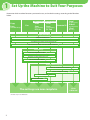
1 Set Up the Machine to Suit Your Purposes............................................................................................. 2
2 Set Up the Machine..................................................................................................................................... 3
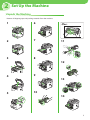
Unpack the Machine.................................................................................................................................................... 3
Items Included with the Machine........................................................................................................................... 4
Optional Item...............................................................................................................................................................................4
Installation Space........................................................................................................................................................................4
Manuals for the Machine..........................................................................................................................................................4
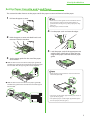
Set Up Paper Cassette and Load Paper................................................................................................................. 5
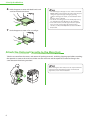
Attach the Optional Cassette to the Main Unit . ............................................................................................... 6
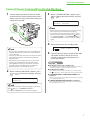
Connect Power Cord and Turn On the Machine................................................................................................ 7
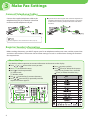
3 Make Fax Settings....................................................................................................................................... 8
Connect Telephone Cables........................................................................................................................................ 8
Register Sender Information..................................................................................................................................... 8
About the Keys.............................................................................................................................................................................8
User Telephone Number and Unit Name...........................................................................................................................9
Date and Time..............................................................................................................................................................................9
About Sender Information.................................................................................................................................................... 10
Select the Receive Mode that Suits Your Needs..............................................................................................10
About the Receive Modes..................................................................................................................................................... 10
If You Need to Use Pulse Dialing......................................................................................................................................... 12
4 Set Up Network Connection.................................................................................................................... 13
Connect the LAN Cable............................................................................................................................................13
Compatible LAN Cables......................................................................................................................................................... 13
Specify the IP Address Settings.............................................................................................................................13
Automatic Setting.................................................................................................................................................................... 13
Check IP Address Setting....................................................................................................................................................... 13
Check Network Connectivity............................................................................................................................................... 14
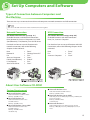
5 Set Up Computers and Software............................................................................................................ 15
Types of Connection between Computers and the Machine.....................................................................15
Network Connection............................................................................................................................................................... 15
USB Connection........................................................................................................................................................................ 15
About User Software CD-ROM...............................................................................................................................15
System Requirement............................................................................................................................................................... 15
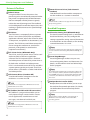
Drivers & Toolbox..................................................................................................................................................................... 16
Bundled Programs................................................................................................................................................................... 16
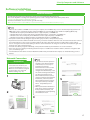
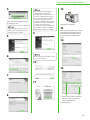
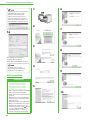
Software Installation..................................................................................................................................................17
Network Connection............................................................................................................................................................... 17
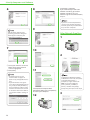
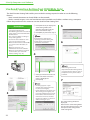
Color Network ScanGear....................................................................................................................................................... 18
USB Connection........................................................................................................................................................................ 20
Check Installation..................................................................................................................................................................... 21
Use Send Function Setting Tool (MF5880dn Only).........................................................................................22
6 Appendix..................................................................................................................................................... 23
User Manual CD-ROM (e-Manual).........................................................................................................................23
System Requirements............................................................................................................................................................. 23
Using the User Manual CD-ROM (e-Manual).................................................................................................................. 23