1
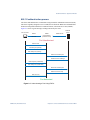
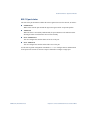
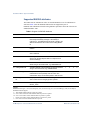
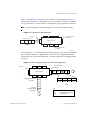
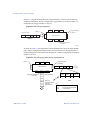
RackSwitch G8000 Application Guide TACACS+ Authentication Blade OS supports authentication and authorization with networks using the Cisco Systems TACACS+ protocol. The G8000 functions as the Network Access Server (NAS) by interacting with the remote client and initiating authentication and authorization sessions with the TACACS+ access server. The remote user is defined as someone requiring management access to the G8000 through a data port. TACACS+ offers the following advantages over RADIUS: TACACS+ uses TCP-based connection-oriented transport; whereas RADIUS is UDPbased. TCP offers a connection-oriented transport, while UDP offers best-effort delivery. RADIUS requires additional programmable variables such as re-transmit attempts and time-outs to compensate for best-effort transport, but it lacks the level of built-in support that a TCP transport offers. TACACS+ offers full packet encryption whereas RADIUS offers password-only encryption in authentication requests. TACACS+ separates authentication, authorization and accounting. How TACACS+ authentication works TACACS+ works much in the same way as RADIUS authentication as described on page 26. 1. Remote administrator connects to the switch and provides user name and password. 2. Using Authentication/Authorization protocol, the switch sends request to authentication server. 3. Authentication server checks the request against the user ID database. 4. Using TACACS+ protocol, the authentication server instructs the switch to grant or deny administrative access. During a session, if additional authorization checking is needed, the switch checks with a TACACS+ server to determine if the user is granted permission to use a particular command. 30 Chapter 1: Accessing the Switch BMD00041, November 2008