1
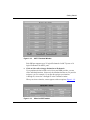
Dial Service Parameters
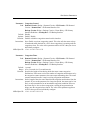
Parameter: Auto Demand Termination
Path: Dialup > Demand Circuits > Demand Pools > PPP or FR Circuits >
PPP or FR Demand Circuits
Default: Disabled
Options: Enabled | Disabled
Function: For applications where there are two paths to the same destination, this
parameter allows the router to automatically terminate a failed demand circuit
and send the data over an alternate path to the destination. Note that the router
does not terminate the circuit until it reaches the maximum number of
connection attempts, which you specify in the Retry Max parameter.
Enable this parameter when the router continues to advertise a static route over
a demand circuit, but it cannot establish a connection over that circuit. The
router terminates the demand circuit, which notifies the routing protocol that
the static routes associated with this circuit are no longer active. The router
then uses the alternate path.
Instructions: Select Enable if you have an alternate path to a remote destination, and you
want to ensure that if the demand circuit fails, the router terminates the circuit
and sends data over the alternate path.
MIB Object ID: 1.3.6.1.4.1.18.3.5.1.4.5.1.29
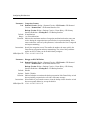
Parameter: Auto Demand Term. Reset
Path: Dialup > Demand Circuits > Demand Pools > PPP or FR Circuits >
PPP or FR Demand Circuits
Default: 60 minutes
Range: 1 to 999,999 minutes
Function: Specifies the amount of time, in minutes, that the router waits before
reestablishing the demand circuit after an auto demand termination. Once the
router reestablishes the demand circuit, the protocols readvertise the static
routes for this demand circuit.
Instructions: Specify an amount of time that allows the network to recover or that allows
your network administrator to resolve the problem. You must enter a value for
this parameter if you configured the Auto Demand Termination parameter.
MIB Object ID: 1.3.6.1.4.1.18.3.5.1.4.5.1.30
114062 Rev. B
A-29