1
Title page
Nortel Communication Server 1000
IP Phone 1140E
Call Center User Guide
Revision history
Revision history
June 2010
Standard 04.01. This document is up-issued to support
Communication Server 1000 Release 7.0.
May 2009
Standard 03.01. This document is up-issued to support
Communication Server 1000 Release 6.0.
April 2008
Standard 02.01. This document is up-issued to support
Communication Server 1000 Release 5.5 for UNIStim 3.0.
May 2007
Standard 01.01. This document is up-issued to support
CS 1000 Release 5.0. This document reflects the new document
number.
February 2006
Standard 3.00. This document is up-issued to support Nortel
Communication Server 1000 Release 4.5.
January 2006
Standard 2.00. This document is up-issued to support Nortel
Communication Server 1000 Release 4.5.
November 2005
Standard 1.00. This document is up-issued to support Nortel
Communication Server 1000 Release 4.5.
3
Revision history
4
Contents
Contents
About the Nortel IP Phone 1140E . . . . . . . . . . . . . . . . . . . . . 7
Basic features . . . . . . . . . . . . . . . . . . . . . . . . . . . . . . . . . . . . . . 7
Telephone controls . . . . . . . . . . . . . . . . . . . . . . . . . . . . . . . . . 10
Telephone display . . . . . . . . . . . . . . . . . . . . . . . . . . . . . . . . . 17
Agent and supervisor features . . . . . . . . . . . . . . . . . . . . . . 18
Logging in without Agent ID (for basic ACD) . . . . . . . . . . . . . 18
Logging in with Agent ID (for Basic
ACD or Contact Center Manager) . . . . . . . . . . . . . . . . . . . . . 18
Logging in using Multiple Queue
Assignments (for Basic ACD) . . . . . . . . . . . . . . . . . . . . . . . . . 20
Logging in with an Agent ID and MQA login options . . . . 20
Using Default Login . . . . . . . . . . . . . . . . . . . . . . . . . . . . . 22
Logging out . . . . . . . . . . . . . . . . . . . . . . . . . . . . . . . . . . . . . . . 23
Agent features . . . . . . . . . . . . . . . . . . . . . . . . . . . . . . . . . . . 24
Answering ACD calls . . . . . . . . . . . . . . . . . . . . . . . . . . . . . . . 24
Using Call Forcing . . . . . . . . . . . . . . . . . . . . . . . . . . . . . . . . . 25
Using Return to Queue on No Answer . . . . . . . . . . . . . . . . . . 26
Using Activity code . . . . . . . . . . . . . . . . . . . . . . . . . . . . . . . . . 26
Using Emergency . . . . . . . . . . . . . . . . . . . . . . . . . . . . . . . . . . 27
Using Not Ready . . . . . . . . . . . . . . . . . . . . . . . . . . . . . . . . . . 28
Placing or answering non-ACD calls . . . . . . . . . . . . . . . . . . . 28
Contacting your supervisor . . . . . . . . . . . . . . . . . . . . . . . . . . . 29
Using Record On Demand key . . . . . . . . . . . . . . . . . . . . 31
Using SAVE key . . . . . . . . . . . . . . . . . . . . . . . . . . . . . . . . 32
Supervisor features . . . . . . . . . . . . . . . . . . . . . . . . . . . . . . . 33
Using Answer Agent . . . . . . . . . . . . . . . . . . . . . . . . . . . . . . . . 33
5
Contents
Using the Agent key . . . . . . . . . . . . . . . . . . . . . . . . . . . . . . . . 34
Using Answer Emergency . . . . . . . . . . . . . . . . . . . . . . . . . . . 34
Using Call Agent . . . . . . . . . . . . . . . . . . . . . . . . . . . . . . . . . . . 35
Using Interflow . . . . . . . . . . . . . . . . . . . . . . . . . . . . . . . . . . . . 36
Using Night Service . . . . . . . . . . . . . . . . . . . . . . . . . . . . . . . . 36
Observing a call . . . . . . . . . . . . . . . . . . . . . . . . . . . . . . . . . . . 38
Displaying the queue . . . . . . . . . . . . . . . . . . . . . . . . . . . . . . . 39
Displaying agent status . . . . . . . . . . . . . . . . . . . . . . . . . . . . . 40
Terms you should know . . . . . . . . . . . . . . . . . . . . . . . . . . . 43
Index . . . . . . . . . . . . . . . . . . . . . . . . . . . . . . . . . . . . . . . . . . . 49
6
About the Nortel IP Phone 1140E
About the Nortel IP Phone 1140E
The Nortel IP Phone 1140E brings voice and data to the desktop by
connecting directly to a Local Area Network (LAN) through an Ethernet
connection.
In this guide, sefl-labeled line/programmable feature key labels appear
beside the keys, and context-sensitive soft key labels appear directly
above the keys. Figure 1 shows self-labeled line/programmable feature
keys and context-sensitive soft keys.
Figure 1: Self-labeled line/programmable feature keys and
context-sensitive soft keys
Basic features
Your IP Phone 1140E supports the following features:
•
six self-labeled line/programmable feature keys with labels and
indicators
•
four context-sensitive soft keys
7
About the Nortel IP Phone 1140E
For information about the context-sensitive soft keys, see Features and
Services Fundamentals - Book 2 of 6 (NN43001-106_B2).
Note: Some IP Phone 1140E phones are not configured to support
soft key functionality. Consult your system administrator.
•
graphical, high-resolution LCD display, backlit, with adjustable
contrast
•
high-quality speaker phone
•
volume control keys for adjusting ringer, speaker, handset, and
headset volume
•
six specialized feature keys:
— Quit
— Directory
— Message/Inbox
— Shift/Outbox
— Services
— Copy
•
six call-processing fixed keys:
— Mute
— Handsfree
— Goodbye
— Expand
— Headset
— Hold
•
gigabit Ethernet ports
•
built-in gigabit Ethernet switch for shared PC access
•
headset jack with an On/Off key
•
USB port to support a keyboard or mouse. Powered downstream 1.1compliant USB hubs are supported, including USB 2.0 hubs, if they
offer USB 1.1 backwards compliancy.
•
automatic network configuration
•
Graphical XAS
8
About the Nortel IP Phone 1140E
•
hearing aid compatibility
•
wireless headset support using Bluetooth® 1.2
wireless technology compliant Audio Gateway
(Headset Profile, Bluetooth Power Class 2)
•
Accessory Expansion Module port to connect the Expansion Module
for IP Phone 1100 Series (Expansion Module)
For information about using the Expansion Module, see the Expansion
Module for IP Phone 1100 Series User Guide (NN43130-101).
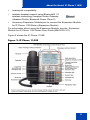
Figure 2 shows the IP Phone 1140E.
Figure 2: IP Phone 1140E
9
About the Nortel IP Phone 1140E
Telephone controls
This section describes the controls on your IP Phone 1140E. In some
geographic regions, the IP Phone 1140E is offered with key caps that
have English text labels. In this document, text in parentheses indicates
the labels that appear on the key caps, for example, (Services).
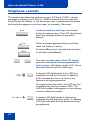
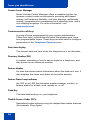
Fwd
Fwd
More
Context-sensitive soft keys are located
below the display area. The LCD label above
each key changes based on the active
feature.
When a triangle appears before a soft key
label, the feature is active.
Press the More key to access the next layer
of soft keys (self-labeled).
The keys on either side of the LCD display
area are self-labeled line/programmable
feature keys, with labels on the LCD. These
keys also function as line (DN) keys.
A steady LCD light beside a line (DN) key
indicates that the line is active. A flashing
LCD indicates the line is on hold or the
feature is being programmed.
Throughout this document, the ACD line key
is indicated by the line number 2260. The
ACD line number that appears on your phone
can be a different number.
AutoAns
10
Z
A steady LCD light beside a feature key
indicates that the feature is active. A flashing
LCD light indicates that the feature is being
programmed.
About the Nortel IP Phone 1140E
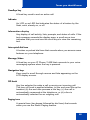
(Volume +)
(Volume -)
(Mute)
Use the Volume control buttons to adjust the
volume of the ringer, handset, headset,
speaker, and the Handsfree feature. Press
the top button to increase the volume, and
press the bottom button to decrease volume.
Your Mute key functionality is enabled or
disabled by your system administrator.
Contact your system administrator to
determine if your Mute key is enabled.
If your Mute key is enabled, press the Mute
key to listen to the receiving party without
transmitting your voice. Press the Mute key
again to return to two-way conversation.
If your Mute key is not enabled, pressing the
Mute key places the call on hold. Press the
Mute key again to restore the active call or
press the line key to restore the active call.
You cannot retrieve this call from hold by
pressing the Hold key.
Note: The Mute LED indicator, located on
the Mute key, flashes to indicate that the
microphone is muted.
(Handsfree)
Press the Handsfree key to activate
handsfree.
Note: The Handsfree LED indicator,
located on the Handsfree key, lights to
indicate when handsfree is active.
11
About the Nortel IP Phone 1140E
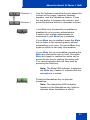
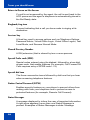
Use the Navigation keys to scroll through
menus and lists appearing on the LCD display
screen. The outer part of this key cluster
rocks for up, down, left, and right movements.
Use Up and Down to scroll up and down in
lists, and the Left and Right keys to position
the cursor. In some dialog boxes that appear
on your phone, you can also use the Left and
Right keys to select editable fields; press the
Right key to select the field below the current
selection, or the Left key to select the one
above.
Use the Enter key, at the center of the
Navigation key cluster, to confirm menu
selections.
In most menus, you can use the Enter key
instead of the Select soft key.
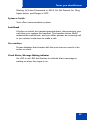
(Hold)
(Expand)
(Headset)
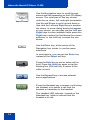
Press the Hold key to put an active call on
hold. Press the Hold key again or tap the
flashing line (DN) soft key to return to the
caller on hold.
Use the Expand key to access external
server applications.
Press the Headset key to answer a call using
the headset or to switch a call from the
handset or handsfree to the headset.
The Headset LED indicator, located on the
Headset key, lights to indicate that the
headset is in use.
12
About the Nortel IP Phone 1140E
(Headset)
(Headset)
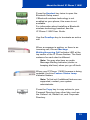
Press the Headset key twice to open the
Bluetooth Setup menu.
If Bluetooth wireless technology is not
enabled on your phone, this menu is not
available.
For information about installing a Bluetooth
wireless technology headset, see the
IP Phone 1140E User Guide.
(Goodbye)
Use the Goodbye key to terminate an active
call.
When a message is waiting, or there is an
incoming call, the red Message
Waiting\Incoming Call Indicator LED at the
top center of the IP Phone flashes. The flash
cadence for each alert is different.
Note: You may also hear an audio
Message Waiting Indicator (stutter or
beeping dial tone) when you go off-hook.
When your IP Phone 1140E firmware is being
updated, the blue Feature Status Lamp
indicator flashes.
Note: To find out if additional features are
supported, contact your system
administrator.
(Copy)
Press the Copy key to copy entries to your
Personal Directory from other lists, such as
the Callers List, Redial List, and Corporate
Directory.
13
About the Nortel IP Phone 1140E
(Quit)
(Shift/Outbox)
Press the Quit/Stop key to exit an active
menu or dialog. Pressing the Quit/Stop key
does not affect the status of active calls.
Press the Shift/Outbox key to toggle
between two feature key pages and to access
an additional six lines/features.
Note: This function is not available on all
phones; consult your system
administrator.
(Msg/Inbox)
Press the Message/Inbox key to access your
voice mailbox.
Note: This function is not available on all
phones; consult your system
administrator.
(Directory)
14
Press the Directory key to access directory
services.
About the Nortel IP Phone 1140E
(Services)
Press the Services key to open the Services
menu, and use the navigation keys to access
the following items:
•
Telephone Options:
— Volume adjustment
— Contrast adjustment
— Language
— Date/Time
— Display diagnostics
— Local Dialpad Tone
— Set Info
— Diagnostics
— Call Log Options
— Ring type
— Call Timer
— On hook default path
— Change Feature Key Label
— Name Display Format
— LiveDialpad
— Caller ID display order
— Normal mode indication
15
About the Nortel IP Phone 1140E
•
Password Admin:
— Station Control Password
(Services)
The Password Admin menu is not
available on all IP Phone 1140E sets.
Consult your system administrator.
(continued)
•
Display Network Diagnostics Utilities
Only your system administrator or service
provider can use Display Network
Diagnostics Utilities to perform Internet
diagnostics.
•
Virtual Office Login and Virtual Office
Logout (if Virtual Office is configured)
•
Test Local Mode and Resume Local
Mode (if Media Gateway 1000B is
configured)
Press the Services key to exit from any menu
or menu item.
(Services)
(Services)
Press the Services key twice to access the
Local Tools menu, and use the navigation
keys to access the following items:
•
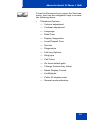
1. Preferences
•
2. Local Diagnostics
•
3. Network Configuration
•
4. Lock Menu
If you attempt to access the Local Tools
menu and a dialog box appears
prompting you for a password, contact
your system administrator. Your system
administrator can establish a password
for the Local Tools menu.
16
About the Nortel IP Phone 1140E
Telephone display
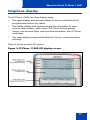
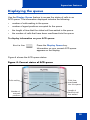
The IP Phone 1140E has three display areas:
•
The upper display area provides labels for the six self-labeled line/
programmable feature key labels.
•
The middle display area contains single-line information for items
such as caller number, caller name, Call Timer, feature prompt
strings, user-entered digits, date and time information, and IP Phone
information.
•
The lower display area provides labels for the four context-sensitive
soft keys.
Figure 3 shows an idle LCD screen.
Figure 3: IP Phone 1140E LCD display screen
17
Agent and supervisor features
Agent and supervisor features
This section describes login features that are common to the Call Center
agent and supervisor. Depending on your system configuration, choose
from the following methods of logging in and out:
•
“Logging in without Agent ID (for basic ACD)” on page 18
•
“Logging in with Agent ID (for Basic ACD or Contact Center
Manager)” on page 18
•
“Logging in using Multiple Queue Assignments (for Basic ACD)” on
page 20
•
“Logging out” on page 23
CAUTION
When logged on, you are placed into the queue for
incoming calls. If you are unavailable or away from your
phone, activate Make Set Busy or Not Ready to prevent
callers from being directed to your phone.
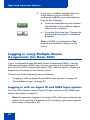
Logging in without Agent ID (for basic ACD)
If your ACD configuration does not rely on Agent ID, which is often the
case if you do not share your phone with another person, use the
following procedure to log in to an Automatic Call Distribution (ACD)
queue.
MakeSetBsy
1. Press the Make Set Busy key.
Logging in with Agent ID (for Basic
ACD or Contact Center Manager)
If your ACD configuration uses Agent ID, which is often the case if you
share your phone with another person, use the following procedure to log
in to an Automatic Call Distribution (ACD) queue. If an Agent ID is
18
Agent and supervisor features
assigned to you, the display screen prompts you to enter a four-digit
code.
Note: The following procedure applies if you are working in a Basic
ACD environment or a Nortel Contact Center Manager environment.
For more information about Nortel Contact Center Manager, visit
www.nortel.com.
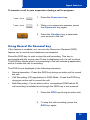
To log in as an agent:
1. Lift the handset.
2260
2. Press the In-Calls key.
3. If “Enter Agent ID” appears on the
screen, use the dialpad to enter your ID.
4. Press the # key. The phone goes into a
Not Ready state.
2260
or
NotReady
5. To join the ACD queue, choose one of
the following:
— Press the In-Calls key.
— Press the NotReady key.
19
Agent and supervisor features
6. If you use a headset and Handset OnHook Means Log out (HOML) is
configured to No by your administrator,
then do the following:
(Headset)
a. Press the Headset key and replace
the handset in the cradle to receive
calls on your headset.
(Services)
b. Press the Services key. Change the
On-hook default path to Headset
Enabled.
Note: If HOML is configured to Yes,
replace the handset to log out of the
queue.
Logging in using Multiple Queue
Assignments (for Basic ACD)
If your configuration uses Multiple Queue Assignment (MQA), use the
following procedure. MQA login involves entering a four-digit Agent ID
and up to five ACD Directory Numbers (DN), with the option of adding a
Supervisor ID and up to five Priority values.
Choose one of the following login procedures:
•
“Logging in with an Agent ID and MQA login options” on page 20
•
“Using Default Login” on page 22
Logging in with an Agent ID and MQA login options
To enter ACD queues, use an Agent ID login with one of the MQA login
options described on page 21.
Note: A supervisor logging in to accept ACD calls is prevented by the
system from entering a Supervisor ID (including logins where agents
must enter a Supervisor ID).
20
Agent and supervisor features
The login options require the following entries in sequential order:
1. a four-digit Agent ID
2. a Supervisor ID (if your queue requires one)
3. up to five ACD DNs and Priority values (if Priority values are being
used) terminated by # #
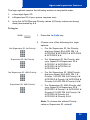
To log in:
2260
1. Press the In-Calls key.
2. Choose one of the following four login
options:
No Supervisor ID, No Priority
Supervisor ID, No Priority
— For No Supervisor ID, No Priority,
dial your Agent ID # ACD DN 1 #
ACD DN 2 # ACD DN 3 # ACD DN 4
# ACD DN 5 # #.
— For Supervisor ID, No Priority, dial
your Agent ID # Supervisor ID #
ACD DN 1 # ACD DN 2 #
ACD DN 3 # ACD DN 4 #
ACD DN 5 # #.
No Supervisor ID, With Priority
— For No Supervisor ID, With Priority,
dial your Agent ID # ACD DN 1 #
Priority 1 # ACD DN 2 # Priority 2 #
ACD DN 3 # Priority 3 # ACD DN 4 #
Priority 4 # ACD DN 5 Priority 5 # #.
Supervisor ID, With Priority
— For Supervisor ID, With Priority, dial
your Agent ID # Supervisor ID #
ACD DN 1 # Priority 1 # ACD DN 2 #
Priority # 2 ACD DN 3 # Priority 3 #
ACD DN 4 # Priority 4 #
ACD DN 5 # Priority 5 # #.
Note: To choose the default Priority
value or Supervisor ID, enter #.
21
Agent and supervisor features
3. Choose one of the following:
2260
or
NotReady
— Press the In-Calls key.
— Press the NotReady key to enter the
ACD queue.
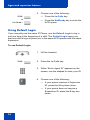
Using Default Login
If you normally use the same IP Phone, use the Default Login to log in
just one time at the beginning of a shift. The Default Login uses your
previous shift’s login to place you in the same ACD queues with the same
supervisor.
To use Default Login:
1. Lift the handset.
2260
2. Press the In-Calls key.
3. When “Enter Agent ID” appears on the
screen, use the dialpad to enter your ID.
4. Choose one of the following:
— If your queue requires a Supervisor
ID, press the # key three times.
— If your queue does not require a
Supervisor ID, press the # key two
times.
22
Agent and supervisor features
2260
or
NotReady
5. To join the ACD queue, choose one of
the following:
— Press the In-Calls key.
— Press the NotReady key.
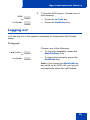
Logging out
You can log out of the system completely or temporarily (Not Ready
state).
To log out:
Choose one of the following:
MakeSetBusy
or
NotReady
— To log out completely, press the
MakeSetBusy key.
— To log out temporarily, press the
NotReady key.
Note: If you press the MakeSetBusy
key while on an ACD call, you log out
automatically when the call finishes.
23
Agent features
Agent features
The following sections describe features that are available to agents:
•
“Answering ACD calls” on page 24
•
“Using Call Forcing” on page 25
•
“Using Return to Queue on No Answer” on page 26
•
“Using Activity code” on page 26
•
“Using Emergency” on page 27
•
“Using Not Ready” on page 28
•
“Placing or answering non-ACD calls” on page 28
•
“Contacting your supervisor” on page 29
Answering ACD calls
Use the In-Calls key to answer the next queued ACD call on the primary
DN. The In-Calls key is located in the lower right area of the self-labeled
line/programmable feature keys.
To answer the call:
2260
When the LCD next to the In-Calls key
flashes, press the In-Calls key.
Note: The LCD remains lit as long as
you are on the call.
24
Agent features
To terminate the call:
Choose one of the following:
— Press the Goodbye key.
(Goodbye)
or
— Press the In-Calls key.
— Press the individual DN line key (this
removes you from the queue).
2260
or
— Press the Not Ready key (this
removes you from the queue but
keeps you logged in as an agent
position) or wait for the caller to
terminate the call.
2498
or
Not Ready
Using Call Forcing
Use the Call Forcing feature to automatically connect an incoming ACD
call. A time interval is configured by your system administrator between
each incoming call.
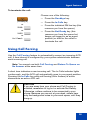
Note: You cannot use both Call Forcing and Return To Queue on
No Answer at the same time.
A short tone indicates a new incoming call. The In-Calls indicator lights
continuously, and the ACD call automatically goes to your agent position.
Pressing the In-Calls key while call forcing (Auto Answer) is active
disconnects an active ACD call.
CAUTION
If you are away from your phone and Call Forcing is
enabled, remember to log out or activate Not Ready.
Otherwise, callers continue to be connected to your
phone. Because you are not at your desk, callers hear
only the background noise in your work space, until they
hang up.
25
Agent features
To enable Call Forcing for headset users:
1. Log in.
2. Replace the handset.
(Services)
3. Press the Services key. Configure the
On-hook default path to Headset
Enabled.
Using Return to Queue on No Answer
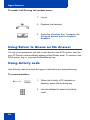
If a call is not answered, the call is sent back to the ACD queue, and the
your IP Phone is automatically placed in Not Ready state. To return to the
ACD queue, log in, or press the NotReady key.
Using Activity code
Use Activity code to record the types of activities you are performing.
To record activities:
Activity
1. When the Activity LCD indicator is
flashing, press the Activity key.
2. Use the dialpad to enter the Activity
code.
26
Agent features
Activity
3. Press the Activity key.
If you are performing multiple tasks,
repeat steps 1 and 2.
Note: If configured, you can enter
Activity Codes while in the Not Ready
state and run Not Ready Reason Codes
by Agent report in Contact Center
Manager Administration to track Not
Ready time.
Using Emergency
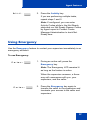
Use the Emergency feature to contact your supervisor immediately in an
emergency situation.
To use Emergency:
Emergency
1. During an active call, press the
Emergency key.
Note: The Emergency LCD remains lit
as long as the feature is active.
When the supervisor answers, a threeway call commences with you, your
supervisor, and the caller.
Emergency
2. Press the Emergency key again to
transfer the caller to the supervisor and
terminate your access to the caller and
supervisor.
27
Agent features
Using Not Ready
Use the Not Ready feature to take your IP Phone out of the call queue
while completing post-call work.
Note: If you don't activate Make Set Busy or Not Ready, callers will
continue to be directed to your phone.
To use Not Ready:
NotReady
1. Press the NotReady key to temporarily
log out of the system.
Note: The NotReady LCD remains lit as
long as the feature is active.
2260
or
NotReady
2. To return to the queue, choose one of
the following:
— Press the In-Calls key
— Press the NotReady key.
Placing or answering non-ACD calls
Use this feature to place and receive calls on your individual line.
To place a call:
2498
1. Press your individual DN key.
2. Use the dialpad to dial the phone
number.
Note: The LCD remains lit as long as
you are on the call.
28
Agent features
To answer a call:
2498
When the LCD next to your individual
DN key flashes, press the DN key.
Note: The LCD remains lit as long as
you are on the call.
Contacting your supervisor
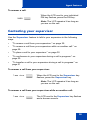
Use the Supervisor feature to talk to your supervisor in the following
ways:
•
“To answer a call from your supervisor:” on page 29
•
“To answer a call from your supervisor while on another call:” on
page 29
•
“To place a call to your supervisor:” on page 30
•
“To conference in your supervisor during a call in progress:” on
page 30
•
“To transfer a call to your supervisor during a call in progress:” on
page 31
To answer a call from your supervisor:
Supervisor
When the LCD next to the Supervisor key
flashes, press the Supervisor key.
Note: The LCD remains lit as long as
you are on the call.
To answer a call from your supervisor while on another call:
Supervisor
The LCD next to the Supervisor key flashes
and a buzzer sounds.
29
Agent features
(Hold)
Supervisor
1. Press the Hold key to put the current call
on hold.
2. Press the Supervisor key.
Press the line (DN) key beside the
flashing LED indicator to return to the
caller on hold.
To place a call to your supervisor:
Supervisor
Press the Supervisor key.
Note: Calls are automatically put on hold
when you use the Supervisor key.
To return to the ACD call:
2260
Press the In-Calls key.
To conference in your supervisor during a call in progress:
30
Supervisor
1. Press the Supervisor key to talk
privately with your supervisor.
Supervisor
2. Press the Supervisor key again for a
conference call with you, your
supervisor, and the other caller.
Agent features
To transfer a call to your supervisor during a call in progress:
Supervisor
1. Press the Supervisor key.
Supervisor
2. When your supervisor answers, press
the Supervisor key again.
(Goodbye)
3. Press the Goodbye key to terminate
your access to the call.
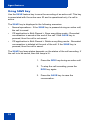
Using Record On Demand key
If this feature is enabled, you can use the Record on Demand (ROD)
feature key to record your telephone conversation.
Press the ROD key to start or stop the call recording. This key is
associated with the active user ID and is displayed only if a call is active.
The ROD key blinks while it is connecting to the call recording application,
and is lit when the call is recording.
The ROD key is displayed in the following scenarios:
•
Normal operation - Press the ROD key during an active call to record
the call.
•
Call Recording (CR) application in ROD Mode - Press the ROD key
during an active call to record the call
•
Bulk Recording - For an active call or unregistered DN/Position ID,
call recording is initiated even though the ROD key is not pressed..
1. Press the ROD key during an active call.
2. To stop the call recording, press the
ROD key again.
31
Agent features
Using SAVE key
Use the SAVE feature key to save the recording of an active call. This key
is associated with the active user ID and is operational only if a call is
active.
The SAVE key is displayed in the following scenarios:
•
Normal operations - If the SAVE key is pressed during an active call,
the call is saved.
•
CR application in Bulk Record + Save everything mode - Recorded
conversation is saved at the end of the call. If the SAVE key is
pressed, then the call is not saved.
•
CR application in Bulk Record + Delete everything mode - Recorded
conversation is deleted at the end of the call. If the SAVE key is
pressed, then the call is saved.
The SAVE key lamp status depends on the status of the call recording. If
the call is to be saved, then the lamp is lit..
1. Press the ROD key during an active call.
2. To stop the call recording, press the
ROD key again.
3. Press the SAVE key to save the
conversation.
32
Supervisor features
Supervisor features
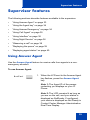
The following sections describe features available to the supervisor:
•
“Using Answer Agent” on page 33
•
“Using the Agent key” on page 34
•
“Using Answer Emergency” on page 34
•
“Using Call Agent” on page 35
•
“Using Interflow” on page 36
•
“Using Night Service” on page 36
•
“Observing a call” on page 38
•
“Displaying the queue” on page 39
•
“Displaying agent status” on page 40
Using Answer Agent
Use the Answer Agent feature to receive calls from agents in a nonemergency situation.
To use Answer Agent:
AnsAgent
1. When the LCD next to the Answer Agent
key flashes, press the Answer Agent
key.
Note 1: The Agent ID of the person
contacting you displays on your IP
Phone.
Note 2: The LCD remains lit as long as
you are on the call, and your status is
displayed as NotReady. If configured,
your status is displayed as Not Ready in
Contact Center Manager Administration
Real Time Display.
33
Supervisor features
2. Press the Goodbye key to end the call.
(Goodbye)
Using the Agent key
Use the Agent feature to connect, observe, or monitor the status of each
agent position. Each Agent key links to a particular agent position and
can be used along with the Call Agent or Observe Agent keys.
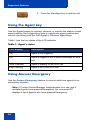
Table 1 lists the four states of the LCD indicator.
Table 1: Agent’s status
LCD display
Description
Off
Agent is not logged in.
On
Agent is logged in but is either NotReady or on a
call.
Slow Flashing
Agent is waiting for an ACD call.
Fast Flashing
Agent is on a non-ACD call.
Using Answer Emergency
Use the Answer Emergency feature to receive calls from agents in an
emergency situation.
Note: If Contact Center Manager Administration is in use, and if
multiple Agents have pressed Emergency, the connected PC
displays a list of Agents who have pressed Emergency.
34
Supervisor features
To use Answer Emergency:
AnsEmerg
1. When the LCD next to the Answer
Emergency key flashes, press the
Answer Emergency key.
Note 1: The Agent ID of the person
contacting you displays on your IP
Phone.
Note 2: The LCD remains lit as long as
you are on the call and your status is
displayed as Not Ready.
2. Press the Goodbye key to end the call.
(Goodbye)
Using Call Agent
Use the Call Agent feature to contact an Agent.
To use Call Agent:
CallAgt
1. Press the Call Agent key.
2. Choose one of the following:
AgentKey
or
— Press a selected Agent key.
— Dial the agent’s Position ID.
35
Supervisor features
3. Press the Goodbye key to end the call.
(Goodbye)
Using Interflow
Use the Interflow feature to redirect calls when the backlog or wait time
exceeds a pre-defined threshold.
To use Interflow:
Interflow
1. Press the Interflow key.
Note: The Interflow LCD flashes while
the feature is active.
Interflow
2. Press the Interflow key again to
deactivate the feature and resume
normal call flow.
Using Night Service
Use the Night Service feature to define how calls are handled outside of
business hours.
To activate Night Service:
NightSvc
36
1. Press the Night Service key.
Supervisor features
2. Press the 6 key (6 = N for Night) to go
into Night Service.
The Night Service LCD lights
continuously. All calls in the queue and
new calls receive night service.
To transition to Night Service:
NightSvc
1. Press the Night Service key.
2. Press the 8 key (8 = T for Transition) to
activate Transition mode.
The Night Service LCD flashes. All calls
in the queue remain in the queue and
new calls receive Night Service.
To deactivate Night Service:
NightSvc
1. Press the Night Service key.
2. Press the 3 key (3 = D for Day) to
resume Day mode.
The Night Service LCD flashes. New
calls enter the queue.
37
Supervisor features
Observing a call
Use the Observe feature to monitor an agent in a call.
Note: Use this feature to listen to a conversation between an Agent
and a Customer, or to create a three-party conference with the
Supervisor, Agent and Customer.
To observe a call:.
Observe
Agentkey
or
1. Press the Observe key.
2. Choose one of the following:
— Press a selected Agent key.
— Dial the agent’s Position ID.
RAG
CallAgt
3. Choose one of the following:
— Press the Ring Agent key creating a
three party call, so that you can
break in to the call, and speak to
both the caller and the agent.
— Press the Call Agent key to talk to
the agent you are monitoring.
— Proceed to step 4.
Observe
38
4. Press the Observe key to terminate the
observation.
Supervisor features
Displaying the queue
Use the Display Queue feature to access the status of calls in an
ACD queue. The information displayed includes the following:
•
number of calls waiting in the queue
•
number of agent positions occupied for the queue
•
the length of time that the oldest call has waited in the queue
•
the number of calls that have been overflowed into the queue
To display information on your ACD queue:
DisplayQue
Press the Display Queue key.
Information on your current ACD queue
appears on the display.
Figure 4 shows the ACD queue status.
Figure 4: Current status of ACD queue
Calls waiting
WAITING
12
Number of
manned
positions
MAND
9
LWAIT
0:20
TOFQ
0
Calls time
overflowed
into this queue
Length of
time first call
has waited
39
Supervisor features
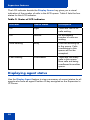
The LCD indicator beside the Display Queue key gives you a visual
indication of the number of calls in the ACD queue. Table 2 lists the four
states for this LCD indicator.
Table 2: States of LCD indicator
Indicator
Queue status
Description
Off
Light
There are few or no
calls waiting.
On
Normal
An acceptable
number of calls are
waiting.
Slow flashing
Busy
Calls are backing up
in the queue. Calls
overflowing to this
queue will not be
accepted.
Fast flashing
Overloaded
There are too many
calls in this queue.
New calls are being
overflowed to another
queue.
Displaying agent status
Use the Display Agent feature to view a summary of current status for all
agents who have an agent Position ID key assigned on the Supervisor’s
IP Phone.
40
Supervisor features
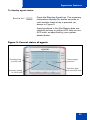
To display agent status:
Press the Display Agent key. The summary
information displays for twelve seconds or
until another feature key is pressed, as
shown in Figure 5.
DisplayAgt
Agent positions in the Not Ready state are
counted as busy on either ACD calls or nonACD calls, as specified by your system
administrator.
Figure 5: Current status of agents
Positions busy
on ACD calls
Positions waiting
for ACD calls
ACD
23
WAIT
2
DH
0
LOGOUT
0
Vacant agent
positions
Positions busy
on non-ACD calls
41
Supervisor features
42
Terms you should know
Terms you should know
Attendant
A telephone operator in your organization.
AutoDial
A telephone number programmed on the AutoDial key for onetouch dialing.
Calling Party Name Display
Information appearing on the LCD display screen, such as the
caller’s name and telephone number. The system must have
CPND enabled.
Category 5 (Cat5)
Cable and associated connecting hardware capable of
transmitting at speeds up to 100 MHz, used by 10BaseT,
100BaseT4, 100BaseTX.
Category 5e (Cat5e)
Most Cat5 cable manufactured after 1996 also supports
1000BaseT (GigE) installations, and is designated Cat 5e. Cat5e
cable normally has four pairs of copper wire.
Category 6 (Cat6)
Cable and associated connecting hardware capable of
transmitting at speeds up to 200 MHz. Designed specifically to
support 1000BaseT (Gig Ethernet (GigE)), it is also compatible
with 10BaseT, 100BaseT4, and 100BaseTX installations. The
cable normally has four pairs of copper wire.
Communication Server 1000
Your office communication system.
43
Terms you should know
Contact Center Manager
Nortel Contact Center Manager offers a scalable solution for
dynamic contact center environments, providing skill-based
routing, call treatment flexibility, real time displays, multimedia
routing, comprehensive management and reporting tools, and a
rich scripting language. For more information, visit
www.nortel.com.
Context-sensitive soft keys
A group of keys programmed by your system administrator.
These four keys, located directly below the display area, have
four programmable layers. These keys are also used to configure
parameters in the Telephone Options menu.
Date/time display
The current date and time when the telephone is in an idle state.
Directory Number (DN)
A number consisting of one to seven digits for a telephone, and
also known as an extension number.
Feature display
An area that shows status information about the feature in use. It
also displays the name and status of the active session.
Feature Status Lamp indicator
An LCD or an LED that indicates a data message, contact, or
feature status by a flash, wink, steady on, or off.
Fixed key
The hard-labeled keys on your telephone.
Flexible Feature Codes (FFCs)
Specialized codes entered using the dialpad that enable features
(for example, Ring Again).
44
Terms you should know
Goodbye key
A fixed key used to end an active call.
Indicator
An LCD or an LED that indicates the status of a feature by the
flash, wink, steady on, or off.
Information display
Any display of call activity, lists, prompts, and status of calls. If the
text message exceeds the display area, a scroll arrow icon
indicates that you must use the scroll keys to view the remaining
text.
Interrupted dial tone
A broken or pulsed dial tone that sounds when you access some
features on your telephone.
Message/Inbox
A fixed key on your IP Phone 1140E that connects to your voice
messaging system when the key is pressed.
Navigation keys
Keys used to scroll through menus and lists appearing on the
LCD display screen.
Off-hook
Any line selected to make a call or receive an incoming call.
The term off-hook is applied whether (a) the end user lifts up the
handset, (b) the end user presses a line key, (c) the call is
automatically answered at the telephone, or (d) a line is
automatically selected for an outgoing call.
Paging tone
A special tone (two beeps followed by dial tone) that sounds
when you use the Radio Paging feature.
45
Terms you should know
Return to Queue on No Answer
If a call is not answered by the agent, the call is sent back to the
ACD queue and the agent’s telephone is automatically placed in
the Not Ready state.
Ringback/ring tone
A sound indicating that a call you have made is ringing at its
destination.
Services key
A fixed key used to access options such as Telephone Options,
Password Admin, Virtual Office Login, Virtual Office Logout, Test
Local Mode, and Resume Normal Mode.
Shared Directory Number
A DN (extension) that is shared by two or more persons.
Special Prefix code (SPRE)
Special codes entered using the dialpad, followed by a two-digit
access code, that enable features (for example, Call Forward All
Calls requires entry of SPRE code + 74).
Special dial tone
The three consecutive tones followed by dial tone that you hear
when accessing telephone features.
Station Control Password (SCPW)
Enables security features on your phone to prevent others from
making calls from your telephone and to prevent access to
protected features (for example, Remote Call Forward).
Status Messages
A message displayed to inform the user of important information.
A right arrow appears if more than one Status Message is
present. Examples of Status Messages include: Message
46
Terms you should know
Waiting, All Lines Forwarded to: 6453, Do Not Disturb On, Ring
Again active, and Ringer is OFF.
System or Switch
Your office communication system.
Switchhook
A button on which the handset presses down, disconnecting your
call when you replace the handset. The handset (when lifted)
releases the switchhook, and you either answer an incoming call
or you receive a dial tone to make a call.
User interface
Screen displays that interact with the end user as a result of an
action or event.
Visual Alerter/Message Waiting indicator
An LCD or an LED that flashes to indicate that a message is
waiting or when the ringer is on.
47
Terms you should know
48
Index
Index
A
E
About the IP Phone 1140E 7
Emergency 27
Activity code 26
Expand key 12
Agent and MQA login options 20
Agent and Supervisor features 18
F
Agent features 24
Feature display 44
Agent key 34
Fixed key 44
Agent login 18
Flexible Feature Code (FFC) 44
Answer ACD calls 24
Answer Agent 33
Answer Emergency 34
Attendant 43
AutoDial 43
B
Basic features 7
G
Goodbye key 13, 45
H
Headset key 12, 13
Hold key 12
I
C
Indicator status 45
Call Agent 35
Information display 45
Contact your supervisor 29
Context-sensitive soft keys 10, 44
Copy key 13
Interflow 36
Interrupted dial tone 45
L
D
Line (DN) key 10
Date/time display 44
Local Area Network 7
Default login 22
Directory key 14
Directory Number 44
Display Network Diagnostics Utilities 16
DN 44
Login with Agent ID and MQA 20
M
Message (Inbox) key 14
Message key 45
Message waiting indicator 47
49
Index
More key 10
Switchhook 47
Mute key 11
System or Switch 47
N
T
Navigation keys 12, 45
Telephone controls 17
Night Service 36
Telephone display 17
Not Ready 28
U
O
User Interface 47
Observe 38
Off-hook 45
V
Volume control 11
P
Paging tone 45
Place or answer non-ACD calls 28
Q
Quit/Stop key 14
R
Ringback/ring tone 46
S
Self-labeled line/programmable
feature keys 10
Services key 15, 46
Shared Directory Numbers 46
Shift/Outbox key 14
Speaker key 11
Special dial tone 46
Special Prefix code (SPRE) 46
Station Control Password (SCPW)
46
Status Messages 46
Supervisor features 33
50
Volume control bar 11
Nortel Communication Server 1000
IP Phone 1140E
Call Center User Guide
Copyright © 2005–2010 Nortel Networks. All Rights Reserved.
LEGAL NOTICE
While the information in this document is believed to be accurate and reliable,
except otherwise expressly agreed to in writing NORTEL PROVIDES THIS DOCUMENT "AS IS" WITHOUT WARRANTY OR CONDITION OF ANY KIND,
EITHER EXPRESS OR IMPLIED. The information and/or products described in
this document are subject to change without notice. Nortel, the Nortel logo, the
Globemark, SL-1, Meridian 1, and Succession are trademarks of Nortel Networks.
All other trademarks are the property of their respective owners.
The Bluetooth word mark and logos are owned by the Bluetooth SIG, Inc.
and any use of such marks by Nortel Networks is under license. Other
trademarks and trade names are those of their respective owners.
Publication Number: NN43113-105
Document Release: Standard 04.01
Date: June 2010
Produced in Canada
To provide feedback or report a problem in this document, go to
www.nortel.com/documentfeedback
www.nortel.com