1
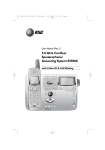
Quick start guide 5.8 GHz Cordless Telephone E5901/ E5902B/E5903B with caller ID/call waiting Installation and setup Choose a central location close to a telephone jack and a power outlet not connected to a wall switch. The telephone base can be placed on a flat surface or mounted on a standard wall plate. For optimum range and better reception, place the telephone base in a high and open location. Avoid placing the telephone base too close to: • Communication devices such as: personal computers, computer routers, television sets, VCRs, wireless routers (wireless broadband, wi-fi, or 802.11) or other cordless telephones. • Excessive heat sources. • Noise sources such as a window with traffic outside, motors, microwave ovens, refrigerators, or fluorescent lighting. • Excessive dust sources such as a workshop or garage. • Excessive moisture. • Extremely low temperatures. • Mechanical vibration or shock such as on top of the washing machine or work bench. 1. Plug one end of the 2. Plug the small end of the larger 5. Plug the other end of 3. Route cords through slots. telephone line cord into the telephone jack at the bottom of the telephone base. power adapter into the power jack at the bottom of the telephone base. the telephone line cord into a telephone jack. 4. Plug the large end of the larger Telephone line cord power adapter into an electrical outlet not controlled by a wall switch. DSL filter (Optional for DSL users, see number four in the NOTES section, below.) NOTES: 1. Use only the power cord supplied with this product, if you need a replacement, call 1 (800) 222-3111, in Canada dial 1 (866) 288-4268. Or visit our website at www.telephones.att.com. 2. Be sure to use an electrical outlet not controlled by a wall switch. 3. This power adapter is intended to be plugged into a vertical wall outlet or a floor outlet. The prongs are not designed to hold the plug in place if it is plugged into a ceiling, under-the-table or cabinet outlet. 4. If you receive high speed internet through your telephone line (coming referred to as DSL), and you are experiencing inference during telephone conversations and/or your caller ID features are not functioning properly, install a DSL filter to the telephone line between the telephone base and the telephone wall jack. Contact your DSL service provider for a DSL filter. Installation and setup After battery installation, the battery may have enough charge to allow some calls. For best performance, place the handsets in the telephone base or the charger and allow to charge for 16 hours before use. You can keep the battery charged by returning the handsets to the telephone base or the charger after use. When the battery is fully depleted, a recharge takes about 12 hours. The average talk time on a fully charged battery is about eight hours, and the standby time is approximately five days. Actual battery life depends on usage conditions and age of battery. 1. Plug the battery securely into the plug inside the handset battery compartment, matching the color-coded label. 2. Place the battery and wires neatly inside the compartment. 4. The battery may have enough charge to allow for some calls. For best performance, place handset in telephone base or charger to charge for at least 16 hours before first use. 3. Slide battery compartment cover towards the center until it clicks into place. To replace the battery, press in and push outward on the tab to open the battery compartment cover. Lift out the old battery and disconnect it from the compartment. Follow the instructions on this page to install and charge the new battery. Caution: Use only the supplied rechargeable battery or replacement battery (model 27910, part number 89-0099-00-00) or equivalent. To order a replacement battery, visit our website at www.telephones.att.com or call 1 (800) 222-3111. In Canada, call 1 (866) 288-4268. Quick reference guide Cordless handset CENTER UP RIGHT LEFT DOWN MENU/SELECT CID Press to display caller ID information. PHONE/FLASH Press to make or answer a call. During a call, press to receive an incoming call if call waiting is activated. MUTE/DELETE While on a call, press to mute microphone. While reviewing the call log, press to delete an individual entry, or press and hold to clear the caller ID log. While predialing, press to delete digits from a string. Press to display the menu. Once in the menu, press to select an item or save an entry or setting. Press the up or down NavKey or to scroll up or down while in menus. While entering names or numbers, press the left or right NavKey or to move the cursor to the left or right. DIR Press to display directory entries. OFF/CLEAR During a call, press to hang up. While using menus, press to cancel an operation, back up to the previous menu, or exit the menu display. REDIAL/PAUSE SPEAKER Press to activate handset speakerphone. Press again to resume normal handset use. Press to view redial memory. While entering numbers, press and hold to insert a dialing pause. INT Press to initiate an intercom conversation or transfer a call. NOTE: For more information, please refer to the user’s manual. Quick reference guide Feature menu > Shows a highlighted item >DIRECTORY CALL LOG Feature menu Using menus DIRECTORY CALL LOG RINGER VOLUME RINGER TONE KEY TONE LANGUAGE CLR VOICE MAIL DIAL TYPE Press the left or down NavKey to scroll through menu items. or Press MENU/SELECT to select or modify a highlighted item. Press OFF/CLEAR to cancel an operation, back up to the previous menu, or exit the menu display. Menu Telephone base CHARGE On when the cordless handset is properly positioned to charge in the telephone base. IN USE On when handset is in use or when registering a handset. Flashes while an incoming call is ringing, when another telephone is in use on the same line, or when de-registering a handset from the telephone base. VOICEMAIL Flashes when you have new voice mail. (Requires voice mail service subscription from your local telephone company.) HANDSET LOCATOR Press to make handset(s) beep. NOTE: For more information, please refer to the user’s manual. www.telephones.att.com Copyright © 2006 Advanced American Telephones. All rights reserved. AT&T and the Globe symbol are trademarks of AT&T Knowledge Ventures, licensed to Advanced American Telephones. Printed in China. Issue 2 AT&T 12/06. 96-006258-010-100