1
Getting started
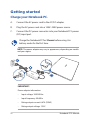
Charge your Notebook PC.
A.
Connect the AC power cord to the AC/DC adapter.
B.
Plug the AC power cord into a 100V~240V power source.
C.
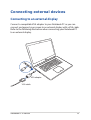
Connect the DC power connector into your Notebook PC’s power
(DC) input port.
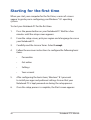
Charge the Notebook PC for 3 hours before using it in
battery mode for the first time.
NOTE: The power adapter may vary in appearance, depending on models
and your region.
IMPORTANT!
Power adapter information:
22
•
Input voltage: 100-240Vac
•
Input frequency: 50-60Hz
•
Rating output current: 6.67A (130W)
•
Rating output voltage: 19.5V
Notebook PC E-Manual