1
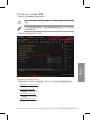
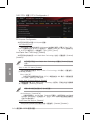
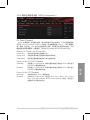
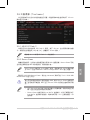
BCLK Frequency [100.0]
提供您設置 BCLK 頻率以增強系統性能。使用 <+> 或 <-> 鍵以調整數值。數
值的範圍為從 80.0MHz 至 300.0MHz。
建議您依照處理器規格設置數值,設置過高的數值可能造成處理器永久
性的損害。
當 Ai Overclocking Tuner 設為 [X.M.P.] 且安裝支持 XMP 模式的內存條
時才會顯示。
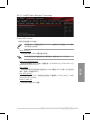
ASUS MultiCore Enhancement [Auto]
[Auto]
通過華碩核心比率的設置,可以獲得最佳超頻性能的最大值。
[Disabled]
本項目用來設置默認的核心比率。
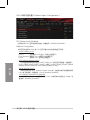
CPU Core Ratio [Sync All Cores]
本項目用來設置 CPU 比值與自動同步、每個核心或所有核心。設置值有:[Auto]
[Sync All Cores] [Per Core]
當 CPU Core Ratio 設置為 [Sync All Cores] 時會出現以下項目:
1-Core Ratio Limit [Auto]
選擇 [Auto] 以應用 CPU 默認的 Turbo 倍頻設置,或是手動指定 1-Core
Ratio Limit 數值高於或等於 2-Core Ratio Limit。
1-Core Ratio Limit [Auto]
選擇 [Auto] 以應用 CPU 默認的 Turbo 倍頻設置,或是手動指定 1-Core
Ratio Limit 數值高於或等於 2-Core Ratio Limit。
2-Core Ratio Limit [Auto]
選擇 [Auto] 以應用 CPU 默認的 Turbo 倍頻設置,或是手動指定 2-Core
Ratio Limit 數值高於或等於 3-Core Ratio Limit。
若要指派一個數值給 2-Core Ratio Limit,請勿將 1-Core Ratio Limit 設
置為 [Auto]。
3-Core Ratio Limit [Auto]
選擇 [Auto] 以應用 CPU 默認的 Turbo 倍頻設置,或是手動指定 3-Core
Ratio Limit 數值高於或等於 4-Core Ratio Limit。
若要指派一個數值給 3-Core Ratio Limit,請勿將 1-Core Ratio Limit 與
2-Core Ratio Limit 設置為 [Auto]。
華碩 MAXIMUS VII IMPACT 主板用戶手冊 3-15
第三章
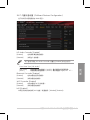
當 CPU Core Ratio 設置為 [Per Core] 時會出現以下項目: