1
ENGLISH
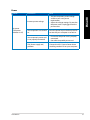
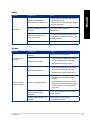
Display
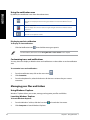
Problem
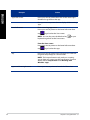
No display output
after turning the
computer on
(Black screen)
Possible Cause
Action
The signal cable is not
connected to the correct
VGA port on your computer.
• Connect the signal cable to the correct
display port (onboard VGA or discrete
VGA port).
• If you are using a discrete VGA card,
connect the signal cable to the discrete
VGA port.
Signal cable problems
Try connecting to another monitor.
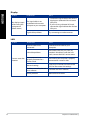
Possible Cause
Action
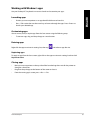
The LAN cable is not
connected.
Connect the LAN cable to your
computer.
LAN cable problems
Ensure the LAN LED is on. If not, try
another LAN cable. If it still does not
work, contact the ASUS service center.
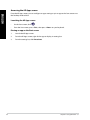
Your computer is not
properly connected to a
router or hub.
Ensure that your computer is properly
connected to a router or hub.
Network settings
Contact your Internet Service Provider
(ISP) for the correct LAN settings.
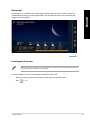
Problems caused by the antivirus software
Close the anti-virus software.
Driver problems
Reinstall the LAN driver
LAN
Problem
Cannot access the
Internet
38
Chapter 5: Troubleshooting