1
English
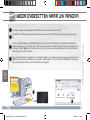
Transferring media to your ARNOVA
1
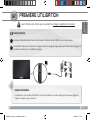
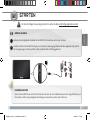
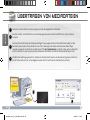
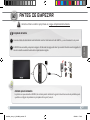
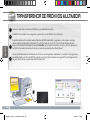
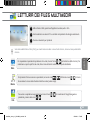
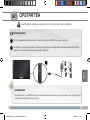
Connect the supplied USB cable to the ARNOVA and to a running computer.
2
The ARNOVA will turn on. Within a few seconds the ARNOVA will appear as an icon on your computer.
3
4
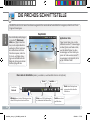
You can transfer your media files to the ARNOVA either by copy/pasting them into the respective folders using Win�dows® Explorer (or the Finder on a Mac®), or by using Windows Media® Player. Open Windows Media Player® and then
use the Sync tab to synchronize your music, videos, and photos onto your ARNOVA. See Windows Media Player®’s Help
to learn more about this.
Once all your file transfers are finished, close Windows® Explorer and any other program that may have read or written to
the ARNOVA. Click on the ‘safely remove’ icon in the system tray, next to the clock. You can now unplug the USB cable.
Computer
turned on
USB
1
2
3
8
UserGuide_Arnova_10_PN109563_book.indd 8
15/02/2011 17:47:13