1
CHAPTER 6
(CONTINUED)
J.
CHAPTER 7
ADDITIONAL FEATURES
Reviewing and Editing a Memo
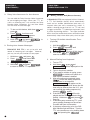
A. Wait-For-Response
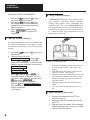
1. Turn on the TTY. Hold down
and
press 2 to select memo function.
MEMO NAME> appears on the screen.
2. Type in the name of the memo.
3. Or press
to scan the list of
memos in memory. Press
to scroll back, if necessary, until the desired memo appears. Press
to
select the memo.
4. If you only want to clear the memo, just
hold down
and press 5 . Press Y
when CLEAR MEMO Y?N appears on the
screen. Otherwise use
and
to scroll and review the memo.
5. If you want to modify the memo, use the
and
to move the blinking cursor to the location you want to edit. To
insert characters, just begin typing. If you
want to delete characters, press
6. If you continue scrolling through the memo
until it reaches the end,
END OF MEMO will be displayed. The next
screen asks whether or not to clear the
memo. Press Y to clear or N to save.
7. When finished, hold down
and press
to return to the screen prior
to this function.
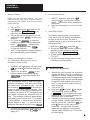
K. Printing a Memo or Conversation
Stored in Memory
1. With the TTY on, hold down
and
Press 2 .
2. Type in the name or press
scroll to the desired memo.
3. Press
to select the memo.
4. Hold down
and press P .
14
to
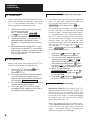
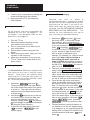
This feature notifies the user who was placed on
"HOLD" that the other party has resumed typing.
Press
and W simultaneously to activate this feature. The built-in signaler flashes
when an incoming signal is being detected from
the other party. Any keyboard activity cancels
Wait-For-Response feature or stops the flashing.
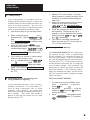
B. Call Transfer
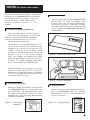
When directly connected to the phone line, you
can transfer a TTY call from one extension to
another. This feature is especially suited for
businesses with CENTREX telephone service
where each person has a single line telephone
with an extension number. Please note that the
actual transferring process is provided by the
telephone system.
1. Answer an incoming TTY call as you normally would.
2. Tell the incoming party to hold and that
you are going to transfer the call to
another extension.
3. Press
and F simultaneously.
This will activate the call transfer feature
of the phone system.
4. DIALOGUE TTY displays ENTER PHONE NO.
Dial the desired extension number on the
keyboard and press
.
5. When the transfer call is answered, to
bring the first party on the line, press
and F simultaneously.
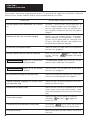
HOOK SWITCH FLASH is displayed on the
screen.
6. You may stay on the line at this point for a
3-way conference call or you may hang up.
7. If you receive no answer or busy signal
from the second party, press
and F simultaneously twice in succession to return to the first party.