1
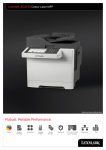
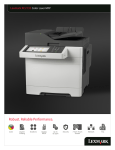
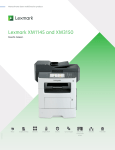
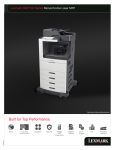
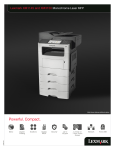
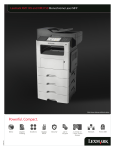
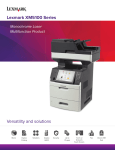
Lexmark XC2130 Family Overview
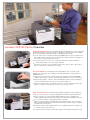
Powerful performance. The Lexmark XC2130 Family multifunction systems will help
propel your business forward. Our solutions capable, eco-friendly systems can simplify
processes and help you quickly respond to changing business needs.
Process even the most complex jobs utilising the 800MHz dual-core processing power and
up to 3GB of memory, with print and copy speeds up to 30 ppm with time to first page in as
little as 10.8 seconds; in black (monochrome)
l Produce professional colour in-house, on demand output with a system that delivers
consistent image quality on a diverse range of materials
l l
dvanced copy functions let you interrupt long print runs to make a quick copy and proof
A
the first copy set before completing your copy job
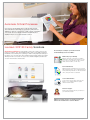
Accurate Colour. The Lexmark XC2130 Family delivers rich, consistent colour
printing that can enhance your company's materials and brand. It's faster and more
reliable than ever.
Professional colour matching - Lexmark Named Colour Replacement and PANTONE®
calibration make it easy to develop a consistent brand image by accurate colour matching
l High resolution graphics - with up to true 1200x1200 dpi resolution, images and graphics
stay crisp. Lexmark's Unison™ Toner ensures consistent quality, too
l Super fast and quiet output - quickly print, copy and scan up to 30 pages per minute, plus
produce a 1-page colour document in as little as 11.5 seconds in colour
l Easy and intuitive. The Lexmark XC2130 Family is designed for easy operation to
allow you to stay focused on customer engagements instead of routine maintenance.
Easy to navigate touch screen provides audible feedback to make completing tasks
intuitive, and with print and scan preview features (scan preview only available on XC2132)
you can select documents or specific pages within a document
l Extend your environmental responsibility with energy-efficient settings such as the Sleep
Button and Hibernate Mode, and instant warm-up fuser helps reduce energy consumption
and improve time to first page
l Manage your devices with available software, scan to multiple destinations, including scan
to network, email, FTP, fax, and more
l For higher volume print needs, optional input capacity can be added to keep jobs moving
l