1
Product Specification
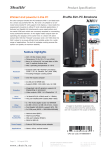
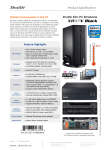
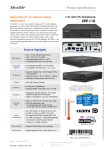
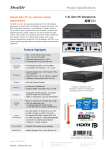
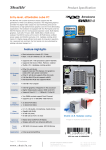
Shuttle Slim-PC Barebone XH81V – Front and Back Panel
E
J
K
P
C D
F
F
L
G H I G
M
Q R S
N J K
T
U
O
V W X
Back Panel
J 2x perforation for optional WLAN
antennas
K 2x thumbscrews
L Hole for Kensington Lock
M DisplayPort Video/Audio output
N Dual Gigabit network (RJ45)
O Perforation for optional VGA-out (DSub connector)
P Connector for power adapter
Q RS232 / RS422 / RS485 serial
interface (COM)
R RS232 serial interface (COM port)
S HDMI Video/Audio output
T Clear CMOS button
U 4x USB 2.0
V Microphone input
W Headphone / line-out
X Audio line-in
COM port Pin 9 Configuration
Pin 1 is a multi-functional signal. Based on Jumper 3 configuration on the mainboard,
it can be configured as Ring Indicator (RI) or external power supply with either 5V or
12V voltage level (each COM port separately).
Page 2 | 13 August 2014
www.shuttle.eu
Shu t tl e Computer Han dels GmbH
Fritz- Strassmann-S t r. 5
25337 Elmshorn | Germany
Tel. +49 (0) 4121-47 68 60
Fax +49 (0) 4121-47 69 00
[email protected]
© 2014 by Shuttle Computer Handels GmbH (Germany). All information subject to change without notice. Pictures for illustration purposes only.
A B
Front Panel
A Button for accessing the I/O ports
B Button for accessing the optical drive
C LED indicator for hard disk activity
D Power on button with LED
E 5.25“ bay for optical slimline drive
(DVD or Blu-ray)
F 2x USB 3.0 ports
G 2x USB 2.0 ports
H Microphone input
I Headphone output