1
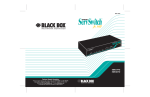
The layout of a typical ServSwitch Jr. system. Features » ServSwitch Jr. — Access up to eight IBM PC/AT or PS/2 type CPUs with a single monitor, PS/2 or PC/AT keyboard, and PS/2 or serial mouse. » ServSwitch Jr. MP — Access one or two IBM type CPUs and one or two Mac CPUs with a single monitor, PS/2 keyboard, and PS/2 mouse. » Both Models — Use any of a variety of video types at resolutions up to 1600 x 1280. ServSwitch Remote (ACR9005A) ServSwitch Jr. (SW629A-R2) WAN Remote User with Laptop Keyboard, Monitor, and Mouse Servers OVERVIEW If you’ll only need to switch between up to eight PCs or servers for the foreseeable future, why spend a fortune on an electronic keyboard/video/mouse switch with a myriad of ports or fancy cascading features? Our ServSwitch Jr.™ is just right for small-scale applications such as workgroups, small offices, or home offices. Use one monitor, keyboard, and mouse to control IBM ® PC compatible (and, on MP models, Apple ® Macintosh ® compatible) computer or server CPUs. With the ServSwitch Jr. (non-MP version), access either two IBM type CPUs (with the SW621A-R3) or as many as eight (with the SW629A-R2). With the ServSwitch Jr. MP, access one IBM type CPU and one Mac ® type CPU (with the SW627A-R2) or one or two of each type (with the SW628A-R2). Setting up is easy. Using their own cables, plug your VGA or XGA monitor, keyboard, and mouse directly into the ServSwitch Jr. Attach each of the computers to the switch using a special CPU adapter cable that has a single connector on the switch end and three connectors (for keyboard, mouse, and video I/O) on the computer end. These CPU adapter cables help keep cabling simple; also, the coax versions can be run longer distances than normal keyboard, mouse, or video cable. As long as you use the right type of CPU adapter cable, it doesn’t matter what general type of keyboard and mouse any given IBM type computer uses. As for user-station equipment, use a regular or wheel- 09/13/2011 #18306 724-746-5500 type PS/2 ® mouse and PS/2 keyboard with the ServSwitch Jr. MP. With the regular ServSwitch Jr., attach either a PS/2 or PC/AT ® style keyboard and either a PS/2 mouse (regular or wheel type) or (if there are no PS/2 type CPUs attached) an RS-232 mouse. Except for RS-232 mouse input to PS/2 mouse output, the switch can perform all of the various conversions internally. The switch also seamlessly handles VGA, SVGA, or XGA video at resolutions up to 1600 x 1280 pixels, although higher resolutions, refresh rates, or distances will require coaxial CPU adapter cables. On non-MP models, using coaxial cables will also give you the ability to display RS/6000 ® or SGI ™ video. On MP models, to get Mac video in resolutions above 640 x 480 pixels, you’ll need the Mac Adapter for ServSwitch (KV99MA). To switch between CPUs, either press the port-selection buttons on the switch’s front panel or send switching commands from the shared keyboard. (Other keyboard commands control port scanning and configuration functions. Configuration settings can be saved in nonvolatile memory, so they’ll be preserved even if the switch loses power.) The ServSwitch Jr. doesn’t even have to be plugged in— it draws its power from the keyboard and mouse interfaces of the attached CPUs, while the ServSwitch Jr. MP has its own external power supply. And both are small enough to fit on a cramped desktop or even in one rack unit (rackmount kits are available). blackbox.com 2 of 4 BLACK BOX ®