1
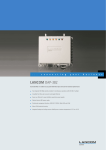
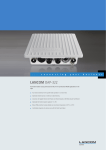
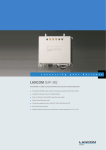
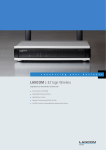
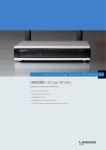
LANCOM IAP-322
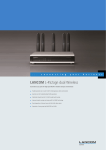
Dual radio industrial access point based on 802.11n in a robust full metal housing for
professional WLAN applications
1 Four external antennas for a parallel radio operation at 2.4 and 5 GHz
1 Optimized network load at 2.4 GHz through Band Steering
1 Connectors for Gigabit Ethernet and Fast Ethernet
1 Power supply via 12V power supply unit, multi power supply or Power over Ethernet based on IEEE
802.3af
1 Robust, dust-proof full metal housing
1 Reliable even at demanding temperatures (-20°C to +50°C)
With the LANCOM IAP-322 high-performance WLAN structures can be extended to logistics areas such as warehouses or roofed outdoor areas. Thanks to the robust full
metal housing the device is resistant against dust as occurring in warehouses. The LANCOM IAP-322 is designed to meet any demands in the industry even with regard
to its power supply: It can both be operated with the supplied wall plug transformer (230V/12V) and comfortably via PoE based on IEEE 802.3af. Additionally, a multi
power adapter with 10-28V is available in order to connect the device according to the required conditions on-site. The device can even be installed on forklifts and can
hence be used for supporting the automatic stocktaking or for locating the vehicle. Due to the implementation of appropriate electronic components, the device can also
be applied in sub-zero temperatures and thus also during winter times in unheated warehouses, sport arenas or ice stadiums without interruption. Professional software
features such as Band Steering and Spectral Scan contribute to a reliable WLAN operation even in difficult and high-density radio environments.
More security.
LANCOM ensures the highest security standards as it supports a comprehensive range of encryption and authentication mechanisms. With the aid of Multi-SSID and
protocol filters, up to 16 different user groups can each be assigned with different levels of security. VLAN technology, matured quality-of-service functionalities as well
as bandwidth limitation cater for a reliable transmission of video data from warehouse cameras.
More reliability.
Especially in logistics areas such as warehouses wireless LANs are a technological challenge: Steel beams create reflections and changing stock positions lead to changes
in the radio field. The LANCOM IAP-322 is an access point based on IEEE 802.11n which uses MIMO technology to benefit from reflections to achieve a better radio
coverage compared to legacy 54 Mbps devices. Due to the support of Band Steering the radio field can be further optimized: Clients can be steered to either the 2.4 or 5
GHz frequency band to create open radio space for important applications. And in case of occurring interferences, they can be identified quickly with the integrated Spectral
Scan – without the need of another cost-intensive radio field analysis.
More management.
How much load is there on the network, what are the available data rates? How can you ensure that your well thought-out security policies are consistently implemented
throughout the entire corporate network, even across different sites? LANCOM offers a variety of management options for networks of various sizes and in line with the
customer's needs: Ranging from free, practical monitoring and configuration tools for very small networks to intelligent controller solutions that offer the cross-site
monitoring and management of wireless networks. The IAP-32x series offers the familiar LANCOM flexibility of management: Each access point can be operated in
standalone mode and managed with the free administration tools, or it can be centrally managed by a LANCOM WLAN controller. Irrespective of whether the WLAN
network is decentralized or centrally managed, a highly specialized monitoring solution is available with LANCOM LSM. This powerful monitoring and surveillance system
for medium-sized and large networks is capable of monitoring several thousand devices to give you secure control over your entire network infrastructure. For more
information, visit www.lancom.de/en/lsm.
More reliability for the future.
LANCOM products are fundamentally designed for a product life spanning several years. They are equipped with hardware dimensioned for the future. Even reaching back
to older product generations, updates to the LANCOM Operating System – LCOS – are available several times a year, free of charge and offering major features. LANCOM
offers unbeatable protection of your investment!
LANCOM IAP-322
Features as of: LCOS 8.82
WLAN
Frequency band 2.4 GHz and 5 GHz
2400 -2483.5 MHz (ISM) and 5150-5825 MHz (depending on country-specific restrictions)
Data rates 802.11b/g
54 Mbps to IEEE 802.11g (fallback to 48, 36 , 24, 18, 12, 9, 6 Mbps, Automatic Rate Selection) compatible to IEEE 802.11b (11, 5.5, 2, 1 Mbps,
Automatic Rate Selection), 802.11 b/g compatibility mode or pure g or pure b
Data rates 802.11a/ h
54 Mbps (fallback to 48, 36 , 24, 18, 12, 9, 6 Mbps, Automatic Rate Selection), fully compatible with TPC (adjustable power output) and DFS
(automatic channel selection, radar detection) according to EN 301 893
Output power at radio module, 2.4 GHz
802.11b: +19 dBm @ 1 and 2 Mbps, +19 dBm @ 5.5 und 11 Mbps 802.11g: +18 dBm @ 6 to 36 Mbps, +17 dBm @ 48 Mbps, +16 dBm @ 54
Mbps 802.11n: +19 dBm @ 6,5/13 Mbps (MCS0/8, 20 MHz), +10 dBm @ 65/130 Mbps (MCS7/15, 20 MHz), +17 dBm @ 15/30 Mbps (MCS0/8, 40
MHz), +10 dBm @ 150/300 Mbps (MCS7/15, 40 MHz)
Output power at radio module, 5 GHz
802.11a/h: +18 dBm @ 6 to 24 Mbps, +17 dBm @ 36 Mbps, +16 dBm @ 48 Mbps, +15 dBm @ 54 Mbps 802.11n: +18 dBm @ 6,5/13 Mbps
(MCS0/8, 20 MHz), +10 dBm @ 65/130 Mbps (MCS7/15, 20 MHz), +17 dBm @ 15/30 Mbps (MCS0/8, 40 MHz), +10 dBm @ 150/300 Mbps (MCS7/15,
40 MHz)
Output power at radio module, 2.4 GHz
(WLAN-2)
802.11b: 18 dBm@ 1 and 2 Mbps | 18 dBm@ 5.5 and 11 Mbps 802.11g: 16 dBm @ 54 Mbps 802.11n: 15 dBm @ 65/130 Mbps (MCS7, 20 MHz)
| 15 dBm @ 150/300 Mbps (MCS7, 40 MHz)
Output power at radio module, 5 GHz
(WLAN-2)
802.11a/h: +12 dBm @ 54 Mbps 802.11n: +12 dBm @ 65/130 Mbps (MCS7, 20 MHz)| +12 dBm @ 150/300 Mbps (MCS7, 40 MHz)
Max. radiated power (EIRP), 2.4 GHz band
802.11b/g: Up to 20 dBm / 100 mW EIRP (transmission power control according to TPC)
Max. radiated power (EIRP), 5 GHz band
802.11a/h: Up to 30 dBm / 1000 mW or up to 36 dBm / 4000 mW EIRP (depending on national regulations on channel usage and subject to further
obligations such as TPC and DFS)
Minimum transmission power
Transmission power reduction in software in 1 dB steps to min. 0.5 dBm
Receiver sensitivity 2.4 GHz
802.11b: -91 dBm @ 11 Mbps, -96 dBm @ 1 Mbps; 802.11g: -96 dBm @ 6 Mbps, -83 dBm @ 54 Mbps; 802.11n: -96 dBm @ 6,5 Mbps (MCS0, 20
MHz), -79 dBm @ 65 Mbps (MCS7, 20 MHz); -93 dBm @ 13 Mbps (MCS8, 20 MHz), -77 dBm @ 130 Mbps (MCS15, 20 MHz); -90 dBm @ 15 Mbps
(MCS0, 40 MHz), -75 dBm @ 150 Mbps (MCS7, 40 MHz); -90 dBm @ 30 Mbps (MCS8, 40 MHz), -73 dBm @ 300 Mbps (MCS15, 40 MHz)
Receiver sensitivity 5 GHz
802.11a/h: -95 dBm @ 6 Mbps, -82 dBm @ 54 Mbps; 802.11n: -95 dBm @ 6,5 Mbps (MCS0, 20 MHz), -77 dBm @ 65 Mbps (MCS7, 20 MHz); -94
dBm @ 13 Mbps (MCS8, 20 MHz), -74 dBm @ 130 Mbps (MCS15, 20 MHz); -91 dBm @ 15 Mbps (MCS0, 40 MHz), -75 dBm @ 150 Mbps (MCS7,
40 MHz); -90 dBm @ 30 Mbps (MCS8, 40 MHz), -71 dBm @ 300 Mbps (MCS15, 40 MHz)
Receiver sensitivity 2.4 GHz (WLAN-2)
802.11b: -90 dBm @11 Mbps 802.11g: -76 dBm @ 54 Mbps 802.11n: -70 dBm @ 65 Mbps (MCS7, 20 MHz)| -70 dBm @ 150 Mbps (MCS7, 40
MHz)
Receiver sensitivity 5 GHz (WLAN-2)
802.11a/h: -76 dBm @ 54 Mbps 802.11n: -69 dBm@ 65 Mbps (MCS7, 20 MHz) | -68 dBm @ 150 Mbps (MCS7, 40 MHz)
Radio channels 2.4 GHz
Up to 13 channels, max. 3 non-overlapping (depending on country-specific restrictions)
Radio channels 5 GHz
Up to 26 non-overlapping channels (available channels and further obligations such as automatic DFS dynamic channel selection depending on
national regulations)
Band Steering
Steering of WLAN clients towards the 5 GHz frequency band by restricting the access to the 2.4 GHz band.
Roaming
Seamless handover between radio cells, IAPP support with optional restriction to an ARF context, IEEE 802.11d support
WPA2 fast roaming
Pre-authentication and PMK caching for fast roaming
Fast client roaming
With background scanning, moving LANCOM 'client mode' access points pre-authenticate to alternative access points which offer a better signal
before Roaming fails
VLAN
VLAN ID definable per interface, WLAN SSID, point-to-point connection and routing context (4094 IDs) IEEE 802.1q
Dynamic VLAN assignment
Dynamic VLAN assignment for target user groups based on MAC addresses, BSSID or SSID by means of external RADIUS server.
Q-in-Q tagging
Support of layered 802.1Q VLANs (double tagging)
Multi-SSID
Simultaneous use of up to 8 independent WLAN networks per WLAN interface
IGMP snooping
Support for Internet Group Management Protocol (IGMP) in the WLAN bridge for WLAN SSIDs and LAN interfaces for specific switching of multicast
packets (devices with integrated WLAN only). Automated detection of multicast groups. Configurable action for multicast packets without registration.
Configuration of static multicast group members per VLAN ID. Configuration of query simulation for multicast membership per VLAN ID
Security
IEEE 802.11i / WPA2 with passphrase (WPA2-Personal) or 802.1X (WPA2-Enterprise) and hardware-accelerated AES, closed network, WEP64,
WEP128, WEP152, user authentication, 802.1x /EAP, LEPS, WPA1/TKIP
EAP Types
EAP-TLS, EAP-TTLS/MSCHAPv2, PEAPv0/EAP-MSCHAPv2, PEAPv1/EAP-GTC, EAP-SIM, EAP-AKA, EAP-AKA Prime, EAP-FAST
RADIUS server
Integrated RADIUS server for MAC address list management
EAP server
Integrated EAP server for authentication of 802.1X clients via EAP-TLS, EAP-TTLS, PEAP, MSCHAP or MSCHAPv2
Quality of Service
Prioritization according to Wireless Multimedia Extensions (WME, subset of IEEE 802.11e)
LANCOM IAP-322
Features as of: LCOS 8.82
WLAN
U-APSD/WMM Power Save
Extension of power saving according to IEEE 802.11e by Unscheduled Automatic Power Save Delivery (equivalent to WMM Power Save). U-APSD
supports the automatic switch of clients to a doze mode. Increasmed battery lifetime for telephone calls over VoWLAN (Voice over WLAN)
Bandwidth limitation
Maximum transmit and receive rates and an individual VLAN ID can be assigned to each WLAN client (MAC address)
Broken link detection
If the link of a chosen LAN interface breaks down, a WLAN module can be deactivated to let the associated clients search for a new base station
Background scanning
Detection of rogue AP's and the channel information for all WLAN channels during normal AP operation. The Background Scan Time Interval defines
the time slots in which an AP or Router searches for a foreign WLAN network in its vicinity. The time interval can be specified in either milliseconds,
seconds, minutes, hours or days
Client detection
Rogue WLAN client detection based on probe requests
802.1X supplicant
Authentication of an access point in WLAN client mode at another access point via 802.1X (EAP-TLS, EAP-TTLS and PEAP)
Layer-3 Tunneling
Layer-3 Tunneling in conformity with the CAPWAP standard allows the bridging of WLANs per SSID to a separate IP subnet. Layer-2 packets are
encapsulated in Layer-3 tunnels and transported to a LANCOM WLAN controller. By doing this the access point is independent of the present
infrastructure of the network. Possible applications are roaming without changing the IP address and compounding SSIDs without using VLANs.
IEEE 802.11u
The WLAN standard IEEE 802.11u (Hotspot 2.0) allows for a seamless transition from the cellular network into WLAN hotspots. Authentication
methods using SIM card information, certificates or username and password, enable an automatic, encrypted login to WLAN hotspots - without
the need to manually enter login credentials.
LANCOM Spectral Scan
RF spectrum scan (WLAN-2 only)
Up to 13 channels (2.4 GHz) or up to 26 channels (5 GHz) (depending on national regulations and manual configuration)
Signal strength of WLAN channels (WLAN-2 Illustration of signal strength on individual WLAN channels at a certain point of time
only)
IEEE 802.11n Features
MIMO
MIMO technology is a technique which uses multiple transmitters to deliver multiple data streams via different spatial channels. Depending on the
existing RF conditions the throughput is multiplied with MIMO technology.
40 MHz Channels
Two adjacent 20 MHz channels are combined to create a single 40 MHz channel. Depending on the existing RF Conditions channel bonding doubles
the throughput.
20/40MHz Coexistence Mechanisms in the
2.4GHz Band
Support of coexisting accesspoints with 20 and 40MHz channels in 2.4GHz band.
MAC Aggregation and Block
Acknowledgement
MAC Aggregation increase the 802.11 MAC efficiency by combining MAC data frames and sending it out with a single header. The receiver
acknowledges the combined MAC frame with a Block Acknowledgement. Depending on existing RF conditions, this technique improves throughput
by up to 20%.
Space Time Block Coding (STBC) (WLAN-2
only)
Coding method according to IEEE 802.11n. The Space Time Block Coding improves reception by coding the data stream in blocks.
Low Density Parity Check (LDPC) (WLAN-2
only)
Low Density Parity Check (LDPC) is an error correcting method. IEEE 802.11n uses convolution coding (CC) as standard error correcting method,
the usage of the more effective Low Density Parity Check (LDPC) is optional.
Maximal Ratio Combining (MRC)
Maximal Ratio Combining (MRC) enables the receiver (access point), in combination with multiple antennas, to optimally combine MIMO signals
to improve the client reception at long-range.
Short Guard Interval
The guard interval is the time between OFDM symbols in the air. 802.11n gives the option for a shorter 400 nsec guard interval compared to the
legacy 800 nsec guard interval. Under ideal RF conditions this increases the throughput by upto 10%
WLAN operating modes
WLAN access point
Infrastructure mode (autonomous operation or managed by LANCOM WLAN Controller)
WLAN router
Use of the LAN connector for simultaneous DSL over LAN, IP router, NAT/Reverse NAT (IP masquerading) DHCP server, DHCP client, DHCP relay
server, DNS server, PPPoE client (incl.Multi-PPPoE), PPTP client and server, NetBIOS proxy, DynDNS client, NTP, port mapping, policy-based routing
based on routing tags, tagging based on firewall rules, dynamic routing with RIPv2, VRRP
WLAN client
Transparent WLAN client mode for wireless Ethernet extensions, e.g. connecting PCs or printers by Ethernet; up to 64 MAC addresses. Automatic
selection of a WLAN profile (max. 8) with individual access parameters depending on signal strength or priority
Spectral Scan (WLAN-2 only)
By scanning the RF spectrum, intererences are identified and graphically illustrated.
Firewall
Stateful inspection firewall
Incoming/Outgoing Traffic inspection based on connection information. Trigger for firewall rules depending on backup status, e.g. simplified rule
sets for low-bandwidth backup lines. Limitation of the number of sessions per remote site (ID)
Packet filter
Check based on the header information of an IP packet (IP or MAC source/destination addresses; source/destination ports, DiffServ attribute);
remote-site dependant, direction dependant, bandwidth dependant
Extended port forwarding
Network Address Translation (NAT) based on protocol and WAN address, i.e. to make internal webservers accessible from WAN
LANCOM IAP-322
Features as of: LCOS 8.82
Firewall
N:N IP address mapping
N:N IP address mapping for translation of IP addresses or entire networks
Tagging
The firewall marks packets with routing tags, e.g. for policy-based routing; Source routing tags for the creation of independent firewall rules for
different ARF contexts
Actions
Forward, drop, reject, block sender address, close destination port, disconnect
Notification
Via e-mail, SYSLOG or SNMP trap
Quality of Service
Traffic shaping
Dynamic bandwidth management with IP traffic shaping
Bandwidth reservation
Dynamic reservation of minimum and maximum bandwidths, totally or connection based, separate settings for send and receive directions. Setting
relative bandwidth limits for QoS in percent
DiffServ/TOS
Priority queuing of packets based on DiffServ/TOS fields
Packet-size control
Automatic packet-size control by fragmentation or Path Maximum Transmission Unit (PMTU) adjustment
Layer 2/Layer 3 tagging
Automatic or fixed translation of layer-2 priority information (IEEE 802.11p-marked Ethernet frames) to layer-3 DiffServ attributes in routing mode.
Translation from layer 3 to layer 2 with automatic recognition of 802.11p-support in the destination device
Security
Intrusion Prevention
Monitoring and blocking of login attempts and port scans
IP spoofing
Source IP address check on all interfaces: only IP addresses belonging to the defined IP networks are allowed
Access control lists
Filtering of IP or MAC addresses and preset protocols for configuration access
Denial of Service protection
Protection from fragmentation errors and SYN flooding
General
Detailed settings for handling reassembly, PING, stealth mode and AUTH port
URL blocker
Filtering of unwanted URLs based on DNS hitlists and wildcard filters
Password protection
Password-protected configuration access can be set for each interface
Alerts
Alerts via e-mail, SNMP-Traps and SYSLOG
Authentication mechanisms
EAP-TLS, EAP-TTLS, PEAP, MS-CHAP, MS-CHAPv2 as EAP authentication mechanisms, PAP, CHAP, MS-CHAP and MS-CHAPv2 as PPP authentication
mechanisms
WLAN protocol filters
Limitation of the allowed transfer protocols, source and target addresses on the WLAN interface
Adjustable reset button
Adjustable reset button for 'ignore', 'boot-only' and 'reset-or-boot'
IP redirect
Fixed redirection of any packet received over the WLAN interface to a dedicated target address
High availability / redundancy
VRRP
VRRP (Virtual Router Redundancy Protocol) for backup in case of failure of a device or remote station. Enables passive standby groups or reciprocal
backup between multiple active devices including load balancing and user definable backup priorities
FirmSafe
For completely safe software upgrades thanks to two stored firmware versions, incl. test mode for firmware updates
Line monitoring
Line monitoring with LCP echo monitoring, dead-peer detection and up to 4 addresses for end-to-end monitoring with ICMP polling
Routing functions
Router
IP and NetBIOS/IP multi-protocol router
Advanced Routing and Forwarding
Separate processing of 16 contexts due to virtualization of the routers. Mapping to VLANs and complete independent management and configuration
of IP networks in the device, i.e. individual settings for DHCP, DNS, Firewalling, QoS, VLAN, Routing etc. Automatic learning of routing tags for
ARF contexts from the routing table
HTTP
HTTP and HTTPS server for configuration by web interface
DNS
DNS client, DNS server, DNS relay, DNS proxy and dynamic DNS client
DHCP
DHCP client, DHCP relay and DHCP server with autodetection. Cluster of several LANCOM DHCP servers per context (ARF network) enables caching
of all DNS assignments at each router. DHCP forwarding to multiple (redundant) DHCP servers
NetBIOS
NetBIOS/IP proxy
NTP
NTP client and SNTP server, automatic adjustment for daylight-saving time
Policy-based routing
Policy-based routing based on routing tags. Based on firewall rules, certain data types are marked for specific routing, e.g. to particular remote
sites or lines
LANCOM IAP-322
Features as of: LCOS 8.82
Routing functions
Dynamic routing
Dynamic routing with RIPv2. Learning and propagating routes; separate settings for LAN and WAN. Extended RIPv2 including HopCount, Poisoned
Reverse, Triggered Update for LAN (acc. to RFC 2453) and WAN (acc. to RFC 2091) as well as filter options for propagation of routes. Definition
of RIP sources with wildcards
DHCPv6
DHCPv6 client, DHCPv6 server, DHCPv6 relay, stateless- and stateful mode, IPv6 address (IA_NA), prefix delegation (IA_PD), DHCPv6 reconfigure
(server and client)
Layer 2 functions
ARP lookup
Packets sent in response to LCOS service requests (e.g. for Telnet, SSH, SNTP, SMTP, HTTP(S), SNMP, etc.) via Ethernet can be routed directly to the
requesting station (default) or to a target determined by ARP lookup
LLDP
Automatic discovery of network topology in layer 2 networks (Link Layer Discover Protocol).
LAN protocols
IP
ARP, proxy ARP, BOOTP, DHCP, DNS, HTTP, HTTPS, IP, ICMP, NTP/SNTP, NetBIOS, PPPoE (server), RADIUS, RIP-1, RIP-2, RTP, SIP, SNMP, TCP, TFTP,
UDP, VRRP, VLAN
Rapid Spanning Tree
802.1d Spanning Tree and 802.1w Rapid Spanning Tree support for dynamic path selection with redundant layer 2 connections
IPv6
NDP, stateless address autoconfiguration (SLAAC), stateful address autoconfiguration (with DHCPv6), router advertisements, ICMPv6, DHCPv6,
DNS, HTTP, HTTPS, PPPoE, TCP, UDP
IPv6
Dual Stack
IPv4/IPv6 dual stack
IPv6 compatible LCOS applications
WEBconfig, HTTP, HTTPS, SSH, Telnet, DNS, TFTP, Firewall
WAN protocols
Ethernet
PPPoE, Multi-PPPoE, ML-PPP, PPTP (PAC or PNS) and IPoE (with or without DHCP), RIP-1, RIP-2, VLAN, IP
IPv6
IPv6 over PPP (IPv6 and IPv4/IPv6 dual stack session), IPoE (autoconfiguration, DHCPv6 or static)
Tunneling protocols (IPv4/IPv6)
6to4, 6in4, 6rd (static and via DHCP)
WAN operating mode
xDSL (ext. modem)
ADSL1, ADSL2 or ADSL2+ with external ADSL2+ modem
Interfaces
ETH1
10/100/1000 Mbps, auto-sensing algorithm
ETH2
10/100 Mbps, auto-sensing algorithm
External antenna connectors
Four reverse SMA connectors for external LANCOM AirLancer Extender antennas or for antennas from other vendors. Please respect the restrictions
which apply in your country when setting up an antenna system. For information about calculating the correct antenna setup, please refer to
www.lancom-systems.com
LCMS (LANCOM Management System)
LANconfig
Configuration program for Microsoft Windows, incl. convenient Setup Wizards. Optional group configuration, simultaneous remote configuration
and management of multiple devices over IP connection (HTTPS, HTTP, TFTP). A tree view of the setting pages like in WEBconfig provides quick
access to all settings in the configuration window. Password fields which optionally display the password in plain text and can generate complex
passwords. Configuration program properties per project or user. Automatic storage of the current configuration before firmware updates. Exchange
of configuration files between similar devices, e.g. for migrating existing configurations to new LANCOM products. Detection and display of the
LANCOM managed switches. Extensive application help for LANconfig and parameter help for device configuration. LANCOM QuickFinder as search
filter within LANconfig and device configurations that reduces the view to devices with matching properties
LANmonitor
Monitoring application for Microsoft Windows for (remote) surveillance and logging of the status of LANCOM devices and connections, incl. PING
diagnosis and TRACE with filters and save to file. Search function within TRACE tasks. Wizards for standard diagnostics. Export of diagnostic files
for support purposes (including bootlog, sysinfo and device configuration without passwords). Graphic display of key values (marked with an icon
in LANmonitor view) over time as well as table for minimum, maximum and average in a separate window, e. g. for Rx, Tx, CPU load, free memory.
Monitoring of the LANCOM managed switches. Flick easily through different search results by LANCOM QuickFinder
WLANmonitor
Monitoring application for Microsoft Windows for the visualization and monitoring of LANCOM WLAN installations, incl. Rogue AP and Rogue
Client visualization. LANCOM QuickFinder as search filter that reduces the view to devices with matching properties
Firewall GUI
Graphical user interface for configuring the object-oriented firewall in LANconfig: Tabular presentation with symbols for rapid understanding of
objects, choice of symbols for objects, objects for actions/Quality of Service/remote sites/services, default objects for common scenarios, individual
object definition (e.g. for user groups)
Automatic software update
Voluntary automatic updates for LCMS. Search online for LCOS updates for devices managed by LANconfig on the myLANCOM download server
(myLANCOM account mandatory). Updates can be applied directly after the download or at a later time
LANCOM IAP-322
Features as of: LCOS 8.82
Management
WEBconfig
Integrated web server for the configuration of LANCOM devices via Internet browsers with HTTPS or HTTP. Similar to LANconfig with a system
overview, syslog and events display, symbols in the menu tree, quick access with side tabs. WEBconfig also features Wizards for basic configuration,
security, Internet access, LAN-LAN coupling. Online help for parameters in LCOS menu tree
LANCOM Layer 2 Management (emergency
management)
The LANCOM Layer 2 Management protocol (LL2M) enables an encrypted access to the command line interface of a LANCOM device directly via
a Layer 2 connection
Alternative boot configuration
During rollout devices can be preset with project- or customer-specific settings. Up to two boot- and reset-persistent memory spaces can store
customized configurations for customer-specific standard settings (memory space '1') or as a rollout configuration (memory space '2'). A further
option is the storage of a persistent standard certificate for the authentication of connections during rollouts
Device Syslog
Syslog buffer in the RAM (size depending on device memory) to store events for diagnosis. Default set of rules for the event protocol in Syslog. The
rules can be modified by the administrator. Display and saving of internal Syslog buffer (events) from LANCOM devices with LANmonitor, display
only with WEBconfig
Access rights
Individual access and function rights for up to 16 administrators. Alternative access control on a per parameter basis with TACACS+
User administration
RADIUS user administration for dial-in access (PPP/PPTP). Support for RADSEC (Secure RADIUS) providing secure communication with RADIUS
servers
Remote maintenance
Remote configuration with Telnet/SSL, SSH (with password or public key), browser (HTTP/HTTPS), TFTP or SNMP, firmware upload via HTTP/HTTPS
or TFTP
TACACS+
Support of TACACS+ protocol for authentication, authorization and accounting (AAA) with reliable connections and encrypted payload. Authentication
and authorization are separated completely. LANCOM access rights are converted to TACACS+ levels. With TACACS+ access can be granted per
parameter, path, command or functionality for LANconfig, WEBconfig or Telnet/SSH. Each access and all changes of configuration are logged.
Access verification and logging of SNMP Get and Set requests. WEBconfig supports the access rights of TACACS+ and choice of TACACS+ server
at login. LANconfig provides a device login with the TACACS+ request conveyed by the addressed device. Authorization to execute scripts and each
command within them by checking the TACACS+ server’s database. CRON, action-table and script processing can be diverted to avoid TACACS+
to relieve TACACS+ servers. Redundancy by setting several alternative TACACS+ servers. Configurable option to fall back to local user accounts in
case of connection drops to the TACACS+ servers. Compatibility mode to support several free TACACS+ implementations
Remote maintenance of 3rd party devices
A remote configuration for devices behind der LANCOM can be accomplished (after authentication) via tunneling of arbitrary TCP-based protocols,
e.g. for HTTP(S) remote maintenance of VoIP phones or printers of the LAN. Additionally, SSH and Telnet client allow to access other devices from
a LANCOM device with an interface to the target subnet if the LANCOM device can be reached at its command line interface
TFTP & HTTP(S) client
For downloading firmware and configuration files from a TFTP, HTTP or HTTPS server with variable file names (wildcards for name, MAC/IP address,
serial number), e.g. for roll-out management. Commands for live Telnet session, scripts or CRON jobs. HTTPS Client authentication possible by
username and password or by certificate
SSH & Telnet client
SSH-client function compatible to Open SSH under Linux and Unix operating systems for accessing third-party components from a LANCOM router.
Also usable when working with SSH to login to the LANCOM device. Support for certificate- and password-based authentication. Generates its own
key with sshkeygen. SSH client functions are restricted to administrators with appropriate rights. Telnet client function to login/administer third
party devices or other LANCOM devices from command line interface
HTTPS Server
Option to choose if an uploaded certificate or the default certificate is used by the HTTPS server
Large Scale Monitor (LSM)
The LANCOM Large Scale Monitor (LSM) is a professional tool for monitoring medium-sized to large-scale networks with 25 to 1,000 network
components. Designed especially for LANCOM components including WLAN access points, controllers, switches, and routers, this system based on
open-source components additionally allows for the monitoring of third-party products such as servers and printers. Problems in the network are
clearly displayed in tables or graphical floor plans, and they trigger alert messages via e-mail if certain threshold values are not maintained.
Security
Access rights (read/write) over WAN or (W)LAN can be set up separately (Telnet/SSL, SSH, SNMP, HTTPS/HTTP), access control list
Scripting
Scripting function for batch-programming of all command-line parameters and for transferring (partial) configurations, irrespective of software
versions and device types, incl. test mode for parameter changes. Utilization of timed control (CRON) or connection establishment and termination
to run scripts for automation. Scripts can send e-mails with various command line outputs as attachments
Load commands
LoadFirmware, LoadConfig and LoadScript can be executed conditionally in case certain requirements are met. For example, the command
LoadFirmware could be executed on a daily basis and check each time if the current firmware is up to date or if a new version is available. In
addition, LoadFile allows the upload of files including certificates and secured PKCS#12 containers
SNMP
SNMP management via SNMPv2, private MIB exportable by WEBconfig, MIB II
Timed control
Scheduled control of parameters and actions with CRON service
Diagnosis
Extensive LOG and TRACE options, PING and TRACEROUTE for checking connections, LANmonitor status display, internal logging buffer for SYSLOG
and firewall events, monitor mode for Ethernet ports
LANCOM WLAN Controller
Supported by all LANCOM WLAN Controller (separate optional hardware equipment for installation, optimization, operating and monitoring of
WLAN networks, except for P2P connections)
Statistics
Statistics
Extensive Ethernet, IP and DNS statistics; SYSLOG error counter
Accounting
Connection time, online time, transfer volumes per station. Snapshot function for regular read-out of values at the end of a billing period. Timed
(CRON) command to reset all counters at once
LANCOM IAP-322
Features as of: LCOS 8.82
Statistics
Export
Accounting information exportable via LANmonitor and SYSLOG
Hardware
Dimensions
207 mm x 148 mm x 44 mm (Length/Width/Height)
Weight
approximately 1.2 kg excluding mounting material
LED display
5 LEDs for Power, Ethernet 1, Ethernet 2, WLAN1 and WLAN2
Power supply
12 V DC, external power adapter (230 V) with bayonet cap to protect against accidentally unplugging
Power supply
24 V DC, input voltage range 10 - 28 V
Power supply
Via Power over Ethernet, compliant with IEEE 802.3af
Reset button
Configurable reset switch for resetting and booting the device
Environment
Temperature range -20 – +50° C; humidity 0–95%; non-condensing, please note that depending on the intended use your power supply has to
support the extended temperature range
Housing
Robust metal housing, IP 50 protection rating, ready for wall, pole and top-hat rail mounting
Power consumption (max)
approx. 12 Watts with 12 V/ 1 A power supply adapter (total power consumption of access point and power supply adapter), approx. 12.95 Watts
via PoE
Declarations of conformity*
CE
EN 60950-1, EN 301 489-1, EN 301 489-17
UL
UL-2043
2.4 GHz WLAN
EN 300 328
5 GHz WLAN
EN 301 893
Notifications
Certifications notified in Germany, Belgium, Netherlands, Luxembourg, Austria, Switzerland, UK, Italy, Spain, France, Portugal, Czech Republic,
Denmark
IPv6
IPv6 Ready Gold
*) Note
You will find all declarations of conformity in the products section of our website at www.lancom-systems.eu
Scope of delivery
Manual
Hardware Quick Reference (EN, DE), Installation Guide (DE/EN/FR/ES/IT/PT/NL)
CD/DVD
Data medium with management software (LANconfig, LANmonitor, WLANmonitor, LANCAPI) and documentation
Cable
1 Ethernet cable, 3 m
Plug
2-pin plug to connect with multi-voltage power supply unit with screwed connection
Mounting Kit
Mounting kit for wall, pole and top hat rail mounting
Antennas
Four 4-5 dBi dipole antennas (Gain depends on frequency.)
Power supply unit
External power adapter (230 V), NEST 12 V/1.5 A DC/S, coaxial power connector 2.1/5.5 mm bayonet, temperature range from -5 to +45° C,
LANCOM item no. 110723 (EU)/LANCOM item no 110829 (UK) (not included in bulk delivery)
Ferrite
The ferrite (order number 74272722 at Würth Elektronik) must be attached to the Ethernet cable. Please mind the bend radius of the Ethernet
cable.
Support
Warranty
3 years Support via Hotline and Internet KnowledgeBase
Software updates
Regular free updates (LCOS operating system and LANCOM Management System) via Internet
Options
Advance Replacement
LANCOM Next Business Day Service Extension IAP & OAP, item no. 61412
Warranty Extension
LANCOM 2-Year Warranty Extension IAP & OAP, item no. 61415
Public Spot
LANCOM Public Spot Option (authentication and accounting software for hotspots, incl. Voucher printing through Standard PC printer), item no.
60642.
LANCOM IAP-322
Features as of: LCOS 8.82
LANCOM Large Scale Monitor
Powerful monitoring system for WLAN, VPN, and LAN infrastructures of mid-sized to large networks, upgradable for up to 1000 monitored devices,
for a proactive error management, browser-based remote monitoring, intuitive user interface, graphic floorplans, configurable triggers for alarms
and messages, users, roles, and rights management, item no. 62910
LANCOM WLC-4006+ (EU/UK/US)
LANCOM WLAN controller for central management of 6 (opt. up to 30) LANCOM access points and WLAN routers, item no. 62035 (EU), item no.
62036 (UK) and item no. 62037 (US)
LANCOM WLC-4025+ (EU/UK/US)
LANCOM WLAN controller for central management of 25 (opt. up to 100) LANCOM access points and WLAN routers, item no. 61378, item no.
Art.-Nr. 61379 and item no. 61384 (US)
LANCOM WLC-4025 (EU/UK)
LANCOM WLAN controller for central management of 25 (opt. up to 100) LANCOM access points and WLAN routers, item no. 61550 (EU) and item
no. 61551 (UK) - only stock devices, article is no longer available
LANCOM WLC-4100 (EU/UK)
LANCOM WLAN controller for central management of 100 (opt. up to 1000) LANCOM access points and WLAN routers, item no. 61369 (EU) and
item no. 61377 (UK)
External antenna
AirLancer Extender O-30 2.4 GHz outdoor antenna, item no. 60478
External antenna
AirLancer Extender O-70 2.4 GHz outdoor antenna, item no. 60469
External antenna
AirLancer Extender O-9a 5 GHz outdoor antenna, item no. 61220
External antenna
AirLancer Extender O-18a 5 GHz outdoor antenna, item no. 61210
External antenna*
AirLancer Extender O-D80g 2.4 GHz 'dual linear' polarisation diversity outdoor sector antenna, item no. 61221
External antenna*
AirLancer Extender O-D60a 5 GHz 'dual linear' polarisation diversity outdoor sector antenna, item no. 61222
External antenna
AirLancer Extender O-360ag dual-band omnidirectional outdoor antenna, item no. 61223
External antenna
AirLancer Extender I-60ag dual-band indoor sector antenna, item no. 61214
External antenna
AirLancer Extender I-180 omnidirectional 2.4 GHz indoor antenna, item no. 60914
External antenna
AirLancer Extender I-D180agn dual-band indoor antenna, item no. 60917
External antenna
AirLancer Extender I-360 omnidirectional 2.4 GHz indoor antenna, item no. 00745
External antenna*
AirLancer Extender O-D9a 5 GHz 'dual linear' polarisation diversity outdoor antenna, item no. 61224
External antenna
AirLancer Extender O-360-3G 4 dBi omnidirectional GSM/GPRS/EDGE/3G outdoor antenna, item no. 61225
External antenna
AirLancer Extender I-360-3G 2dBi GSM/GPRS/EDGE, 5dBi 3G, omnidirectional indoor antenna, item no. 60916
External antenna
AirLancer Extender O-360-3G omnidirectional GSM/GPRS/EDGE/3G/LTE outdoor antenna, item no. 61227
External antenna
AirLancer Extender I-360-4G, +2.5 dBi 4G/3G/2G antenna, 698-960 and 1710-2700 MHz, omnidirectional MIMO indoor antenna, item no. 60918
Antenna cable
AirLancer cable NJ-NP 3m antenna cable extension for connection with LANCOM outdoor antennas, item no. 61230
Antenna cable
AirLancer cable NJ-NP 6m antenna cable extension for connection with LANCOM outdoor antennas, item no. 61231
Antenna cable
AirLancer cable NJ-NP 9m antenna cable extension for connection with LANCOM outdoor antennas, item no. 61232
Surge arrestor (antenna cable)
AirLancer Extender SA-5L surge arrestor (2.4 and 5 GHz), to be integrated between Access Point and antenna, item no. 61553
Surge arrestor (LAN cable)
AirLancer Extender SA-LAN surge arrestor (LAN cable), item no. 61213
LANCOM IAP PSU (EU, bulk 5)
5 x 230 V Power Supply Units for IAP-321/IAP-322, EU variant, item no. 61812
LANCOM IAP PSU (UK, bulk 5)
5 x 230 V Power Supply Units for IAP-321/IAP-322, UK variant, item no. 61813
Power over Ethernet Injector
LANCOM GE PoE Power Injector, item no. 61554 (EU) and 61555 (UK)
*) Note
The Polarization Diversity antennas require 2 cables and surge arrestors
Item number(s)
LANCOM IAP-322 (EU)
61388
LANCOM IAP-322 (UK)
61389
LANCOM IAP-322, 5-piece bulk (Ethernet
61399
cables, power supply, DVD and
documentation are not included in package
content)
www.lancom.eu
LANCOM Systems GmbH I Adenauerstr. 20/B2 I 52146 Wuerselen I Germany I E-Mail [email protected] I Internet www.lancom.eu
LANCOM, LANCOM Systems and LCOS are registered trademarks. All other names or descriptions used may be trademarks or registered trademarks of their owners. Subject to change
without notice. No liability for technical errors and/or omissions. 9/2013
Accessories