1
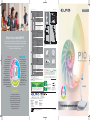
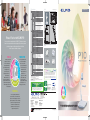
Discover the Details
Nurture Creativity
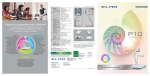
With its high-resolution images, powerful zoom function, and
ultra-smooth motion display, the P10 helps students explore
a world of fine details and delicate movements.
Innovative features on ELMO P10 provide plenty of imaginative ways to foster
creativity. And using the P10 in combination with other tools, such as the ELMO
Wireless Tablet, an ELMO projector, or a PC, extends the realm of discovery.
Smooth Moving Images at 30 fps
Teacher Presentations
The human eye recognizes 25 fps (frames
per second) or above as “normal video.”
And the P10 reproduces moving images
at 30 fps for the display of truly smooth,
natural-looking motion.
With ELMO as a partner, teachers can make both moving and still
images a visually enticing part of their lessons. Using an ELMO
P10 with an ELMO Wireless Tablet sets the stage for creative
teaching and focused learning by enabling the simultaneous
display of visuals that stimulate student curiosity and teacher
annotations that make difficult concepts easier to grasp.
Smooth
High-Quality Images
Powerful 128x Zoom
To capture images in stunningly
vivid detail, the P10 employs a
precise 1.49-megapixel CMOS
image sensor.
When the P10’s high-magnification
16x optical zoom is combined with
its 8x digital zoom, images can be
enlarged up to 128
times for the clear,
16 ×
distortion-free
display of even the
Optical
tiniest details.
For Easy Operation
SE
When teachers, students, and ELMO team up for a
presentation, interactive learning takes off and creativity soars.
The P10 can capture every step of a student science
experiment in vivid detail while the entire class looks on, and
the teacher guides them through it with annotations and key
words written on an ELMO Tablet.
PRO
CTIVE
DU
15 frames/second
Teacher-Student Presentations
PRECI
30 frames/second
Student Presentations
With ELMO, students can share real-life objects and real-time
observations with classmates through self-styled presentations
that engage everyone in the classroom. The P10 makes any
student drawing, magazine photo, PowerPoint slide, fossil
specimen, or lively beetle the centerpiece of interactive
learning, and the ELMO Tablet lets students put their own
creative mark on presentations.
PR
For Effective Presentations
L
A
ACTIC
For Interactive Lessons
Simple Control Panel
Flexible Camera Arm
LED Lamp
Image Mate Software
SDHC Memory Card Capability
Remote Control
Simple by design, the P10’s control
panel features simplified buttons
and LED indicators logically laid
out for total ease of use.
The P10 can capture images from
any angle, thanks to its adjustable
camera arm and head that can be
freely raised, lowered, and rotated
to focus attention precisely where
it’s needed.
Another presenter-friendly feature, the
free-angle LED lamp fully illuminates the
P10’s stage—making it easy to position
and light display objects even in
darkened presentation rooms—and folds
down with the camera for easy storage.
The P10’s USB port makes it easy to transfer
ELMO-captured images onto a PC. And
bundled Image Mate software provides the
annotation tools for highlighting those images
with lines, shapes, and freehand notes. Image
Mate software also enables audio-visual
recording saved as AVI files and time-lapse
photography captured in intervals ranging
from one second to 24 hours.
For ultra-easy presenting, images
captured on a PC, a digital camera, or the
P10 itself can be stored for future use on
an SDHC memory card (sold separately).
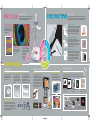
The ergonomic remote control enables easy P10 operation from anywhere in the classroom and brings
three handy functions to an ELMO P10 presentation: masking, highlighting, and Picture in Picture (PinP).
Q. Answer the angle of θ.
Live image
Q. Answer the angle of θ.
Still image
93m
θ
93m
65m
θ
65m
A.θ= 55˚
Annotation
The highlight function draws viewers’
attention to a particular section of the
presentation image.
With the mask function, selected parts of
presentation images can be hidden from
view via screen shading.
With the PinP function, a
quarter-size still image can be
displayed along with a live image.
ELMO System Configuration
Wir
ele
DVI-D and RGB Output Connections
The P10’s versatile output connections bring greater
presentation freedom and flexibility. The DVI-D connection
allows high-quality images to be transferred without any loss
of image quality and converted to HDMI signals via a
DVI-HDMI cable (not included). The analog RGB outputs in
XGA, SXGA, and WXGA resolutions.
Audio-visual recording
ss
INTERNET
Co
ELMO Wireless
Tablet
DVI-D Out
RGB Out
RGB In
Composite
Out
USB Cable
DC Out
DC In 12V
Time-lapse photography
Resolution switch
Split screen
scr
P10 Document Camera
nne
ctio
n
RGB Cable
Screen
ELMO Projector