1
Trakker Antares 241X Hand-Held Terminal Service Manual nugget
Replacing the Memory Card (2410 Only)
To replace the memory card, you need the following tools:
•
#1 Phillips screwdriver
•
Torque screwdriver
You also need one of the following parts:
•
2MB memory card (P/N 590092-001)
•
4MB memory card (P/N 590092-002)
To replace the memory card
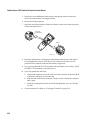
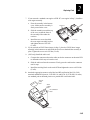
1. Open the terminal. For help, see “Opening the Terminal” on page 2-4.
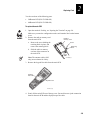
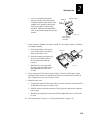
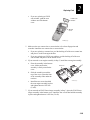
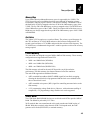
2. Remove the memory card from
the main PCB.
Memory
card
a. Remove the screw holding the
retaining block in place, and
remove the retaining block.
Screw
Retaining
block
b. Slide the memory card out of
the connector on the main
PCB.
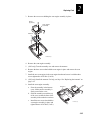
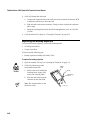
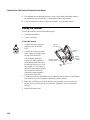
3. Install the new memory card.
241XM005.eps
a. Compare the connector tabs
on the new memory card to
the connector on the main
PCB to determine which way to insert the memory card.
b. Slide the memory card into the connector. Firmly press the memory card into
the connector until it stops.
4. Install the retaining block on the main PCB and tighten the screw to 0.226 Nm
(2 in-lb).
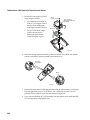
5. Close the terminal. For help, see “Closing the Terminal” on page 2-36.
Replacing the Main PCB
To replace the main PCB, you need the following tools:
2-8
•
#1 Phillips screwdriver
•
Torque screwdriver
•
Trakker Antares Download and Configuration Tool (P/N T43434)