1
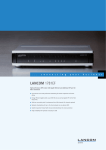
LANCOM 1781EF+
Features as of: LCOS 8.84
Interfaces
Serial interface
Serial configuration interface / COM port (8 pin Mini-DIN): 9,600 - 115,000 baud, suitable for optional connection of analog/GPRS modems. Supports
internal COM port server and allows for transparent asynchronous transmission of serial data via TCP
*) Note
A UMTS USB modem is not supplied. Supported UMTS USB modems at www.lancom.eu/umts-support
LCMS (LANCOM Management System)
LANconfig
Configuration program for Microsoft Windows, incl. convenient Setup Wizards. Optional group configuration, simultaneous remote configuration
and management of multiple devices over ISDN dial-in or IP connection (HTTPS, HTTP, TFTP). A tree view of the setting pages like in WEBconfig
provides quick access to all settings in the configuration window. Password fields which optionally display the password in plain text and can
generate complex passwords. Configuration program properties per project or user. Automatic storage of the current configuration before firmware
updates. Exchange of configuration files between similar devices, e.g. for migrating existing configurations to new LANCOM products. Detection
and display of the LANCOM managed switches. Extensive application help for LANconfig and parameter help for device configuration. LANCOM
QuickFinder as search filter within LANconfig and device configurations that reduces the view to devices with matching properties
LANmonitor
Monitoring application for Microsoft Windows for (remote) surveillance and logging of the status of LANCOM devices and connections, incl. PING
diagnosis and TRACE with filters and save to file. Search function within TRACE tasks. Wizards for standard diagnostics. Export of diagnostic files
for support purposes (including bootlog, sysinfo and device configuration without passwords). Graphic display of key values (marked with an icon
in LANmonitor view) over time as well as table for minimum, maximum and average in a separate window, e. g. for Rx, Tx, CPU load, free memory.
Monitoring of the LANCOM managed switches. Flick easily through different search results by LANCOM QuickFinder
Firewall GUI
Graphical user interface for configuring the object-oriented firewall in LANconfig: Tabular presentation with symbols for rapid understanding of
objects, choice of symbols for objects, objects for actions/Quality of Service/remote sites/services, default objects for common scenarios, individual
object definition (e.g. for user groups)
Automatic software update
Voluntary automatic updates for LCMS. Search online for LCOS updates for devices managed by LANconfig on the myLANCOM download server
(myLANCOM account mandatory). Updates can be applied directly after the download or at a later time
Management
WEBconfig
Integrated web server for the configuration of LANCOM devices via Internet browsers with HTTPS or HTTP. Similar to LANconfig with a system
overview, syslog and events display, symbols in the menu tree, quick access with side tabs. WEBconfig also features Wizards for basic configuration,
security, Internet access, LAN-LAN coupling. Online help for parameters in LCOS menu tree
LANCOM Layer 2 Management (emergency
management)
The LANCOM Layer 2 Management protocol (LL2M) enables an encrypted access between the command line interfaces of two LANCOM device
directly via a Layer 2 connection
Alternative boot configuration
During rollout devices can be preset with project- or customer-specific settings. Up to two boot- and reset-persistent memory spaces can store
customized configurations for customer-specific standard settings (memory space '1') or as a rollout configuration (memory space '2'). A further
option is the storage of a persistent standard certificate for the authentication of connections during rollouts
Automatic update from USB
Automtatic upload of appropriate firmware and configuration files on insertion of USB memory (FAT filesystem) into USB interfaces of LANCOM
routers with factory settings. The function can be activated to be used during operation of configured devices. The router checks the files’ dates
and versions against the current firmware before upload
Device Syslog
Syslog buffer in the RAM (size depending on device memory) to store events for diagnosis. Default set of rules for the event protocol in Syslog. The
rules can be modified by the administrator. Display and saving of internal Syslog buffer (events) from LANCOM devices with LANmonitor, display
only with WEBconfig
Access rights
Individual access and function rights for up to 16 administrators. Alternative access control on a per parameter basis with TACACS+
User administration
RADIUS user administration for dial-in access (PPP/PPTP and ISDN CLIP). Support for RADSEC (Secure RADIUS) for secure communication with
RADIUS servers. RADIUS authentication can be used to log in to a device. In addition, users can be deactivated in the internal RADIUS server without
deleting them
Remote maintenance
Remote configuration with Telnet/SSL, SSH (with password or public key), browser (HTTP/HTTPS), TFTP or SNMP, firmware upload via HTTP/HTTPS
or TFTP
TACACS+
Support of TACACS+ protocol for authentication, authorization and accounting (AAA) with reliable connections and encrypted payload. Authentication
and authorization are separated completely. LANCOM access rights are converted to TACACS+ levels. With TACACS+ access can be granted per
parameter, path, command or functionality for LANconfig, WEBconfig or Telnet/SSH. Each access and all changes of configuration are logged.
Access verification and logging of SNMP Get and Set requests. WEBconfig supports the access rights of TACACS+ and choice of TACACS+ server
at login. LANconfig provides a device login with the TACACS+ request conveyed by the addressed device. Authorization to execute scripts and each
command within them by checking the TACACS+ server’s database. CRON, action-table and script processing can be diverted to avoid TACACS+
to relieve TACACS+ servers. Redundancy by setting several alternative TACACS+ servers. Configurable option to fall back to local user accounts in
case of connection drops to the TACACS+ servers. Compatibility mode to support several free TACACS+ implementations
RADIUS
Support of RADIUS protocol for authentication of configuration access. Administrative privileges can be assigned for each administrator.
Remote maintenance of 3rd party devices
A remote configuration for devices behind der LANCOM can be accomplished (after authentication) via tunneling of arbitrary TCP-based protocols,
e.g. for HTTP(S) remote maintenance of VoIP phones or printers of the LAN. Additionally, SSH and Telnet client allow to access other devices from
a LANCOM device with an interface to the target subnet if the LANCOM device can be reached at its command line interface
ISDN remote maintenance
Remote maintenance over ISDN dial-in with calling-number check