1
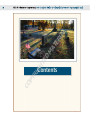
Using the Modes Popup Menu to Review the Noise . . . . . . . . . . . . . 82
and Selection Masks
When to Use Dfine 2.0 to Reduce Noise. . . . . . . . . . . . . . . . . . . . . . . . . 85
Chapter 6: Viveza 2
88
The Viveza 2 Interface . . . . . . . . . . . . . . . . . . . . . . . . . . . . . . . . . . . . . . . . . . 90
Adding control points. . . . . . . . . . . . . . . . . . . . . . . . . . . . . . . . . . . . . . . . . . . . . . . . . . 90
Grouping and ungrouping. . . . . . . . . . . . . . . . . . . . . . . . . . . . . . . . . . . . . . . . . . . . . . 90
Global and selective indicators . . . . . . . . . . . . . . . . . . . . . . . . . . . . . . . . . . . . . . . . . 91
Expand and Collapse buttons . . . . . . . . . . . . . . . . . . . . . . . . . . . . . . . . . . . . . . . . . . 92
Enhancement sliders . . . . . . . . . . . . . . . . . . . . . . . . . . . . . . . . . . . . . . . . . . . . . . . . . . . 92
Color picker and Eyedropper tool . . . . . . . . . . . . . . . . . . . . . . . . . . . . . . . . . . . . . . 94
Control Point List. . . . . . . . . . . . . . . . . . . . . . . . . . . . . . . . . . . . . . . . . . . . . . . . . . . . . . . 95
Levels and Curves control . . . . . . . . . . . . . . . . . . . . . . . . . . . . . . . . . . . . . . . . . . . . . . 96
Applying Viveza 2 to Your Photographs. . . . . . . . . . . . . . . . . . . . . . . . . 97
Working with landscape images . . . . . . . . . . . . . . . . . . . . . . . . . . . . . . . . . . . . . . . . 98
Working with portrait images . . . . . . . . . . . . . . . . . . . . . . . . . . . . . . . . . . . . . . . . .103
Chapter 7: HDR Efex Pro 3.0
110
HDR Imaging Explained . . . . . . . . . . . . . . . . . . . . . . . . . . . . . . . . . . . . . . . 111
The two stages of HDR image processing. . . . . . . . . . . . . . . . . . . . . . . . . . . . . .112
How to Capture and Process the Image Series for Best Results . . 117
Reducing motion. . . . . . . . . . . . . . . . . . . . . . . . . . . . . . . . . . . . . . . . . . . . . . . . . . . . . .117
Optimal camera settings . . . . . . . . . . . . . . . . . . . . . . . . . . . . . . . . . . . . . . . . . . . . . .118
Processing a series of images. . . . . . . . . . . . . . . . . . . . . . . . . . . . . . . . . . . . . . . . . . .118
Working with HDR Efex Pro . . . . . . . . . . . . . . . . . . . . . . . . . . . . . . . . . . . 120
Merging with HDR Efex Pro . . . . . . . . . . . . . . . . . . . . . . . . . . . . . . . . . . . . . . . . . . .120
Alignment and ghost-reduction settings . . . . . . . . . . . . . . . . . . . . . . . . . . . . . .124
Tone mapping with HDR Efex Pro . . . . . . . . . . . . . . . . . . . . . . . . . . . . . . . . . . . . .128
HDR panoramas . . . . . . . . . . . . . . . . . . . . . . . . . . . . . . . . . . . . . . . . . . . . . . 136
Setting up to shoot an HDR panorama. . . . . . . . . . . . . . . . . . . . . . . . . . . . . . . .137
Creating the panoramas . . . . . . . . . . . . . . . . . . . . . . . . . . . . . . . . . . . . . . . . . . . . . . .137
Create the HDR panorama . . . . . . . . . . . . . . . . . . . . . . . . . . . . . . . . . . . . . . . . . . . .139
Chapter 8: Color Efex Pro 4
140
Working with the Filter List and Presets . . . . . . . . . . . . . . . . . . . . . . . . 141
Basic Controls. . . . . . . . . . . . . . . . . . . . . . . . . . . . . . . . . . . . . . . . . . . . . . . . . 144