1
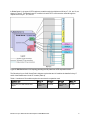
Popular configurations This section shows a configuration that uses the Broadcom 2-port 10Gb Virtual Fabric Adapter. Figure 4 shows the use of the Broadcom 2-port 10Gb Virtual Fabric Adapter to route either two physical ports or eight virtual ports to the BNT Virtual Fabric 10Gb Switch Modules installed in the BladeCenter chassis. Two BNT Virtual Fabric 10Gb Switch Modules are installed in bay 7 and bay 9 of the BladeCenter H chassis. All connections between the controller, card, and the switch modules are internal to the chassis. No cabling is needed. Figure 4. Configuration using the Broadcom 2-port 10Gb Virtual Fabric Adapter Depending on how you configure the switch and expansion card, you can get either: Eight virtual Ethernet ports (vNIC mode). Each virtual port can be configured to operate at 100 Mbps to 10 Gbps, up to a total maximum of 10 Gb per physical port. The default bandwidth is 2.5 Gb per virtual port. Two 1 Gb or 10 Gb Ethernet ports (pNIC mode). The components used in this configuration are listed in Table 5. Table 5. Components used when connecting Broadcom 2-port 10Gb Virtual Fabric Adapter to two BNT Virtual Fabric 10Gb Switch Modules Diagram reference Part number/ machine type Description Quantity 7870 IBM BladeCenter HS22 or other supported server 1 to 14 81Y3133 Broadcom 2-port 10Gb Virtual Fabric Adapter 1 per server 8852 or 8740/8750 BladeCenter H or BladeCenter HT 1 46C7191 BNT Virtual Fabric 10Gb Switch Module 2 44W4408 IBM 10GBase-SR SFP+ Transceiver Up to 20* * To communicate outside the chassis, you must have either one SFP+ transceiver or SFP+ direct-attached cable (DAC) for each external 10 Gb port on the BNT 10Gb High Speed Switch Module that you want to enable. Broadcom 2-port 10Gb Virtual Fabric Adapter for IBM BladeCenter 7