1
Easier and More Efficient to Use
Multiple enhancements deliver significant operations advantages over
the previous-generation QL and QL Plus™ series mobile printers.
Easier to Use
Reduce training requirements and speed user adoption. Increase worker
productivity and process efficiency.
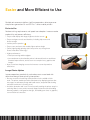
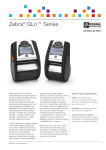
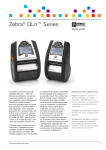
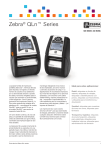
• Easy-to-read display with larger, higher-resolution screen
1
1
• Easy-to-navigate controls and interface, including help menu and
alert messages
• Intuitive peeler operation 2
• Easy to carry and store with smaller, lighter printer design
• Faster, higher-quality printing with lower power use, through new
Power Smart Print Technology™
• Higher performance
»» Faster processing and throughput
»» Increased memory that handles printer’s advanced functions and future
firmware improvements, and stores more complex fonts, graphics and
images
• New, convenient charging accessories increase user and operations
efficiencies
Longer Printer Uptime
Improve operations productivity and reduce costs associated with
downtime through fewer printing interruptions.
• Prevent associates from being stuck printerless in the middle of their
work. The printer enables proactive maintenance by displaying printer alert
messages, smart battery charge and health status, and printhead cleaning
reminders and how-to’s (coming soon).
• Avoid the downtime and costs of unnecessarily sending the printer away for
servicing. Many issues can be remotely diagnosed and resolved (including
firmware updates, configuration changes, and adding new fonts or graphics)
over an Ethernet connection.
2