1
Index
DECLARATION OF CONFORMITY ............................................................................................................. English-1
Important Information ................................................................................................................................... English-2
WARNING....................................................................................................................................... English-2
CAUTION ........................................................................................................................................ English-2
Declaration ................................................................................................................................................... English-2
Safety Precautions, Maintenance & Recommended Use............................................................................. English-3
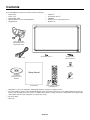
Contents ....................................................................................................................................................... English-4
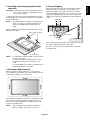
Installation .................................................................................................................................................... English-5
Attaching Mounting Accessories ..................................................................................................... English-6
Parts Name and Functions ........................................................................................................................... English-8
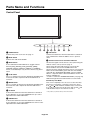
Control Panel .................................................................................................................................. English-8
Terminal Panel ................................................................................................................................ English-9
Wireless Remote Control ................................................................................................................ English-11
Operating Range for the Remote Control ....................................................................................... English-12
Setup ............................................................................................................................................................ English-13
Connections ................................................................................................................................................. English-15
Wiring Diagram ............................................................................................................................... English-15
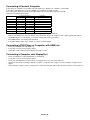
Connecting a Personal Computer ................................................................................................... English-16
Connecting a DVD Player or Computer with HDMI out .................................................................. English-16
Connecting a Computer with DisplayPort ....................................................................................... English-16
Basic Operation ............................................................................................................................................ English-17
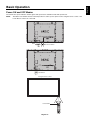
Power ON and OFF Modes ............................................................................................................ English-17
Power Indicator ............................................................................................................................... English-18
Using Power Management ............................................................................................................. English-18
Selecting a video source ................................................................................................................. English-18
Picture Aspect ................................................................................................................................. English-18
Information OSD ............................................................................................................................. English-19
Picture Mode ................................................................................................................................... English-19
OSD (On-Screen-Display) Controls.............................................................................................................. English-20
PICTURE ........................................................................................................................................ English-21
ADJUST .......................................................................................................................................... English-21
AUDIO ............................................................................................................................................ English-22
SCHEDULE .................................................................................................................................... English-22
PIP .................................................................................................................................................. English-23
OSD ................................................................................................................................................ English-23
MULTI DISPLAY ............................................................................................................................. English-24
DISPLAY PROTECTION ................................................................................................................ English-25
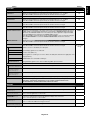
ADVANCED OPTION ..................................................................................................................... English-26
Remote Control Function .............................................................................................................................. English-29
Controlling the LCD monitor via RS-232C Remote Control.......................................................................... English-31
Controlling the LCD monitor via LAN Control ................................................................................................ English-32
Connecting to a Network ................................................................................................................ English-32
Network Setting by Using an HTTP Browser .................................................................................. English-32
Features ....................................................................................................................................................... English-36
Troubleshooting ............................................................................................................................................ English-37
Specifications - V422 .................................................................................................................................... English-38
Specifications - V462 .................................................................................................................................... English-39
Specifications - V651 .................................................................................................................................... English-40
Pin Assignment ............................................................................................................................................. English-41
Manufacturer’s Recycling and Energy Information....................................................................................... English-42
www.necdisplaysolutions.com