1
SpectraLink Corporation
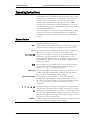
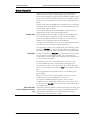
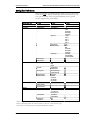
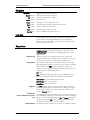
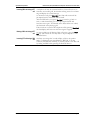
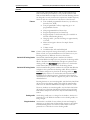
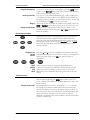
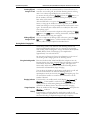
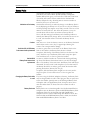
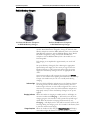
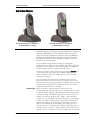
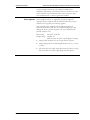
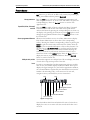
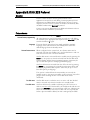
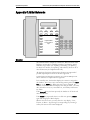
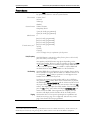
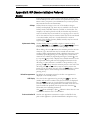
Call Status Icon
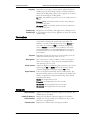
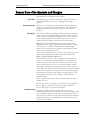
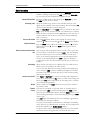
If you want to…
Make a second call on the
same line
NetLink e340/h340/i640 Wireless Telephones and Accessories User Guide
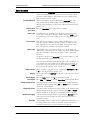
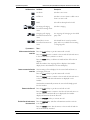
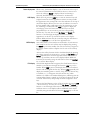
Call State
Description
On Hook
The line is not in use.
Off Hook
The line is in use. There is a dial tone or
there is an active call.
Hold
The call has been placed on hold.
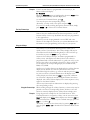
Incoming call ringing.
Icons flash through three
views.
The line is ringing.
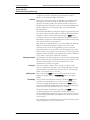
Outgoing call, ringing.
Icons flash between two
views.
An outgoing call is ringing on the called
party’s line.
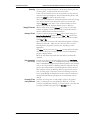
Shared line is in use.
Icons flash between two
views.
The shared line is in use by another
party and is not available for incoming
or outgoing calls.
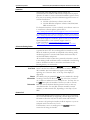
Then…
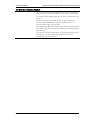
Press the Hold softkey to put the current call on hold.
Press the Select button to switch to the second call. The tab moves
to the second call icon, which is on-hook.
Press the Nwcl softkey. A dialtone is heard and the off-hook icon
displays.
Dial the number. The outgoing call icon displays. The handset
display shows the information for the called party.
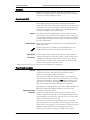
Answer a second call on the
same line
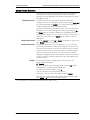
The incoming call icon displays for the second call and there is a
soft ringing in the ear.
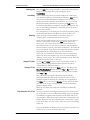
Press the Hold softkey to put the current call on hold.
Press the Select button to switch to the second call. The tab moves
to the second call and caller information is displayed on the
handset.
The handset automatically answers the second call. Simply speak
into the handset.
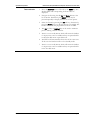
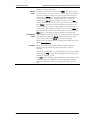
Return to the first call
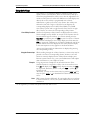
Press the Hold softkey to put the second call on hold.
Press the Select button to return to the first call. The tab moves to
the first call icon and the hold icon is displayed. The handset
displays information about the first call.
Press the Resume softkey to activate the call.
End the first call and resume
the second call
Press the End Call key. The first call terminates and the on-hook
icon displays.
Press the Select button. The tab moves to the second call and the
call is automatically resumed.
Part Number: 72-1004-01-J.doc
Page 39