1
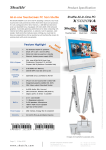
Product Specification Kensington Lock This is a small, metal-reinforced hole as part of an anti-theft system. (The lock-and-cable apparatus is not included.) VESA mounting The stand on the rear can easily be removed unveiling four VESA mounting screw holes that can be used for mounting arms and other mounting devices from a variety of manufacturers. Control AP Software Click the „ControlAP“-Button and you can configure the following items with your fingers on the touchscreen: Screen brightness Light bar brightness Wireless LAN On/Off Web camera On/Off Configuration of LCD and external VGA screen The X50V2 PLUS features a precise touch screen input device. This can easily be calibrated just by pointing four times with the stylus pen on the screen. With this four point calibration, you can use demanding graphical user interfaces (GUI) that require precise cursor control to properly activate small icons, buttons, scroll bars, etc. Optional serial and parallel legacy ports Legacy ports are still a requirement for certain industrial applications. Thus, X50V2 PLUS optionally provides one parallel and two serial ports at the back panel (Accessory PLC68). Tiny power adapter The external 40W power adapter is virtually noiseless and can easily be hidden behind the desk thanks to its tiny dimensions. Dimensions: 89.5 x 37 x 26.5 mm (LWH) = 88ml Page 4 | 19 April 2011 www.shuttle.com Shu t tl e Computer Han dels GmbH Fritz- Strassmann-S t r. 5 25337 Elmshorn | Germany Tel. +49 (0) 4121-47 68 60 Fax +49 (0) 4121-47 69 00 [email protected] ©2011 by Shuttle Computer Handels GmbH (Germany). All information subject to change without notice. Pictures for illustration purposes only. 4 Point Touch Screen Calibration