1
1
2
Moving or removing a Fleet-Swap™ bay
3.
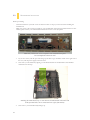
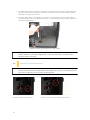
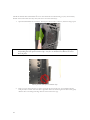
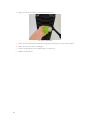
Now move the Fleet-Swap bay to the desired location, secure it in place and screw it in. Fleet-Swap
bays can be relocated to anywhere in the 3.5” drive cage.
4.
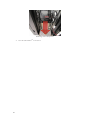
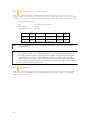
Before you can use the hot-swap feature of the Fleet-Swap™ bays, you must install all related drivers
for your motherboard and enable the “AHCI” function in the BIOS to activate the hot swap feature.
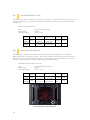
One example of AHCI configuration – your motherboard may vary
B. LOADING THE FLEET-SWAP BAYS
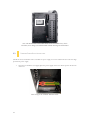
Fleet-Swap™ bays are designed to be accessible from the front of the case, through the Fleet-Release™ access
doors.
21
1.
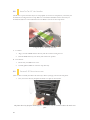
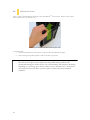
Open the Fleet-Release™ access door, and insert your 3.5” SATA device into a 3.5” drive bay that
contains a Fleet-Swap bay at the back.
2.
Push gently until it engages the adapter pins on the Fleet-Swap bay and stops in position. Do not
secure the device with screws if you want it to be removable.