1
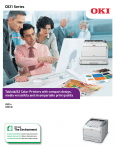
The C530dn also gives you better control over your color printing,
business expenses, and impact on the environment.
Digital Color printers from OKI Printing Solutions
deliver more than brilliant output at best-in-class
speeds. The C530dn also offers a long list of features
that can improve your image, profitability and peace
of mind. Here are some value-added examples:
Control the quality of your output
Color Swatch Easily match custom colors to the
color values on your C530dn
printer. Select a simple swatch
to print a basic set of colors,
then match the values in your
application. Select a custom
swatch and set the Hue,
Saturation and Lightness
to target your custom color.
Color Correct Makes it easy to adjust colors
commonly found in applications like Microsoft® Word,
Excel® and PowerPoint®. It also lets you adjust the
overall color of a print by controlling the lightness,
darkness and contrast of images, and the intensity
and lightness of the colors.
Control your printing costs
Color Access Policy Manager (CAPM) Lets you
control and monitor color usage by defining who can
print and what gets printed. Decide who and what can
print in color, in black & white or not at all, making
color printing cost-effective. Access levels can be
assigned by user name, PC/server name, application,
file name and web sites. Once policies are configured,
CAPM determines how—or if—incoming jobs will print.
All policies are password-protected for added security.
HD Color
Printing
Crisp, clear Black & White
No printout
permitted
Job Accounting Enables tracking of color and mono
printing costs, easy monitoring of printing activity,
and greater control of printer usage. It generates
reports for administrative, bill-back or cost-accounting
purposes. User permissions can be assigned and are
stored on the printer—not on the network—so the
system is totally secure.
Control your effect on the planet’s health
The C530dn offers a number of environmentally
friendly features, including:
Automatic ECO Mode When you’re only printing a
few pages, the C530dn’s response is to enter this
energy-saving, performance-enhancing setting.
Same terrific output, lower power consumption.
Everybody wins.
Deep Sleep Mode The C530dn takes power-saving
even more seriously when left on for an extended
period: it slips into a “deep sleep” that expends just
over a single watt to maintain.
Mono Resource-Print Mode Even when the color
toner runs out, you can still print needed documents
in crisp, clear black & white. Simply cancel the
original job and select this energy-efficient mode
in the printer driver.
One-piece image drum This long-lasting, userreplaceable consumable remains friendly to your
budget while lowering the number of items to
dispose of and store.
Energy Star® compliance With its lower power
consumption—especially in Deep Sleep Mode—
and standard duplexing, the C530dn meets the
government’s standards for energy efficiency.
THE C530dn AT A GLANCE
Available with up to 5,000-page
Cyan, Magenta, Yellow and Black
toner cartridges 2
Single Pass Color™ digital LED technology
delivers high speed and reliability
HD (High Definition) Color Printing
technology
27 ppm Color and 31 ppm
Monochrome print speed 1
16-character, backlit LCD screen
display with toner status gauge
Base printer model just 9.5" high
Power Save button; Deep Sleep
Mode uses <1.1W power
100-sheet Multipurpose tray
Prints on sheets up to 80 lb. cover
(220 gsm) and banners up to
8.5" x 47"3
Duplex (2-sided) printing, standard
250-sheet standard paper tray
60,000 page-per-month duty cycle
256 MB memory, upgrades
to 768 MB max
Optional 530-sheet 2nd paper tray
Small footprint enables the C530dn to fit
comfortably on the desktop
1
2
Published performance results based on laboratory testing
of simplex (1-sided) print speed. Individual results may vary.
Printer ships with complete set of 2,000-page “starter”
toner cartridges (based on ISO 19798).