1
Audio2Car
Audio2Car
The professional mute
The professional mute
with the carkit.
Note: Never exceed the Maximum Fuse size for the Audio2Car cable. See first page.
Installation description
for 84501 Audio2Car harness used for
Land Rover with Harman Kardon sound
system without center speaker.
Needed items:
A: Audio2Car harness including Mute-box & Mute-loop.
B: Audio2Car extension cable (bought separately).
C: Audio2Car carkit adaptor (bought separately).
D: Carkit (bought separately).
Note: B & C can be replaced by an additional Mute-box and
extension cable from our Drive & Talk range.
Identification of sound system:
This cable is designed for cars equipped with “Harman
Kardon sound system” without center speaker. If you have
a center speaker in the dashboard you have the “Harman
Kardon Logic 7 surround sound system” and a different
cable-set is required. For further information please see our
complete cable list at www.kram.dk
6th: Extend the cable-set to the preferred location of the carkit. Use the extension cable B (or additional Drive &
Talk Mute-box with extension cable) to extend the cable-set to the preferred location of the carkit. Behind the glovebox is recommended.
Bullet Connectors
A: Audio2Car Harness
Item number 84xxx
7th: Connect the carkit adaptor. Connect the carkit adaptor to the extension cable. Connect the carkit adaptor to the
carkit.
24 pin Connectors
Mute-box
B: Audio2Car Extension
cable Item number AEx
24 pin Connectors
Mute-loop
C: Audio2Car Adaptor
Item number AAxxx
D: Carkit
Installation:
When delivered this Audio2Car cable-set is always fitted
with a Mute-box and a Mute-loop connector.
1st: Remove the key from the ignition barrel. This is
done to avoid error messages on the cars electrical system.
Such error can only be reset by an authorised Land Rover
repair shop.
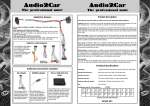
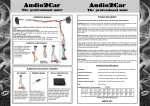
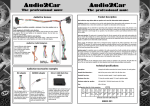
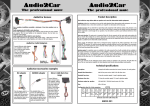
Discovery 3 install on amplifier below driver
seat. See picture on the right. An Audio2Car
extension cable item no. AE4 is also required.
•
Range Rover install on amplifier in left side of
boot. An Audio2Car extension cable item no. AE5
is also required.
•
Range Rover Sport install on amplifier below
passenger front seat. An Audio2Car extension
cable item no. AE4 is also required.
3rd: Connect the car-specific cable. Disconnect the connector on the amplifier unit and insert the Audio2Car harness between the connector and amplifier unit.
Carkit does not start up. Check if there is 12V between the black and the red wire and also between the black and
blue wire, in the 24 pin connector, when the car is started. If there is not 12v on both wires please check the following:
1.
If there is supply on the red constant 12v wire but not on the blue ignition wire the car may require an
alternative ignition source. See installation step 4.
2.
Check that the bullets on the supply wires are properly connected. The supply wires are the red, blue and
black wires.
3.
Check for a blown fuse on the Audio2Car harness or in the cars fuse-box.
The carkit does not turn off when the key is removed from the ignition barrel. Your carkit needs a real ignition
source. Please check the following:
1.
Is there an ignition supply on the blue wire? There should be no voltage on the blue wire when there is no
key in the ignition. See installation step 4.
Not all speakers are muted. Try to disconnect the Mute-box and the Carkit adaptor C (or additional Drive and Talk
mute-box) from the Audio2Car harness then turn on the radio and check the following :
1.
All front door speakers keep playing: This is the wrong Audio2Car harness for this car / sound system.
2.
A few speakers keep playing: This is the wrong Audio2Car harness for this car / sound system.
3.
All speakers are now muted:
•
Driver seat
Amplifier
2nd: Locate & uncover the amplifier unit. Amplifier
locations:
•
Troubleshooting Guide
Carkits with 1 speaker mute: Some carkits can only mute 1 speaker channel with their build in
mute-box. This is normally stated on the label on the carkit adaptor for these carkits, else please
check the carkit manual. If a full mute is desired with these carkits, then this can be achieved by
either connecting the mute wire or adding an additional mute-box from our Drive & Talk range.
Carkits with 4 speaker channel mute: (or when additional Drive & Talk mute-box is used): Please
check that the “Mute-Loop” is attached to Mute-box delivered with the cable-set. Else please try
another carkit.
Carkit sound is in the wrong speakers or there is no carkit sound.
1.
The two 24 pin connectors in the cable-set may be switched. The carkit should be connected to the 24 pin
connector with the Green, White, Gray and Purple wires.
2.
The carkit may be defective. Please try another carkit.
Radio will not turn on or not working properly after installation.
1.
Please check for a blown fuse at the radio or in the car fuse-box.
2.
Remove the Audio2Car harness and connect the radio to the original car connector. If the radio is now working replace the Audio2car harness.
•
Amplifier location in Discovery 3
Amplifier
4th: Check ignition source. When the cable-set is delivered the blue ignition wire is connected to the red constant
12V wire with a bullet connector. If a real ignition source is
needed for the chosen carkit an IGNIBOX item no. “I” can
be inserted to create an artificial ignition source or the
Amplifier location in Range Rover
blue ignition wire can be disconnected from the red constant 12v and manually connected to an ignition source found elsewhere.
5th: Check fuse size. The fuse on the Audio2Car cable should not be bigger than the ones used on the wiring loom
supplied with the carkit. The fuses on the Audio2Car cable should be replaced with a size similar to the ones supplied
See our complete Radio Mute program on our website www.kram.dk