1
9238252_hs6_1_en.fm
Page 7
Wednesday, February 2, 2005
5:21 PM
Basic and call functions
English
3. Basic and call functions
■ Lock keys
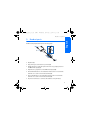
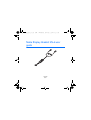
Slide the keylock switch to lock and unlock the headset buttons.
When locked, all button presses are ignored and
appears on the
display. Press the call or end/stop button to answer or reject incoming
calls even if the buttons are locked.
■ Adjust earpiece volume
Press the volume up and volume down buttons to adjust the earpiece
volume. If you press and hold either button, the volume continues to
increase or decrease until you release the button.
The current volume level appears on the display.
■ See received messages
When you receive SMS or MMS messages, the following icons appear
near the call button:
indicates you have at least one unread SMS message that you can
view on the phone.
indicates you have at least one unread MMS message that you can
view on the phone.
7