1
Rugged, Reliable, Mobile, Secure
TM
DE200 Ultra320 80-Pin Install Guide
Removable SCSI Wide Ultra320 Drive Enclosure
Notes: For SCSI Ultra320 operation, the DE200 Ultra320 requires
Ultra320 drives, Ultra320 HBA, and Ultra320-compliant cabling
(internal and external).
DE200 Ultra320 can support Ultra320 implementations with a
maximum of fifteen (15) Ultra320 drives (Ultra320 repeater may
be required).
2. C arefully insert the drive into the carrier. Slide the drive towards the
drive carrier board, so that the I/O, DC power, and ID select connectors on the drive mate with their respective connectors on the drive
carrier board.
DE200 Ultra320 receiving frames are indicated by their BLUE LED,
while the DE200 Ultra320 carriers are indicated by the Ultra320 logo.
Package Contents
3. F asten the drive into place with four (4) #6-32 Phillips Flat Hd. screws
(provided).
1 - Alignment tool
2 - 6-32 x 1/4” Flathead screws (carrier cover)
4 - 6-32 x 1/4” Flathead screws (drive mounting)
4 - 6-32 x 1/4” Panhead screws (frame mounting)
4 - 2mm Jumper
Receiving Frame Motherboard
Remote Unit ID Selection: Pins 1-8 are provided for remote unit ID
selection for the computer system or expansion chassis. Remote ID
selection requires that the unit ID switch located on the inside of the
receiving frame be set to “0” (onboard ID selection is set with a switch
located on the inside of the receiving frame; see figure 3).
Enable Termination Power Connector (J4): This jumper is installed at the
factory and enables termination power to/from the SCSI bus.
NOTE: Do not remove this jumper!
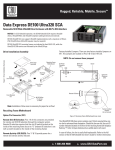
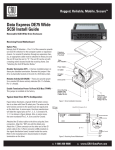
Figure 1: Drive Installation Assembly
Installation
1. Locate the ID select jumper positions on the drive, and remove any
jumper plugs installed (the drive carrier board will plug into this
section of the drive).
1-800-260-9800
Figure 2: Receiving Frame Motherboard (rear view)
www.CRU-DataPort.com
Rugged, Reliable, Mobile, Secure
TM
Selecting the Unit ID Number
Limitation of Liability
Use the alignment tool (provided) to select the ID number of the disk
drive.
The warranties set forth in this agreement replace all other warranties. CRU expressly disclaims all other warranties, including but not
limited to, the implied warranties of merchantability and fitness for
a particular purpose and non-infringement of third-party rights with
respect to the documentation and hardware. No CRU dealer, agent or
employee is authorized to make any modification, extension, or addition
to this warranty. In no event will CRU or its suppliers be liable for any
costs of procurement of substitute products or services, lost profits,
loss of information or data, computer malfunction, or any other special,
indirect, consequential, or incidental damages arising in any way out of
the sale of, use of, or inability to use any CRU product or service, even
if CRU has been advised of the possibility of such damages. In no case
shall CRU’s liability exceed the actual money paid for the products at issue. CRU reserves the right to make modifications and additions to this
product without notice or taking on additional liability.
Certification
EMI Standard: EMC Standard: FCC Part 15 Class B, CE
EN55022, EN55024
FCC Certification
Figure 3: Unit ID Select Switch Location
This device has been tested and found to comply with the limits
for a Class B digital device, pursuant to Part 15 of the FCC rules.
Operation is subject to the following two conditions:
NOTE: The lock on the Data Express receiving frame functions as a
lock and a DC power switch for the carrier unit. The lock MUST be
engaged (turned counterclockwise) in order to supply power to the
carrier and installed drive unit.
Limited Product Warranty
CRU-DataPort (CRU) warrants the Data Express DE200 to be free
of significant defects in material and workmanship for a period of
five years from the original date of purchase. CRU’s warranty is
nontransferable and is limited to the original purchaser.
1. This device may not cause harmful interference.
2. This device must accept any interference received;
including interference that may cause undesired operation.
Register your product at www.CRU-DataPort.com
A7-200-0006 Rev. 2.0
1-800-260-9800
www.CRU-DataPort.com