1
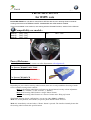
Mode 1: Using with the volume adjustment buttons
Depending on the steering
wheel controls in your vehicle,
the MULTICAN interface will
enable you to take full
advantage of the features
available on your hands-free
kit:
• Answer an incoming call:
• End a call:
• Refuse an incoming call:
• Start the voice recognition
feature:
Press the "Volume (+)" button.
Press the "Volume (-)" button.
Press the "Volume (-)" button.
Quickly press the "Volume (+)" button, then press
the "Volume (-)" button.
Quickly press the "Volume (+)", followed by a
• Redial the last number:
long press of the "Volume (-)"until the number is
dialled.
Quickly press the "Volume (+)" button.
• Discreet mode:
During the call, quickly press the "Volume (+)"
• Exit discreet mode:
button followed by a press of the "Volume (-)"
button
During the call, press the "Volume (+)" button and
• Increase the volume:
then on the "Volume (-)" button re peat this
procedure until you reach the required volume.
During the call, press the "Volume (-)" button and
• Lower the volume:
then on the "Volume (+)" button repeat this
procedure until you reach the required volume.
The followings functions are only possible with Parrot CK3000 Evolution
Press the following sequence twice: “SEEK up”
• Enter the menu:
button then the “SEEK down” button.
These buttons are used to search for radio stations.
Press the "Volume (+)" button and then the
•Go forward through the menu:
"Volume (-)" button, leaving one second
between each press.
Press the "Volume (-)" button and then the
•Go backwards through the
"Volume (+)" button, leaving one second
menu:
between each press.
Press the "Volume (+)" button.
•Select a menu option:
Press the "Volume (-)" button.
•Cancel a function:
•Reset the hands-free kit:
Repeat the following sequence five times:
press the "Volume (–)" button and then
"Volume (+)" button.