1
6
Getting to know your phone
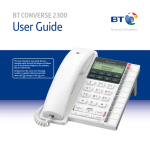
Buttons and features
Handset park
If the phone is wall-mounted,
you can hang the handset
here if you need to leave the
phone during a call.
Message waiting indicator
Flashes if you have
Voicemail, page 8.*
Call indicator
Flashes when you have an
incoming call.
M1–M3 one-touch
memory buttons
Press a one-touch button
to dial the stored number,
page 10.
Dialling mode switch
(underneath the phone)
Lets you set the dialling
mode, pages 5 and 13.
One touch memory label
Keep a note of your numbers.
Instructions on how to store a
one-touch number are printed
on the reverse of this label.
Message waiting switch
(underneath the phone)
See page 8 for details if
you are connected to a
switchboard.
Headset socket
(underneath the phone)
Lets you connect a Headset
(not supplied), page 7.
Ringer switch
(underneath the phone)
Lets you adjust the ringer
tone, page 9.
Redial
Redials the last number
called, page 7.
Ringer volume switch
(underneath the phone)
Lets you adjust the ringer
volume, page 9.
Also used to enter a pause in a
stored number, page 10.
Secrecy button & indicator
During a call, press to stop
your caller hearing you
so you can talk privately
to someone else close by,
page 8.
R (Recall)
For use with a switchboard
and some BT Calling Features,
page 9.
Amplify
Press to switch the earpiece/
headset volume between
Normal and High, page 9.
* The light will only flash if your BT Converse is connected to a PBX switch or similar.
The light will not flash when used with network services such as BT 1571.
If you experience any problems, please visit www.bt.com/producthelp
Headset button & indicator
Lets you make and receive
calls with a headset, page 7.