1
QuickSpecs
HP DAT Tape Drives
Product Highlights
HP OBDR (One-Button
Disaster Recovery)
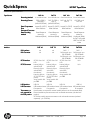
With HP One-Button Disaster Recovery, you can quickly, reliably and simply restore your entire ProLiant
system just by inserting the most recent backup tape and pushing one button on the tape drive. Your HP
DAT drive will restore your operating system, configuration, applications, drivers and data files. There's
no longer a need to search for software disks and manuals. And with downtime reduced, the costs of
recovery are minimized too. There's no need to make a new set of disaster recovery disks each time the
network configuration is altered or a peripheral is added. Recovering from a disaster manually at a
stressful time makes for an error-prone process. The sheer simplicity of HP One-Button Disaster Recovery
means less human error. Backup and disaster recovery preparation -- previously two separate tasks -become one process. OBDR is simply the best disaster recovery product for small to medium systems.
For a current list of servers, workstations, and software that support OBDR, check the tape backup
compatibility pages at: http://www.hp.com/go/obdr
Included software
The HP DAT tape drives include HP Data Protector Express Basic backup and recovery software. Data
Protector Express Basic is based on HP Data Protector Express software. It is an easy-to-use backup and
recovery application that is installed in minutes and includes all the features needed to protect a single
machine by backup to a HP tape drive. Data Protector Express Basic includes pre-defined and
customizable media rotation schemes so you can define when you backup and how long your backups
are retained, while easily managing your DAT data cartridges. Data Protector Express Basic supports all
the features of the DAT tape drives. DAT 320 data encryption can be specified for any backup job and is
configured using the easy-to-manage interface. The Data Protector Express Basic Bare Metal Disaster
Recovery (BMDR) feature supports the One Button Disaster Recovery capability of the DAT tape drives for
fast and automated recovery of a ProLiant server after a major disaster. Backup data compression can
be turned on or off as part of the backup job specifications.
For more information please visit: http://www.hp.com/go/dataprotectorexpress/basic.
NOTE: Data Protector Express 5.0 Basic replaces Data Protector Express Single Server Edition as the
software included with the HP DAT tape drives. If your tape drive includes Data Protector Express Single
Server Edition you should register this. At the end of the registration process you will be able to
download Data Protector Express Basic.
NOTE: Data Protector Express Basic will run in evaluation mode for up to 60 days from installation. For
continued use a free permanent license key is acquired by registration at: https://webware.hp.com. For
more information see: www.hp.com/go/dataprotectorexpress/basic/register
Easy and economical
An additional benefit is a discount to the purchase of Data Protector Express. This discount is delivered
upgrade of the included using a special part number only available for customers of HP tape products. Part number TC333AAE
software to Data Protector enables Data Protector Express Basic to be upgraded to Data Protector Express for 1 Server at a
Express
significant discount to the regular buy price. Upgrading to Data Protector Express for 1 Server unlocks all
the features of Data Protector Express while retaining all the jobs and settings created while using Data
Protector Express Basic. Once upgraded to Data Protector Express for 1 Server, additional licenses can
be purchased to protect other servers and to take advantage of the unique and all inclusive licensing of
Data Protector Express.
For more information please visit: www.hp.com/go/dataprotectorexpress/basic/register.
If the HP DAT tape drive is for a large environment that requires UNIX support and/or enterprise class
Data Protector backup
and recovery software
application and feature support then HP Data Protector is the recommended backup and recovery
software. There is no upgrade path from Data Protector Express Basic or Data Protector Express to Data
Protector. If current or future requirements will require Data Protector, this software should be installed
from day 1. For more information and evaluation software please visit:
http://www.hp.com/go/dataprotector.
DA - 11883
Worldwide — Version 36 — June 8, 2011
Page 11