Transcript
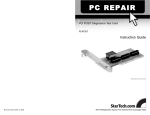
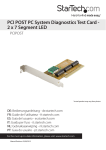
PCI Post Diagnostics Test Card
StarTech ID: PCIPOST
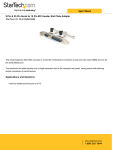
The StarTech.com PCI Post Diagnostics Card makes troubleshooting PC problems easy. Simply plug
the card into a PCI slot on a malfunctioning PC, and the card reports any problems in the form of
error codes on it’s LED display. These codes are then cross-referenced to the enclosed error code
chart to pinpoint the cause of the problem. PC technicians and system builders can save hours of
troubleshooting time and prevent non-defective parts from being replaced.
Note: You may have to refer to your motherboard manufacturer’s manual for motherboard specific error
diagnostic codes<p/>
Applications and Solutions
> An extremely valuable tool for PC service technicians
> Great for identifying faulty parts during system assembly
Features
> Easy to use - Simply plug it into a free PCI slot and turn on the computer to display the error code
> Includes a post code look-up table to provide a description of the problem
> Supports AMI, Award, and Phoenix BIOS POST error codes
Specifications
> LED Indicators 1 - 2 Digit 7 Segment Display
> Shipping (Package) Weight 0.33 lb [0.15 kg]
> Bus Type PCI
> Display 2 Digit 7 Segment LED Display