1
019-0201.book Page 20 Wednesday, June 16, 2004 3:42 PM
3
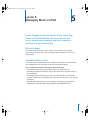
Lesson 3: Playing Music on iPod
3
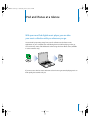
This lesson tells you how to use the iPod controls to
browse for and play songs, turn iPod on and off, turn on
the backlight, and change settings.
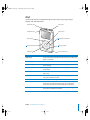
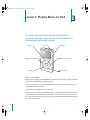
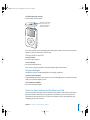
Menu button
Hold switch
Select button
Previous/Rewind button
Next/Fast-forward button
Click Wheel
Play/Pause button
Before You Begin
If there are no songs on your iPod, follow the instructions in Lessons 1 and 2 to transfer
music to your iPod before you start this lesson.
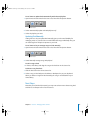
In some tasks shown in this lesson, you will see instructions for choosing iPod menu
commands, which look like this:
Select Settings > Backlight Timer > 2 Seconds.
The first term after Select is the name of an item in the iPod main menu (the first menu
you see when you turn on iPod). The next item is a choice from the next menu, and so
on. If you don’t see the first item, press Menu (on the iPod Click Wheel) repeatedly until
you see the main menu.
20