1
P8SC8/P8SCi User's Manual
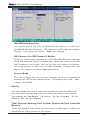
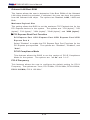
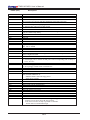
Quick Boot
If enabled, this feature allows the system to skip certain tests while booting.
This will decrease the time needed to boot the system. The settings are
"Enabled" and "Disabled".
Quiet Boot
This feature allows the user to enable "Quiet Boot". When set to Enabled,
the BIOS is in the graphic mode and displays only an OEM Logo during
POST while booting. If an error occurs, The system will automatically switch
to the text mode. The options are "Enabled" and "Disabled".
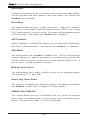
ACPI Function
Select "Enabled" to enable BIOS Support for the Advanced Configuration
and Power Interface features. The settings are "Enabled" or "Disabled".
APIC Mode
This setting allows you to Enable or Disable APIC. APIC is used to assign
interrupt signals to a specific processor on a multiprocessor system and
provides IRQs beyond the conventional 16 under Windows 2000 or XP. It
has no effect on single processor systems.
MPS Version Control
This setting allows you to select the MPS version for your operating system.
The options are "1.1" and "1.4".
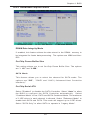
Watch Dog Timer Select
This setting is for enabling the Watch Dog feature. The options are Enabled
and Disabled. (Please refer to Chapter 2 for more details.)
PWRON After PWR-Fail
This setting allows the user to determine how the system will respond
when power is reapplied after a system shut down caused by power
failure. The options are "Off", "On" and "Former-Sts".
4-6