1
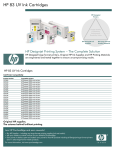
HP 90 Ink Cartridges
Product Specifications
HP 90 Ink cartridges
Product Number
C5058A
C5059A
C5060A
C5061A
C5062A
C5063A
C5064A
C5065A
Color
Black
Black
Cyan
Cyan
Magenta
Magenta
Yellow
Yellow
Ink Volume
400 ml
775 ml
225 ml
400 ml
225 ml
400 ml
225 ml
400 ml
Dimensions (w x d x h)
8 x 4.75 x 2.5 in
4.5 x 12.6 x 2.12 in
8 x 4.75 x 2.5 in
8 x 4.75 x 2.5 in
8 x 4.75 x 2.5 in
8 x 4.75 x 2.5 in
8 x 4.75 x 2.5 in
8 x 4.75 x 2.5 in
Weight
1.41 lb
2.4 lb
1.0 lb
1.41 lb
1.0 lb
1.41 lb
1.0 lb
1.41 lb
UPC code
829160222592
829160222608
829160222615
829160222622
829160222639
829160222646
829160222653
829160222660
Ink Volume
400 ml
400 ml
400 ml
775 ml
Dimensions (w x d x h)
8.75 x 8.31 x 6 in
8.75 x 8.31 x 6 in
8.75 x 8.31 x 6 in
11.38 x 8.5 x 5.63 in
Weight
4.72 lb
4.72 lb
4.72 lb
7.5 lb
UPC code
829160222721
829160222738
829160222745
882780219151
Dimensions (w x d x h)
10.4 x 1.4 x 4.5 in
10.4 x 1.4 x 4.5 in
10.4 x 1.4 x 4.5 in
10.4 x 1.4 x 4.5 in
10.4 x 1.4 x 4.5 in
Weight
0.4 lb
0.4 lb
0.4 lb
0.4 lb
0.25 lb
UPC code
829160222554
829160222561
829160222578
829160222585
882780476370
Dimensions (w x d x h)
10.4 x 3.5 x 4.5 in
10.4 x 3.5 x 4.5 in
10.4 x 3.5 x 4.5 in
10.4 x 3.5 x 4.5 in
Weight
1.83 lb
1.83 lb
1.83 lb
1.83 lb
UPC code
829160222677
829160222684
829160222691
829160222707
HP 90 3-ink cartridge multipack
Product Number
C5083A
C5084A
C5085A
C5095A
Color
Cyan
Magenta
Yellow
Black
HP 90 Printheads & printhead cleaners
Product Number
C5054A
C5055A
C5056A
C5057A
C5096A
Color
Black
Cyan
Magenta
Yellow
Black
HP 90 Value pack: ink cartridge, printhead & printhead cleaner
Product Number
C5078A
C5079A
C5080A
C5081A
Color
Black
Cyan
Magenta
Yellow
Ink Volume
400 ml
400 ml
400 ml
400 ml
Technical information contained in this document is subject to change without notice.
© Copyright 2007 Hewlett-Packard Development Company, L.P. Hewlett-Packard Large-Format printing materials
are guaranteed to meet HP published specifications, to be free of manufacturing flaws and defects, and are
designed to resist paper jams when used correctly. If you are not satisfied with this product for any reason, please
visit www.hp.com/go/designjet/supplies, and select HP product support center to locate product support in your
region.
Explore the interactive HP Designjet Supplies Center website, complete
with step-by-step training, application-specific how-to workshops, a
media chooser tool, tips and tricks, customizable sales tools and
more. Stay informed about the latest products and applications by
visiting www.hp.com/go/designjet/supplies.
Last revised: 11/2007