1
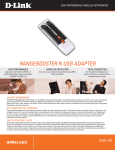
DWL-G122 CONNECT YOUR PC TO YOUR WIRELESS NETWORK WIRELESS G USB ADAPTER CONNECT TO THE INTERNET Easily connect to your wireless network to get online from your desktop or notebook PC BASIC NETWORKING Check e-mail, surf the web and chat with friends and family online WI-FI PROTECTED SETUP Simplify the process of connection to your wireless network BASIC WIRELESS CONNECTIVITY Connect to your wireless network from your desktop or notebook PC using the DWL-G122 Wireless G USB Adapter and browse the web, check e-mail, and chat with friends and family online. The Wireless G USB Adapter offers simple network connectivity without the hassle of running a network cable. SECURE WIRELESS NETWORKING To protect your data and privacy, the Wireless G USB Adapter supports WEP and WPA encryption for connecting to a secure wireless network. COMPATIBILITY ASSURANCE The Wireless G USB Adapter is based on the 802.11g standard and is backwards compatible with 802.11b, ensuring compatibility with a wide range of wireless routers and networks. EASY TO INSTALL & CONNECT D-Link’s Quick Setup Wizard provides easy setup for this USB adapter. The addition of the Wi-Fi Protected Setup (WPS) function provides advanced security features that remain simple enough for the average user to configure correctly. This function allows for devices to undergo an easy one-time click-button configuration for establishing connection with an access point or wireless router without the need of manually setting up complex encryption codes. DWL-G122 CONNECT YOUR PC TO YOUR WIRELESS NETWORK WHAT THIS PRODUCT DOES TECHNICAL SPECIFICATIONS Connect to your wireless home network by adding a D-Link Wireless G USB 2.0 Adapter to your notebook or desktop computer. Once connected, you can share a high-speed Internet connection while also getting access to shared documents, music, and photos with SYSTEM REQUIREMENTS Windows 2000 (SP4), XP (SP3), or Vista (32bit/64bit) CD-ROM drive 20MB hard disk space Available USB port other computers on your network. STANDARDS GET CONNECTED, STAY CONNECTED IEEE 802.11g IEEE 802.11b USB 2.0 Set up your new D-Link networking hardware in minutes using our new Quick Setup Wizard. The wizard will guide you through an easy to follow process to install your new hardware and connect to your network. If you need additional help, visit DLink’s award-winning Customer Support Web Site for answers to frequently asked questions, product downloads, and easy access to D-Link’s friendly customer support team. FREQUENCY RANGE 2.4GHz to 2.4835GHz ANTENNA Integrated Antenna SECURITY 64/128-bit WEP data encryption Wi-Fi Protected Access (WPA/WPA2-PSK, WPA/ WPA2-EAP) Wi-Fi Protected Setup (WPS) - PBC/PIN OPERATING VOLTAGE DIAGNOSTIC LED Link/Activity Dimensions 88.5 x 28 x 12 mm (3.5 x 1.1 x 0.5 inches) Operating Temperature 0º to 40º C (32º to 104º F) Storage Temperature -20º to 65º C (-4º to 149º F) Operating Humidity 10% to 90% non-condensing Storage Humidity 5% to 95% non-condensing Certifications CE Wi-Fi WPS Certified 5VDC +/- 5% D-Link Corporation No. 289 Xinhu 3rd Road, Neihu, Taipei 114, Taiwan Specifications are subject to change without notice. D-Link is a registered trademark of D-Link Corporation and its overseas subsidiaries. All other trademarks belong to their respective owners. ©2009 D-Link Corporation. All rights reserved. Release 01 (June 2009)