1
Operating your dishwasher
Interrupting a programme
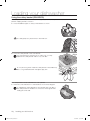
If you open the door while a programme is in progress, the programme is temporarily halted. To resume the
programme, simply close the door.
CAUTION
The water in the dishwasher may be extremely hot.
Only open the door when absolutely necessary and exercise extreme caution.
Changing a programme
If a programme has already started and you want to change it, follow the instructions below:
If the detergent dispenser flap has been opened, do not change the programme.
1. Open the door to interrupt the programme.
2. Push and hold the Start/Reset
button for 3 seconds to reset the programme.
• Once the programme is reset, the dishwasher will perform a 1 minute drain. You will be able to
change the programme once the draining ends.
• To skip the draining process, press the Power button to turn the dishwasher off and then
press the button again to turn it back on.
You will have to select additional functions again.
3. Change the programme and push the Start/Reset
button.
4. Close the door to start the new programme.
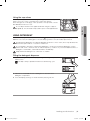
Using the Delay Start function
You can set the dishwasher to start a programme at a later time by choosing a delay of between 1
and 24 hours (in 1 hour increments).
1. Open the door and load the baskets.
2. Add the appropriate amount of dishwasher detergent into the dispenser and on the door (if required).
3. Push the Power
button to turn on the dishwasher.
4. Select the programme and functions.
5. Set the delay time using the Delay Start
6. Push the Start/Reset
down.
button.
button. The Delay Start
indicator lights up, and the clock begins to count
7. To cancel the Delay Start function, press and hold the Start/Reset
programme.
button for 3 seconds to reset the
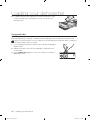
Using the digital display
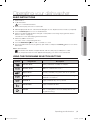
The digital display shows the remaining wash time, status information (Delay Start, Salt Refill, Rinse Refill,
and Child Lock) and error codes.
If an error occurs while the product is operating, the code associated with the error is displayed and a
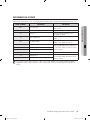
beeping sound will be played. Refer to the “Information codes” section on page 29.
Time display
The time display area indicates the time remaining until the end of the selected programme in hours and
minutes.
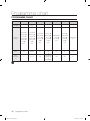
For detailed information on programme times, refer to the “Programme chart” section on page 30.
The time remaining may vary even with the same programme. This can be due to difference in water
temperature, the reactivation cycle, and the size and state of the load.
22_ Operating your dishwasher
DD68-00092A_EN.indd 22
10/14/2011 3:09:02 PM