1
Operation Instructions:
1. Basic Operation
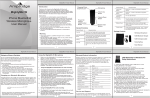
• Multifunction button: Long press it to turn Match on/off , enter into
pairing mode and answer/Reject calls.
• Adjust the volume: Press the "+" or "-" button to increase or decrease
volume.
• Next Button/Previous Button:
To go backward or forward to the songs you like. Music player supported.
• LED status indicator: Below are LED status and it’s corresponding mode:
LED status indicator
Mode
Power on
LED status
Blue and Red LED blinks two times
Power off
Pairing
Red LED blinks Two times
Red and Blue LED blinks alternately
Incoming call
Charging
Red LED blinks continuously
Red LED stays on while charging
2. Pairing
• Press and hold the Multifunction button for at least 5 seconds until blue
and red LED flashes alternately. Match is now on pairing mode.
• Activate Bluetooth® on your device and set it to search for new devices.
• Select "Match" from the list of found devices on your Bluetooth® devices
and connect. If necessary, enter passcode 0000 to pair and
connect Match to your device. Now you can use Match for calls or
listening to music.
3. Music (Needs music player support)
• Press the “Previous Button” for about 2 seconds to skip to the previous track.
• Press the “Next Button” for about 2 seconds to skip to the next track.
• Press the Multifunction button once to play/pause music.
(Some phones may require you to start a media player first)
4