1
Table Of Contents
SCREEN SETUP
29
Connecting and Using a PC
29
30
31
31
32
34
35
Connection Using the HDMI Cable
Connection Using an DP Cable
Connecting to Headphones
Tidying Up the Connected Cables
Connecting the Power
Driver Installation
Setting Optimum Resolution
36
SAMSUNG MAGIC Bright
36
Configuring SAMSUNG MAGIC Bright
38
Brightness
38
Configuring Brightness
39
Contrast
39
Configuring Contrast
40
Sharpness
40
Configuring Sharpness
41
Color
41
Configuring Color
43
SAMSUNG MAGIC Angle (U28E590D)
43
Configuring SAMSUNG MAGIC Angle
45
HDMI Black Level
45
Configuring the HDMI Black Level Settings
46
Eye Saver Mode
46
Configuring Eye Saver Mode
47
Game Mode
47
Configuring Game Mode
48
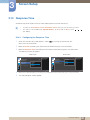
Response Time
48
Configuring the Response Time
49
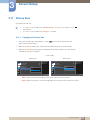
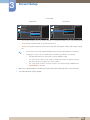
Picture Size
49
Changing the Picture Size
Table Of Contents
3