1
10Phone settings
Note
•• When you press
You can customize the settings to make it your
own phone.
Make sure that all the handsets registered to
the base station are Philips D45 models in
order to have this feature functioning properly.
Sound settings
to find your handset, or when you
activate the alarm, your phone still sends alert even
when the silent mode is activated.
1
2
Set the handset's ringtone volume
3
You can select among 5 ringtone volume levels
or [Off].
4
1
2
Select [Menu] > [Phone setup] >
[Sounds] > [Ring volume], then press
[OK] to confirm.
Select a volume level, then press [OK] to
confirm.
»» The setting is saved.
Set the handset's ringtone
You can select from 10 ringtones.
1
2
Select [Menu] > [Phone setup] >
[Sounds] > [Ring tones], then press [OK]
to confirm.
Select a ringtone, then press [OK] to
confirm.
»» The setting is saved.
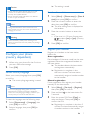
Select [Menu] > [Phone setup] >
[Sounds] > [Silent mode], then press
[OK] to confirm.
Select [On/off] > [On]/[Off], then press
[OK] to confirm.
»» The setting is saved.
Select [Start & end], then press [OK] to
confirm.
Set the time, then press [OK] to confirm.
»» The setting is saved.
»»
is displayed.
Set the key tone
Key tone is the sound made when you press a
key on the handset.
1
2
Select [Menu] > [Phone setup] >
[Sounds] > [Key tone], then press [OK]
to confirm.
Select [On]/[Off], then press [OK] to
confirm.
»» The setting is saved.
Set the docking tone
Silent mode
Docking tone is the sound made when you
place the handset on the base station or
charger.
You can set your phone to silent mode and
enable the silent mode for a specified duration.
When the silent mode is turned on, your phone
does not ring or send any alerts or sound.
2
1
Select [Menu] > [Phone setup] >
[Sounds] > [Docking tone], then press
[OK] to confirm.
Select [On]/[Off], then press [OK] to
confirm.
»» The setting is saved.
EN
19