1
D:\NORM'S JOB\SONY HA\SO130019\BDV-N9100W (PMRF
01)\4456335121_GB (CE)\080OTH.fm
Controlling Your TV or
Other Equipment with
the Supplied Remote
Control
Note
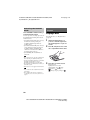
When you replace the batteries of the remote
control, the remote control setting may be reset to
the default (SONY) setting.
Controlling your
equipment with the
supplied remote control
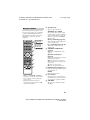
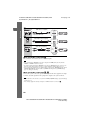
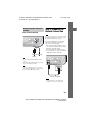
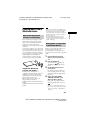
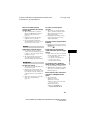
1
2
Press TV or STB that matches
the equipment you want to
control.
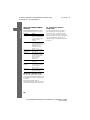
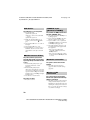
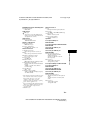
Press the appropriated buttons
listed in the following table.
• z: The button can be used with the
default setting of the remote control.
• a: The button can be used when you
change the preset code of the remote
control.
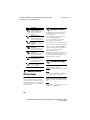
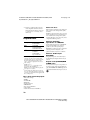
Button
Button
Remote’s mode
TV
STB
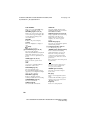
SOUND MODE
(
)
z
a
AUDIO
z
a
SUBTITLE
z
z
DISPLAY
(
)
z
z
m/M
z
a
./>
z
N
z
a
X
z
a
x
z
a
z
z
2 +/–
z
z
PROG +/–
( / )
z
z
z
z
SLEEP (
)
Note
• In TV or STB mode, if you press any of the
buttons above, the TV or STB button lights up.
(However, depending on the code setting, some
buttons may not work, and the TV or STB
button may not light up.)
• Depending on the TV or equipment you may not
be able to use some of the buttons.
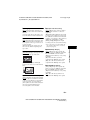
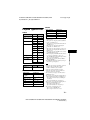
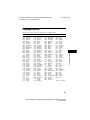
Remote’s mode
TV
STB
AV "/1
z
z
Number buttons
z
z
z
z
ENTER (-/--)
z
a
Color buttons
z
z
z
z
B/V/v/b,
z
z
RETURN
z
z
OPTIONS
z
a
HOME (MENU)
z
z
SEN
z
TOP MENU (
masterpage: Left
)
Changing the preset
code of the remote
control (Preset mode)
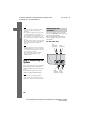
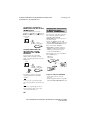
You can control non-Sony equipment by
changing the preset code of the remote
control.
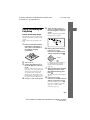
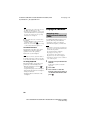
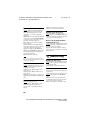
1
2
Press HOME.
The home menu appears on the TV
screen.
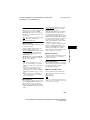
Press B/b to select
[Setup].
52GB
BDV-N9100W/BDV-N9100WL/BDV-N8100W/BDV-N7100W/BDV-N7100WL
4-456-335-12(1)