1
1.1 Turn on / Shutdown
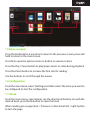
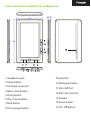
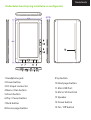
Change the position of the ON / OFF switch to ON position, then hold the
power button for 5 seconds.
1.2 Charging the Ebook
When the battery is low, charge it by connecting the DC / USB cable provided
between the pc and ebook DC port.
Note: The charge time should not be less than 8 hours for first use.
1.3 Copying files to the Ebook
1. Connect the Ebook to your PC using the supplied USB cable. The device
will act as a storage device.
2. Performs normal file management operation like other USB storage
device
1.4 Importing DRM Contents
1. Download Adobe Digital Editions (ADE) from http://www.adobe.com/
products/digitaleditions/#fp.
2. Install ADE on your PC.
3. For first time users, you are required to register for an account ADE.
4. Enter the user name and password to activate your Adobe account, and
then connect the E-book to the PC.
5. Run ADE to authorize PC and ebook.
6. Download or buy eBooks from eBook stores online.
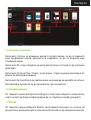
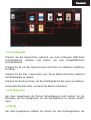
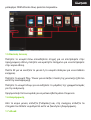
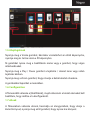
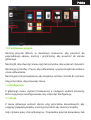
7. Drag and drop the selected item (s) in the reader unit to transfer DRM
eBooks as illustrated below