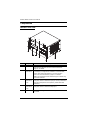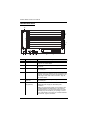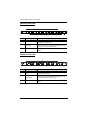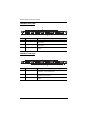
1
Modular Matrix Solution Series User Manual Modular Matrix Switch VM1600 4-Port HDBaseT Input / Output Board VM7514 / VM8514 4-Port HDMI Input / Output Board VM7804 / VM8804 4-Port DVI Input / Output Board VM7604 / VM8604 4-Port VGA Input Board VM7104 HDMI HDBaseT Lite Receiver with Scaler VE805R www.aten.com Modular Matrix Solution User Manual EMC Information FEDERAL COMMUNICATIONS COMMISSION INTERFERENCE STATEMENT This equipment has been tested and found to comply with the limits for a Class A digital device, pursuant to Part 15 of the FCC Rules. These limits are designed to provide reasonable protection against harmful interference when the equipment is operated in a commercial environment. This equipment generates, uses, and can radiate radio frequency energy and, if not installed and used in accordance with the instruction manual, may cause harmful interference to radio communications. Operation of this equipment in a residential area is likely to cause harmful interference in which case the user will be required to correct the interference at his own expense. FCC Caution: Any changes or modifications not expressly approved by the party responsible for compliance could void the user's authority to operate this equipment. CE Warning: This is a class A product. In a domestic environment this product may cause radio interference in which case the user may be required to take adequate measures. RoHS This product is RoHS compliant. Safety This product has been classified as Information Technology Equipment. SJ/T 11364-2006 The following contains information that relates to China. ii Modular Matrix Solution User Manual User Information Online Registration Be sure to register your product at our online support center: International http://eservice.aten.com Telephone Support For telephone support, call this number: International 886-2-8692-6959 China 86-10-5255-0110 Japan 81-3-5615-5811 Korea 82-2-467-6789 North America 1-888-999-ATEN ext 4988 United Kingdom 44-8-4481-58923 User Notice All information, documentation, and specifications contained in this manual are subject to change without prior notification by the manufacturer. The manufacturer makes no representations or warranties, either expressed or implied, with respect to the contents hereof and specifically disclaims any warranties as to merchantability or fitness for any particular purpose. Any of the manufacturer's software described in this manual is sold or licensed as is. Should the programs prove defective following their purchase, the buyer (and not the manufacturer, its distributor, or its dealer), assumes the entire cost of all necessary servicing, repair and any incidental or consequential damages resulting from any defect in the software. The manufacturer of this system is not responsible for any radio and/or TV interference caused by unauthorized modifications to this device. It is the responsibility of the user to correct such interference. The manufacturer is not responsible for any damage incurred in the operation of this system if the correct operational voltage setting was not selected prior to operation. PLEASE VERIFY THAT THE VOLTAGE SETTING IS CORRECT BEFORE USE. iii Modular Matrix Solution User Manual Package Contents VM1600 The VM1600 package consists of: 1 VM1600 Modular Matrix Switch 1 Power Cord 1 Terminal Block connector 1 Fan Module (pluggable) 1 Power Module (pluggable) 1 User Instructions* VM7514 / VM8514 The 4-Port HDBaseT Input / Output Board package consists of: 1 VM7514 4-Port HDBaseT Input Board 1 VM8514 4-Port HDBaseT Output Board 4 Terminal Block connectors 1 IR Transmitter 1 IR Receiver 1 User Instructions* VM7804 / VM8804 The 4-Port HDMI Input / Output Board package consists of: 1 VM7804 4-Port HDMI Input Board 1 VM8804 4-Port HDMI Output Board 4 Terminal Block connectors 1 User Instructions* VM7604 / VM8604 The 4-Port DVI Input / Output Board package consists of: 1 VM7604 4-Port DVI Input Board 1 VM8604 4-Port DVI Output Board 4 Terminal Block connectors 1 User Instructions* iv Modular Matrix Solution User Manual VM7104 The 4-Port VGA Input Board package consists of: 1 VM7104 4-Port VGA Input Board 4 Terminal Block connectors 1 User Instructions* VE805R The HDMI HDBaseT Lite Receiver with Scaler package consists of: 1 VE805R HDMI HDBaseT Lite Receiver with Scaler 1 Power Adapter 1 User Instructions* Check to make sure that all components are present and that nothing was damaged in shipping. If you encounter a problem, contact your dealer. Read this manual thoroughly and follow the installation and operation procedures carefully to prevent any damage to the unit, and/or any of the devices connected to it. * Features may have been added to the VM1600 / VM7514 / VM8514 / VM7804 / VM8804 / VM7604 / VM8604 / VM7104 / VE805R since this manual was published. Please visit our website to download the most up-todate version. © Copyright 2015 ATEN® International Co., Ltd. Manual Date: 2015-05-21 VM1600 F/W Version: 1.4.132 VM8514 F/W Version: 1.0.069 VM7514 F/W Version: 1.0.066 ATEN and the ATEN logo are registered trademarks of ATEN International Co., Ltd. All rights reserved. All other brand names and trademarks are the registered property of their respective owners. v Modular Matrix Solution User Manual Contents EMC Information . . . . . . . . . . . . . . . . . . . . . . . . . . . . . . . . . . . . . . . . . . . . ii RoHS . . . . . . . . . . . . . . . . . . . . . . . . . . . . . . . . . . . . . . . . . . . . . . . . . . . . . ii Safety . . . . . . . . . . . . . . . . . . . . . . . . . . . . . . . . . . . . . . . . . . . . . . . . . . . . . ii SJ/T 11364-2006 . . . . . . . . . . . . . . . . . . . . . . . . . . . . . . . . . . . . . . . . . . . . ii User Information . . . . . . . . . . . . . . . . . . . . . . . . . . . . . . . . . . . . . . . . . . . . iii Online Registration . . . . . . . . . . . . . . . . . . . . . . . . . . . . . . . . . . . . . . . . iii Telephone Support . . . . . . . . . . . . . . . . . . . . . . . . . . . . . . . . . . . . . . . . iii User Notice . . . . . . . . . . . . . . . . . . . . . . . . . . . . . . . . . . . . . . . . . . . . . iii Package Contents . . . . . . . . . . . . . . . . . . . . . . . . . . . . . . . . . . . . . . . . . . .iv VM1600 . . . . . . . . . . . . . . . . . . . . . . . . . . . . . . . . . . . . . . . . . . . . . . . .iv VM7514 / VM8514 . . . . . . . . . . . . . . . . . . . . . . . . . . . . . . . . . . . . . . . .iv VM7804 / VM8804 . . . . . . . . . . . . . . . . . . . . . . . . . . . . . . . . . . . . . . . .iv VM7604 / VM8604 . . . . . . . . . . . . . . . . . . . . . . . . . . . . . . . . . . . . . . . .iv VM7104. . . . . . . . . . . . . . . . . . . . . . . . . . . . . . . . . . . . . . . . . . . . . . . . .iv VE805R. . . . . . . . . . . . . . . . . . . . . . . . . . . . . . . . . . . . . . . . . . . . . . . . . v Contents . . . . . . . . . . . . . . . . . . . . . . . . . . . . . . . . . . . . . . . . . . . . . . . . . .vi About this Manual . . . . . . . . . . . . . . . . . . . . . . . . . . . . . . . . . . . . . . . . . . . x Conventions . . . . . . . . . . . . . . . . . . . . . . . . . . . . . . . . . . . . . . . . . . . . . . . .xi Product Information . . . . . . . . . . . . . . . . . . . . . . . . . . . . . . . . . . . . . . . . . .xi 1. Introduction Overview. . . . . . . . . . . . . . . . . . . . . . . . . . . . . . . . . . . . . . . . . . . . . . . . . . . 1 Features . . . . . . . . . . . . . . . . . . . . . . . . . . . . . . . . . . . . . . . . . . . . . . . . . . . 4 VM1600 . . . . . . . . . . . . . . . . . . . . . . . . . . . . . . . . . . . . . . . . . . . . . . . . 4 VM7514 / VM8514 . . . . . . . . . . . . . . . . . . . . . . . . . . . . . . . . . . . . . . . . 5 VM7804 / VM8804 . . . . . . . . . . . . . . . . . . . . . . . . . . . . . . . . . . . . . . . . 5 VM7604 / VM8604 . . . . . . . . . . . . . . . . . . . . . . . . . . . . . . . . . . . . . . . . 5 VM7104. . . . . . . . . . . . . . . . . . . . . . . . . . . . . . . . . . . . . . . . . . . . . . . . . 6 VE805R. . . . . . . . . . . . . . . . . . . . . . . . . . . . . . . . . . . . . . . . . . . . . . . . . 6 Requirements . . . . . . . . . . . . . . . . . . . . . . . . . . . . . . . . . . . . . . . . . . . . . . 7 Input / Output Board . . . . . . . . . . . . . . . . . . . . . . . . . . . . . . . . . . . . . . . 7 Source Devices . . . . . . . . . . . . . . . . . . . . . . . . . . . . . . . . . . . . . . . . . . . 7 Display Devices. . . . . . . . . . . . . . . . . . . . . . . . . . . . . . . . . . . . . . . . . . . 7 Cables . . . . . . . . . . . . . . . . . . . . . . . . . . . . . . . . . . . . . . . . . . . . . . . . . . 7 Optional Equipment. . . . . . . . . . . . . . . . . . . . . . . . . . . . . . . . . . . . . . . . 8 Components . . . . . . . . . . . . . . . . . . . . . . . . . . . . . . . . . . . . . . . . . . . . . . . 9 VM1600 Front View . . . . . . . . . . . . . . . . . . . . . . . . . . . . . . . . . . . . . . . 9 VM1600 Rear View . . . . . . . . . . . . . . . . . . . . . . . . . . . . . . . . . . . . . . 11 VM7514 Front View . . . . . . . . . . . . . . . . . . . . . . . . . . . . . . . . . . . . . . 13 VM8514 Front View . . . . . . . . . . . . . . . . . . . . . . . . . . . . . . . . . . . . . . 13 VM7804 Front View . . . . . . . . . . . . . . . . . . . . . . . . . . . . . . . . . . . . . . 14 VM8804 Front View . . . . . . . . . . . . . . . . . . . . . . . . . . . . . . . . . . . . . . 14 VM7604 Front View . . . . . . . . . . . . . . . . . . . . . . . . . . . . . . . . . . . . . . 15 vi Modular Matrix Solution User Manual VM8604 Front View VM7104 Front View VE805R Front View VE805R Rear View . . . . . . . . . . . . . . . . . . . . . . . . . . . . . . . . . . . . . . 15 . . . . . . . . . . . . . . . . . . . . . . . . . . . . . . . . . . . . . . 16 . . . . . . . . . . . . . . . . . . . . . . . . . . . . . . . . . . . . . . 17 . . . . . . . . . . . . . . . . . . . . . . . . . . . . . . . . . . . . . . 17 2. Hardware Setup Rack Mounting . . . . . . . . . . . . . . . . . . . . . . . . . . . . . . . . . . . . . . . . . . . . . 19 Mounting with Brackets . . . . . . . . . . . . . . . . . . . . . . . . . . . . . . . . . 20 Grounding . . . . . . . . . . . . . . . . . . . . . . . . . . . . . . . . . . . . . . . . . . . . . . . . 21 Input / Output Board Installation . . . . . . . . . . . . . . . . . . . . . . . . . . . . . . . . 22 Cable Connection . . . . . . . . . . . . . . . . . . . . . . . . . . . . . . . . . . . . . . . . . . . 24 Installation Diagram . . . . . . . . . . . . . . . . . . . . . . . . . . . . . . . . . . . . . . 25 3. Front Panel Operation Overview . . . . . . . . . . . . . . . . . . . . . . . . . . . . . . . . . . . . . . . . . . . . . . . . . . 27 Front Panel Pushbuttons. . . . . . . . . . . . . . . . . . . . . . . . . . . . . . . . . . . . . . 27 Basic Navigation . . . . . . . . . . . . . . . . . . . . . . . . . . . . . . . . . . . . . . . . . 27 Front Panel LCD . . . . . . . . . . . . . . . . . . . . . . . . . . . . . . . . . . . . . . . . . . . 28 LCD Password . . . . . . . . . . . . . . . . . . . . . . . . . . . . . . . . . . . . . . . . . . 28 Port Switching . . . . . . . . . . . . . . . . . . . . . . . . . . . . . . . . . . . . . . . . . . . . . 29 Video / Audio Pushbutton . . . . . . . . . . . . . . . . . . . . . . . . . . . . . . . . . . 29 Output Port Selection. . . . . . . . . . . . . . . . . . . . . . . . . . . . . . . . . . . 31 Profile Pushbutton . . . . . . . . . . . . . . . . . . . . . . . . . . . . . . . . . . . . . . . 33 LCD Menu . . . . . . . . . . . . . . . . . . . . . . . . . . . . . . . . . . . . . . . . . . . . . . . . 34 LCD Main Screen . . . . . . . . . . . . . . . . . . . . . . . . . . . . . . . . . . . . . . . . 35 IP Setting . . . . . . . . . . . . . . . . . . . . . . . . . . . . . . . . . . . . . . . . . . . . . . . . . 36 Serial Port Setting . . . . . . . . . . . . . . . . . . . . . . . . . . . . . . . . . . . . . . . . . . 37 Serial Port Address Setting . . . . . . . . . . . . . . . . . . . . . . . . . . . . . . 37 Baud Rate . . . . . . . . . . . . . . . . . . . . . . . . . . . . . . . . . . . . . . . . . . . 38 Serial Port Mode . . . . . . . . . . . . . . . . . . . . . . . . . . . . . . . . . . . . . . 38 Operation Mode . . . . . . . . . . . . . . . . . . . . . . . . . . . . . . . . . . . . . . . . . . . . 40 EDID . . . . . . . . . . . . . . . . . . . . . . . . . . . . . . . . . . . . . . . . . . . . . . . 40 CEC . . . . . . . . . . . . . . . . . . . . . . . . . . . . . . . . . . . . . . . . . . . . . . . . 42 OSD . . . . . . . . . . . . . . . . . . . . . . . . . . . . . . . . . . . . . . . . . . . . . . . . 43 Output Status. . . . . . . . . . . . . . . . . . . . . . . . . . . . . . . . . . . . . . . . . 44 Security Mode . . . . . . . . . . . . . . . . . . . . . . . . . . . . . . . . . . . . . . . . . . . . . 46 Password . . . . . . . . . . . . . . . . . . . . . . . . . . . . . . . . . . . . . . . . . . . . 46 Change Password . . . . . . . . . . . . . . . . . . . . . . . . . . . . . . . . . . . . . 47 Save to a Profile . . . . . . . . . . . . . . . . . . . . . . . . . . . . . . . . . . . . . . . . . . . . 48 4. Browser Operation Overview . . . . . . . . . . . . . . . . . . . . . . . . . . . . . . . . . . . . . . . . . . . . . . . . . . 49 Logging In . . . . . . . . . . . . . . . . . . . . . . . . . . . . . . . . . . . . . . . . . . . . . . . . . 49 Main Page . . . . . . . . . . . . . . . . . . . . . . . . . . . . . . . . . . . . . . . . . . . . . . . . 50 Menu Bar . . . . . . . . . . . . . . . . . . . . . . . . . . . . . . . . . . . . . . . . . . . . . . 50 Profile List . . . . . . . . . . . . . . . . . . . . . . . . . . . . . . . . . . . . . . . . . . . . . . . . . 51 vii Modular Matrix Solution User Manual Adding/Playing a Profile . . . . . . . . . . . . . . . . . . . . . . . . . . . . . . . . . . . 51 Profile List Options . . . . . . . . . . . . . . . . . . . . . . . . . . . . . . . . . . . . . . . 53 Profile . . . . . . . . . . . . . . . . . . . . . . . . . . . . . . . . . . . . . . . . . . . . . . 53 Play Window . . . . . . . . . . . . . . . . . . . . . . . . . . . . . . . . . . . . . . . . . 53 Profile Scheduling . . . . . . . . . . . . . . . . . . . . . . . . . . . . . . . . . . . . . . . . . . 55 Connection Profiles . . . . . . . . . . . . . . . . . . . . . . . . . . . . . . . . . . . . . . . . . 56 Digital Signage Profile. . . . . . . . . . . . . . . . . . . . . . . . . . . . . . . . . . . . . 56 Traditional View . . . . . . . . . . . . . . . . . . . . . . . . . . . . . . . . . . . . . . . 58 Output Options . . . . . . . . . . . . . . . . . . . . . . . . . . . . . . . . . . . . . . . 58 Video Wall Profile . . . . . . . . . . . . . . . . . . . . . . . . . . . . . . . . . . . . . . . . 59 Video Wall Options . . . . . . . . . . . . . . . . . . . . . . . . . . . . . . . . . . . . 59 Number of Displays / Bezel Dimension . . . . . . . . . . . . . . . . . . . . . 60 Blank Output . . . . . . . . . . . . . . . . . . . . . . . . . . . . . . . . . . . . . . . . . 60 Independent Output. . . . . . . . . . . . . . . . . . . . . . . . . . . . . . . . . . . . 61 Grouping . . . . . . . . . . . . . . . . . . . . . . . . . . . . . . . . . . . . . . . . . . . . 61 Group . . . . . . . . . . . . . . . . . . . . . . . . . . . . . . . . . . . . . . . . . . . . . . 62 Display Preferences . . . . . . . . . . . . . . . . . . . . . . . . . . . . . . . . . . . 62 Video Wall Example 1 . . . . . . . . . . . . . . . . . . . . . . . . . . . . . . . . . . 63 Video Wall Example 2 . . . . . . . . . . . . . . . . . . . . . . . . . . . . . . . . . . 64 Output Options . . . . . . . . . . . . . . . . . . . . . . . . . . . . . . . . . . . . . . . . . . . . . 65 HDMI Audio Control . . . . . . . . . . . . . . . . . . . . . . . . . . . . . . . . . . . . . . 65 HDMI Video Options . . . . . . . . . . . . . . . . . . . . . . . . . . . . . . . . . . . . . 66 Other Options . . . . . . . . . . . . . . . . . . . . . . . . . . . . . . . . . . . . . . . . . . . 67 System Settings . . . . . . . . . . . . . . . . . . . . . . . . . . . . . . . . . . . . . . . . . . . . 68 General . . . . . . . . . . . . . . . . . . . . . . . . . . . . . . . . . . . . . . . . . . . . . . . 69 Serial Settings . . . . . . . . . . . . . . . . . . . . . . . . . . . . . . . . . . . . . . . . 69 Temperature & Fan Status . . . . . . . . . . . . . . . . . . . . . . . . . . . . . . 69 Power Status . . . . . . . . . . . . . . . . . . . . . . . . . . . . . . . . . . . . . . . . . 70 Other . . . . . . . . . . . . . . . . . . . . . . . . . . . . . . . . . . . . . . . . . . . . . . 70 Port Name . . . . . . . . . . . . . . . . . . . . . . . . . . . . . . . . . . . . . . . . . . . . . 71 Network . . . . . . . . . . . . . . . . . . . . . . . . . . . . . . . . . . . . . . . . . . . . . . . 72 EDID Settings . . . . . . . . . . . . . . . . . . . . . . . . . . . . . . . . . . . . . . . . . . . 73 EDID & CEA Description . . . . . . . . . . . . . . . . . . . . . . . . . . . . . . . . 75 Firmware . . . . . . . . . . . . . . . . . . . . . . . . . . . . . . . . . . . . . . . . . . . . . . 83 VE805R Firmware Upgrade . . . . . . . . . . . . . . . . . . . . . . . . . . . . . 83 IR/RS232 Channel . . . . . . . . . . . . . . . . . . . . . . . . . . . . . . . . . . . . . . . 84 User Management . . . . . . . . . . . . . . . . . . . . . . . . . . . . . . . . . . . . . . . . . . 86 Telnet Operation . . . . . . . . . . . . . . . . . . . . . . . . . . . . . . . . . . . . . . . . . . . 89 Configuration Menu. . . . . . . . . . . . . . . . . . . . . . . . . . . . . . . . . . . . . . . 89 1. H – Call up the command list for help . . . . . . . . . . . . . . . . . . . 89 2. IP – Set IP address . . . . . . . . . . . . . . . . . . . . . . . . . . . . . . . . . . 90 3. LO – Load connections from profile . . . . . . . . . . . . . . . . . . . . . 90 4. PW – Change password . . . . . . . . . . . . . . . . . . . . . . . . . . . . . . 90 5. RI – Read what input is connected to nn output . . . . . . . . . . . . 90 6. RO – Read what output is connected to nn input . . . . . . . . . . . 90 7. SB – Set serial port baud rate . . . . . . . . . . . . . . . . . . . . . . . . . . 90 viii Modular Matrix Solution User Manual 8. SS – Switch input to specified output . . . . . . . . . . . . . . . . . . . . 90 9. SV – Save the current connections into a profile. . . . . . . . . . . . 90 10. TI – Set timeout . . . . . . . . . . . . . . . . . . . . . . . . . . . . . . . . . . . . 91 11. VR – Software version information . . . . . . . . . . . . . . . . . . . . . 91 5. RS-232 Commands Serial Control Protocol Commands. . . . . . . . . . . . . . . . . . . . . . . . . . . . . . 93 Configuring the Serial Port . . . . . . . . . . . . . . . . . . . . . . . . . . . . . . . . . 93 RS-422 / RS-485 . . . . . . . . . . . . . . . . . . . . . . . . . . . . . . . . . . . . . . . . 93 Verification . . . . . . . . . . . . . . . . . . . . . . . . . . . . . . . . . . . . . . . . . . . . . 93 Switch Port Command . . . . . . . . . . . . . . . . . . . . . . . . . . . . . . . . . . . . 94 Mute Command . . . . . . . . . . . . . . . . . . . . . . . . . . . . . . . . . . . . . . . . . 97 Volume Command . . . . . . . . . . . . . . . . . . . . . . . . . . . . . . . . . . . . . . . 99 Save/Load Profile Commands . . . . . . . . . . . . . . . . . . . . . . . . . . . . . 101 EDID Mode Command . . . . . . . . . . . . . . . . . . . . . . . . . . . . . . . . . . . 103 CEC Command . . . . . . . . . . . . . . . . . . . . . . . . . . . . . . . . . . . . . . . . 105 Read Command . . . . . . . . . . . . . . . . . . . . . . . . . . . . . . . . . . . . . . . . 106 DVI/HDMI Example: . . . . . . . . . . . . . . . . . . . . . . . . . . . . . . . . . . 106 Reset Command . . . . . . . . . . . . . . . . . . . . . . . . . . . . . . . . . . . . . . . 108 Baud Rate Command . . . . . . . . . . . . . . . . . . . . . . . . . . . . . . . . . . . . 109 OSD Command . . . . . . . . . . . . . . . . . . . . . . . . . . . . . . . . . . . . . . . . 110 Echo Command . . . . . . . . . . . . . . . . . . . . . . . . . . . . . . . . . . . . . . . . 111 Scaling Command . . . . . . . . . . . . . . . . . . . . . . . . . . . . . . . . . . . . . . 112 Fan Speed Command . . . . . . . . . . . . . . . . . . . . . . . . . . . . . . . . . . . 115 Appendix Safety Instructions. . . . . . . . . . . . . . . . . . . . . . . . . . . . . . . . . . . . . . . . . . 117 General . . . . . . . . . . . . . . . . . . . . . . . . . . . . . . . . . . . . . . . . . . . . . . . 117 Rack Mounting . . . . . . . . . . . . . . . . . . . . . . . . . . . . . . . . . . . . . . . . . 119 Technical Support . . . . . . . . . . . . . . . . . . . . . . . . . . . . . . . . . . . . . . . . . 120 International . . . . . . . . . . . . . . . . . . . . . . . . . . . . . . . . . . . . . . . . . . . 120 North America . . . . . . . . . . . . . . . . . . . . . . . . . . . . . . . . . . . . . . . . . 120 Specifications . . . . . . . . . . . . . . . . . . . . . . . . . . . . . . . . . . . . . . . . . . . . . 121 VM1600 . . . . . . . . . . . . . . . . . . . . . . . . . . . . . . . . . . . . . . . . . . . . . . . 121 VM7514 / VM8514. . . . . . . . . . . . . . . . . . . . . . . . . . . . . . . . . . . . . . . 122 VM7804 / VM8804 . . . . . . . . . . . . . . . . . . . . . . . . . . . . . . . . . . . . . . 123 VM7604 / VM8604 . . . . . . . . . . . . . . . . . . . . . . . . . . . . . . . . . . . . . . 124 VM7104 . . . . . . . . . . . . . . . . . . . . . . . . . . . . . . . . . . . . . . . . . . . . . . 125 VE805R . . . . . . . . . . . . . . . . . . . . . . . . . . . . . . . . . . . . . . . . . . . . . . 126 VM-PWR400 . . . . . . . . . . . . . . . . . . . . . . . . . . . . . . . . . . . . . . . . . . 127 VM-FAN60 . . . . . . . . . . . . . . . . . . . . . . . . . . . . . . . . . . . . . . . . . . . . 127 Limited Warranty . . . . . . . . . . . . . . . . . . . . . . . . . . . . . . . . . . . . . . . . . . . 127 ix Modular Matrix Solution User Manual About this Manual This User Manual is provided to help you get the most from your VM1600 system. It covers all aspects of installation, configuration and operation. An overview of the information found in the manual is provided below. Chapter 1, Introduction, introduces you to the Modular Matrix Solution system and its components. Its purpose, features and benefits are presented, and its front and back panel components are described. Chapter 2, Hardware Setup, describes how to set up the hardware for your Modular Matrix Solution installation. Chapter 3, Front Panel Operation, explains the fundamental concepts involved in operating the VM1600 at the local site via the front panel LCD display using pushbuttons. Chapter 4, Browser Operation, provides a complete description of the Modular Matrix Solution’s web Graphical User Interface (GUI), and how to use it to remotely configure and operate the Modular Matrix Solution. Chapter 5, RS-232 Commands, provides a complete list of the serial control protocol commands used when utilizing the RS-232 Serial Port so that an extra source device can be utilized in the installation. An Appendix, provides specifications and other technical information regarding the Modular Matrix Solution. x Modular Matrix Solution User Manual Conventions This manual uses the following conventions: Monospaced Indicates text that you should key in. [] Indicates keys you should press. For example, [Enter] means to press the Enter key. If keys need to be chorded, they appear together in the same bracket with a plus sign between them: [Ctrl+Alt]. 1. Numbered lists represent procedures with sequential steps. ♦ Bullet lists provide information, but do not involve sequential steps. → Indicates selecting the option (on a menu or dialog box, for example), that comes next. For example, Start → Run means to open the Start menu, and then select Run. Indicates critical information. Product Information For information about all ATEN products and how they can help you connect without limits, visit ATEN on the Web or contact an ATEN Authorized Reseller. Visit ATEN on the Web for a list of locations and telephone numbers: International http://www.aten.com North America http://www.aten-usa.com xi Modular Matrix Solution User Manual This Page Intentionally Left Blank xii Chapter 1 Introduction Overview This ATEN Modular Matrix Solution Series is comprised of the VM1600 Modular Matrix Switch; and/or the VM7514 / VM8514 4-Port HDBaseT Input/Output Board, VM7804 / VM8804 4-Port HDMI Input / Output Board, VM7604 / VM8604 4-Port DVI Input / Output Board, VM7104 4-Port VGA Input Board and VE805R HDMI HDBaseT Lite Receiver with Scaler. The VM1600 Modular Matrix Switch offers advanced access and real-time control of multiple local and remote A/V input devices and displays from a single chassis. Operators can work from 4 x 4 up to 16 x 16 inputs and outputs simultaneously, as well as incorporate multiple digital video formats within the setup. It uses TMDS technology to support high speed data transfer at 1080p / 1920 x 1200 @ 60Hz resolution. The VM7514 / VM8514 4-Port HDBaseT Input/Output Boards offers an easy way to route any of 4 HDBaseT audio/video sources to any of 4 HDBaseT display devices, in combination with the ATEN Modular Matrix Switch. When the VM8514 HDBaseT Output Board is used in conjunction with the VE805R HDBaseT Extender it features Seamless Switch technology and video wall functionality. The VM7804 / VM8804 4-Port HDMI Input / Output Board is a hot-swappable I/O board that offers an easy way to route any of 4 audio/video sources to any of 4 displays and installs in the Modular Matrix Switch. The VM8804 supports Seamless Switch technology that provides video switching in real-time, a built in scaler that handles different video resolutions, and EDID Expert technology for fast smooth switching between displays. The VM7804 / VM8804 also supports separate stereo audio signals that can be routed independently and extracted from embedded HDMI audio signals. The VM7604 / VM8604 4-Port DVI Input / Output Board is a hot-swappable I/O board that offers an easy way to route any of 4 audio/video sources to any of 4 displays and installs in the Modular Matrix Switch. The VM8604 supports Seamless Switch technology that provides video switching in real-time, a built in scaler that handles different video resolutions and EDID Expert technology for fast smooth switching between displays. 1 Modular Matrix Solution User Manual The VM7104 4-Port VGA Input Board offers an easy way to route 4 VGA video and audio sources to 4 displays and speakers. In addition, the VM7104 can be mixed with any modular output boards on the VM1600 for optimum flexibility. The VE805R HDMI HDBaseT Lite Receiver with Scaler can be combined with an ATEN HDMI HDBaseT transmitter or splitter to extend your HDMI display up to 100 m from the source using a single Cat 5e cable. With a builtin scaler, the VE805R supports the scaling of different video resolutions. When combined with ATEN HDBaseT output boards, it supports video wall functionality. In addition, the VE805R is equipped with RS232 and IR signaling pass-through which allows RS232 and IR channel control from the remote to local unit, to control the HDMI source, or from the local to remote unit, to control the display device. The VE805R is HDCP compliant. Combining these devices, this solution can be conveniently customized, allowing users to independently switch and route video and/or audio signals to various monitors, displays, projectors and/or speakers simply by pressing front panel pushbuttons. The VM1600’s built-in Scaler encodes video formats in order to provide seamless, real-time switching while ensuring stable signal transmission. In addition, the front panel LCD shows a quick view of active port connections, and includes an option to select an EDID Mode that yields the best resolution across different monitors. The VM1600 is easily expandable and accommodates ATEN’s hot-swappable I/O boards. Equipped with automatic signal conversion, it allows a combination of digital video formats, thus making it ideal for large-scale A/V applications. Setup is fast and easy; install the modular I/O boards by sliding them into the VM1600’s rear panel slots, then plug the device cables into the appropriate ports on the I/O boards and your ready. This solution can be connected to the network through the VM1600’s LAN port, allowing the installation to take advantage of internal Cat 5 Ethernet wiring built into most modern commercial buildings. Once initial network setup has been accomplished at the local level, the VM1600 can be conveniently managed remotely using any web browser. Furthermore, for complete systems integration, the VM1600’s built-in RS-232 and RS-485/RS422 ports allows the switch to be configured through a high-end controller or PC. The ATEN Modular Matrix Solution Series is a powerful integrated A/V setup targeted towards broadcasting stations, traffic and transportation-related 2 Chapter 1. Introduction control rooms, emergency service centers and any application that requires customizable high speed A/V signal routing. 3 Modular Matrix Solution User Manual Features VM1600 Connects any of 16 video sources to any of 16 displays in combination with ATEN Modular Matrix Solutions Superior video quality – HDTV resolution of 480p, 720p and 1080p (1920 x 1080), VGA, SVGA, SXGA, UXGA and WUXGA (1920 x 1200) HDMI (3D, Deep Color) (VM7804 / VM8804) HDCP 1.4 compliant (VM8604 / VM7604 / VM7804 / VM8804) Seamless Switch provides continuous video streams, real-time switching and stable signal transmission* EDID Expert Technology – selects optimum EDID settings for smooth power-up and highest quality display Built-in wizard – provides an easy way to customized EDID settings Easily switch between multiple sources and multiple displays Full digital signal routing – supports TMDS high data transfer rate at 1080p / 1920 x 1200 @ 60Hz Control via front panel pushbuttons, RS-232 / RS-485 / RS-422 serial ports and Ethernet connection Easy configuration via web browser Graphical User Interface (GUI), plus Telnet Built-in bi-directional RS-232 serial remote port for high-end system control Hot-pluggable: Modular Fan Power Module Easy integration I/O Boards Video wall – provides up to 32 connection profiles that you customize into layouts via web GUI Optional redundant power supply for continuous operations Built-in Scaler in CrossPoint design that unifies different video formats and provide continuous video streams, real-time switching and stable signal transmission Supports Consumer Electronics Control (CEC) (VM7804 / VM8804) 4 Chapter 1. Introduction Supports Transition Effect – implements FPGA matrix system architecture to easily switch between multiple sources and multiple displays HDMI audio can be extracted and stereo audio can be embedded (VM7804 / VM8804) Firmware upgradeable via web Rack Mountable VM7514 / VM8514 Compatible with the VM1600 and can be mixed with modular I/O boards of any type for optimum flexibility Bi-directional RS-232 serial port for control and configuration HDBaseT Connectivity – extends 4 HDBaseT connections up to 100 meters via single Cat 5e/6 cable HDBaseT Anti-jamming – resists signal interference during video transmission using HDBaseT technology Connected to VE805R: Seamless Switch™ – features close-to-zero-second switching, continuous video streams, real-time switching and stable signal transmissions Video Wall – features configurable video wall profiles for custom layouts via point-n-click web GUI Bi-directional IR channel for IR signal control; IR transmission is processed one way at a time Supports full frequency IR signal from 30KHz to 60KHz VM7804 / VM8804 4 HDMI input ports (VM7804); 4 HDMI output ports (VM8804) Superior video quality – HDTV resolutions of 480p, 720p and 1080p (1920 x 1080); VGA, SVGA, XGA, SXGA and WUXGA (1920 x 1200) HDMI (3D, Deep Color); HDCP 1.4 Compatible Consumer Electronics Control (CEC) support Built-in scaler on each output port to support the scaling function for different video Resolutions (VM8804) Audio-enabled, HDMI audio can be extracted and stereo audio can be embedded 5 Modular Matrix Solution User Manual Hot-swappable design VM7604 / VM8604