1
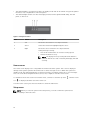
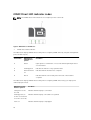
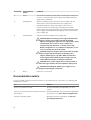
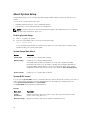
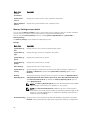
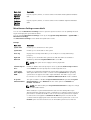
Option
Description
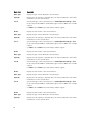
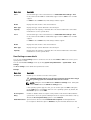
iDRAC
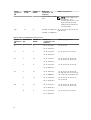
Select DHCP or Static IP to configure the network mode. If Static IP is selected,
the available fields are IP, Subnet (Sub), and Gateway (Gtw). Select Setup DNS to
enable DNS and to view domain addresses. Two separate DNS entries are available.
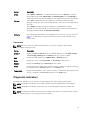
Set error
Select SEL to display LCD error messages in a format that matches the IPMI
description in the SEL. This is useful when trying to match an LCD message with an
SEL entry.
Select Simple to display LCD error messages in a simplified user-friendly
description. For more information on error messages, see the Dell Event and Error
Messages Reference Guide at dell.com/esmmanuals.
Set home
Select the default information to be displayed on the LCD Home screen. See View
menu to see the options and option items that can be set as the default on the
Home screen.
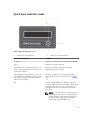
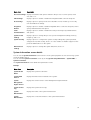
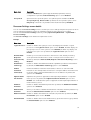
View menu
NOTE: When you select an option in the View menu, you must confirm the option before
proceeding to the next action.
Option
Description
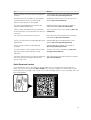
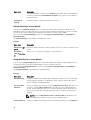
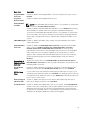
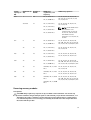
iDRAC IP
Displays the IPv4 or IPv6 addresses for iDRAC8. Addresses include DNS (Primary
and Secondary), Gateway, IP, and Subnet (IPv6 does not have Subnet).
MAC
Displays the MAC addresses for iDRAC, iSCSI, or Network devices.
Name
Displays the name of the Host, Model, or User String for the system.
Number
Displays the Asset tag or the Service tag for the system.
Power
Displays the power output of the system in BTU/hr or Watts. The display format can
be configured in the Set home submenu of the Setup menu.
Temperature
Displays the temperature of the system in Celsius or Fahrenheit. The display format
can be configured in the Set home submenu of the Setup menu.
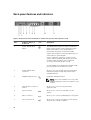
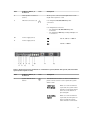
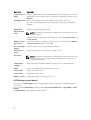
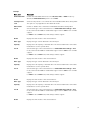
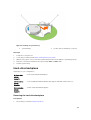
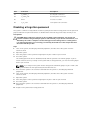
Diagnostic indicators
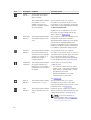
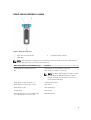
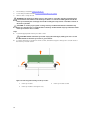
The diagnostic indicators on the system front panel display error status during system startup.
NOTE: The diagnostic indicators are not present if the system is equipped with an LCD display.
NOTE: The diagnostic indicators are present only on the 10-hard drive and the 24–hard drive
systems.
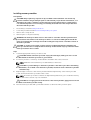
NOTE: No diagnostic indicators are lit when the system is switched off. To start the system, plug it
into a working power source and press the power button.
15