1
ploi
que, les
atiques
nne pas
s’effacent
eur avant
xtraction
encer
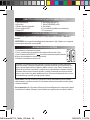
Configurations requises : Intel® Pentium 4 ou AMD® Athlon® 1 GHz ou supérieur, 512 Mo de RAM,
400 Mo d’espace libre sur le disque dur et un lecteur DVD pour l’installation du programme, carte
graphique supportant au minimum une résolution d’écran de 1024x768, carte son.
Appareils supportés : cartes graphiques, téléviseurs et autres appareils vidéo pourvus d’une entrée
vidéo.
FRANÇAIS
eil photo)
non fourni)
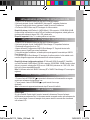
4. Pour lancer « Magix Video easy SE », double-cliquez sur son raccourci.
« MAGIX Photo Manager 10 » : logiciel d’édition de photos
1. Insérez le CD des logiciels (inclus) dans votre lecteur de CD-ROM.
2. Dans le menu principal, cliquez sur « Installer MAGIX Photo Manager 10 », puis attendez pendant
l’extraction des fichiers d’installation.
3. Sélectionnez une langue, puis cliquez sur « OK ».
4. La fenêtre « Configurer MAGIX Photo Manager 10 » s’affiche. Suivez les instructions qui s’affichent
à l’écran, puis appuyez sur « Installer » pour commencer l’installation.
5. Une fois l’installation terminée, un raccourci « MAGIX Photo Manager 10 » est ajouté sur le bureau
de votre ordinateur.
6. Pour lancer « MAGIX Photo Manager 10 », double-cliquez sur le raccourci. Les photos prises avec
l’appareil photo s’affichent automatiquement sur l’écran d’accueil.
Configurations minimales requises : Microsoft®2000, Windows® XP, Vista®, Win 7 PC avec Intel® Pentium® ou AMD® Athlon® 700 MHz ou supérieur - 256 Mo de RAM - 120 Mo
d’espace libre sur le disque dur pour les fichiers du logiciel - Carte graphique SVGA avec 4 Mo
de RAM au minimum (résolution minimale de 1024 x 600, 16-bit high-color) - Souris compatible
Microsoft®.
Remarque : Pour pouvoir profiter d’une utilisation illimitée de « MAGIX Photo Manager 10 » et de
« MAGIX Video easy SE », vous devez d’abord vous enregistrer.
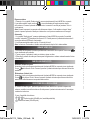
MISE EN MARCHE ET ARRÊT DE L’APPAREIL PHOTO
1. Appuyez sur le bouton mise en marche/arrêt pour mettre l’appareil photo en marche. L’appareil
émet un « bip » pour confirmer qu’il est prêt à être utilisé.
2. Maintenez le bouton de mise en marche/arrêt enfoncé pendant quelques secondes pour mettre
l’appareil photo hors tension.
Note : L’appareil photo s’éteindra automatiquement après 30 secondes d’inactivité.
PRENDRE DES PHOTOS
Prise unique
Mettez l’appareil en marche puis appuyez sur le déclencheur pour prendre une photo. Vous
entendrez un « bip » sonore après chaque prise de photo et le nombre de photos que vous pouvez
encore prendre s’affiche sur l’écran LCD.
DJ014seriesIM1112_15Mar_V02.indb 5
5
15/03/2012 3:15 PM