1
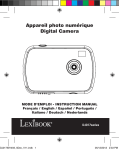
Appareil photo numérique
Digital Camera
MODE D’EMPLOI - INSTRUCTION MANUAL
DJ023series
1
2
3
7
8
4
5
6
9
11
10
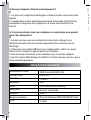
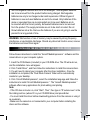
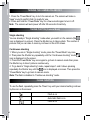
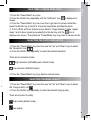
FRANÇAIS
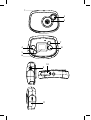
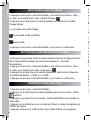
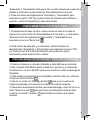
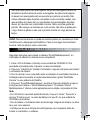
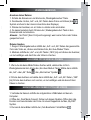
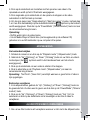
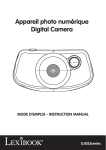
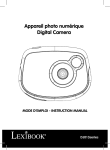
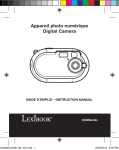
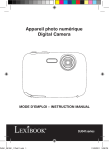
PRÉSENTATION DE VOTRE APPAREIL PHOTO
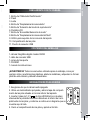
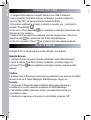
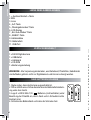
1. Déclencheur /bouton de confirmation
2. Flash
3. Objectif
4. Touche « Haut »
5. Touche « Mode lecture »
6. Écran LCD
7. Touche Marche/Arrêt-Mode
8. Touche « Bas/Flash »
9. Attache pour dragonne
10. Compartiment des piles
11. Prise USB
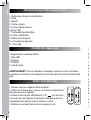
CONTENU DE L’EMBALLAGE
1 appareil photo numérique DJ023
1 câble USB
1 dragonne
1 CD-ROM
1 mode d’emploi
AVERTISSEMENT: Tous les matériaux d’emballage, comme le scotch, les feuilles
en plastique, les ficelles et les étiquettes ne font pas partie du produit et doivent être
jetés.
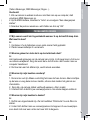
INSTALLATION DES PILES
1. Assurez-vous que l’appareil photo soit éteint.
2. Utilisez un tournevis pour ouvrir le couvercle du compartiment
des piles situé sous l’appareil.
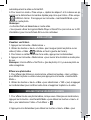
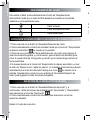
3. Insérez 2 piles de type LR03/AAA de 1.5V
(non fournies)
en prenant soin de respecter les polarités indiquées au fond du
compartiment des piles et selon le schéma ci-contre.
4. Refermez le compartiment à piles et resserrez la vis.
4
Su
pil
1.
au
2.
les
3.
l’in
su
4.
Me
àl
et
No
-S
su
d’e
-V
l’a
re
FRANÇAIS
Ne pas recharger les piles non rechargeables. Retirer les accumulateurs
du produit avant de les recharger. Ne charger les accumulateurs que sous
la surveillance d’un adulte. Ne pas mélanger différents types de piles ou
accumulateurs, ou des piles et accumulateurs neufs et usagés. Les piles et
accumulateurs doivent être mis en place en respectant la polarité. Les piles et
accumulateurs usagés doivent être enlevés du produit. Les bornes d’une pile
ou d’un accumulateur ne doivent pas être mises en court-circuit. Ne pas jeter
les piles au feu. Retirer les piles en cas de non utilisation prolongée.
ATTENTION : D’importantes interférences électromagnétiques ou des décharges
électrostatiques peuvent provoquer un dysfonctionnement ou une perte de
données. Si l’appareil ne fonctionne pas correctement, enlevez puis remettez les
piles.
INSTALLER LE LOGICIEL ET LE PILOTE DE L’APPAREIL PHOTO
Suivez les instructions suivantes pour installer « Arcsoft MediaImpression » et le
pilote de l’appareil photo sur votre ordinateur.
1. Insérez le CD d’installation (inclus) dans le lecteur de CD-ROM. Le CD se lancera
automatiquement et le menu d’installation apparaîtra.
2. Pour installer le pilote, cliquez sur « Install Driver » (installer le pilote) puis suivez
les instructions.
3. Vous devrez redémarrer votre ordinateur après l’installation du pilote. Une fois
l’installation terminée, le dossier « Dual Mode Camera » sera créé automatiquement
sur votre bureau.
4. Pour installer le logiciel « Arcsoft MediaImpression », cliquez sur « Arcsoft
MediaImpression », sélectionnez la langue d’installation puis suivez les instructions
à l’écran. « Arcsoft MediaImpression » offre de nombreuses applications pour éditer
et imprimer vos photos.
Note :
- Si le CD ne démarre pas automatiquement, allez dans la barre des tâches, cliquez
sur « Démarrer », « Exécuter », écrivez « D:\autorun.exe » dans la boîte de dialogue
d’exécution (où « D:\ » est votre lecteur CD-ROM) et appuyez sur Entrée.
- Vous devez installer le pilote pour pouvoir transférer les photos et pour utiliser
l’appareil photo comme webcam.
5
FRANÇAIS
- Ne branchez pas l’appareil photo à votre ordinateur pendant l’installation des
logiciels.
MISE EN MARCHE ET ARRÊT DE L’APPAREIL PHOTO
1. Appuyez sur le bouton mise en marche/arrêt pour mettre l’appareil photo en
marche. L’appareil émet un « bip » pour confirmer qu’il est prêt à être utilisé.
2. Maintenez le bouton de mise en marche/arrêt enfoncé pendant quelques
secondes pour mettre l’appareil photo hors tension.
Note : L’appareil photo s’éteindra automatiquement après 30 secondes d’inactivité.
PRENDRE DES PHOTOS (Mode Photo)
Prendre une photo en mode « Prise unique »
Lorsque vous mettez l’appareil en marche, le mode « Prise unique » est le mode
par défaut (l’icône
est affichée à l’écran). Appuyez sur le déclencheur pour
prendre une photo. Le nombre de photos prises s’affichera dans le coin inférieur
gauche de l’écran.
Prendre une photo en mode « Prise en continu »
1. Pour activer le mode « Prise en continu », lorsque vous êtes en mode « Prise
unique », appuyez sur la touche « marche/arrêt-Mode ».
2. Appuyez sur le déclencheur jusqu’à ce que l’icône « Prise en continu »
s’affiche.
3. Appuyez une nouvelle fois sur la touche « marche/arrêt-Mode » pour revenir en
mode photo puis appuyez sur le déclencheur pour prendre 3 photos en continu.
4. Pour revenir en mode « Prise unique », répétez les étapes 1 et 2 ci-dessus en
appuyant sur le déclencheur de manière répétée jusqu’à ce que l’icône « Prise
unique » s’affiche à l’écran. Puis appuyez sur la touche « marche/arrêt-Mode »
pour revenir en mode photo.
Note : le flash est désactivé en mode « Prise en continu ».
6
»
Pour utiliser le flash, appuyez de manière répétée sur la touche « Bas » jusqu’à ce
que l’icône correspondant au réglage désiré apparaisse à l’écran :
FRANÇAIS
UTILISATION DU FLASH
Flash activé
Flash automatique activé
Flash désactivé
UTILISER LE RETARDATEUR (MODE PHOTO UNIQUEMENT)
1. Appuyez sur la touche « marche/arrêt-Mode ».
2. Appuyez sur le déclencheur de manière répétée jusqu’à ce que l’icône
« Retardateur »
s’affiche.
3. Appuyez une nouvelle fois sur la touche « marche/arrêt-Mode » pour revenir en
mode photo puis appuyez sur le déclencheur pour lancer le compte à rebours de 10
secondes et prendre la photo.
4. Pour désactiver la fonction « Retardateur » et revenir en mode « Prise
unique », répétez les étapes 1 et 2 ci-dessus en appuyant sur le déclencheur de
manière répétée jusqu’à ce que l’icône « Prise unique »
s’affiche à l’écran.
Puis appuyez sur la touche « marche/arrêt-Mode » pour revenir en mode photo.
SELECTION DE LA RESOLUTION DES PHOTOS
1. Appuyez sur la touche « marche/arrêt-Mode » puis utilisez les touches « Haut »
et « Bas » pour sélectionner l’icône « Résolution »
.
2. Appuyez sur le déclencheur de manière répétée pour sélectionner la résolution
désirée.
Il y a 2 modes de résolution :
Haute résolution (640x480 pixels).
Basse résolution (320x240 pixels).
3. Appuyez sur la touche « marche/arrêt-Mode » pour revenir en mode photo.
7
FRANÇAIS
SÉLECTION DE LA QUALITE D’IMAGE
1. Appuyez sur la touche « marche/arrêt-Mode » puis utilisez les touches « Haut »
et « Bas » pour sélectionner l’icône « Qualité d’image »
.
2. Appuyez sur le déclencheur de manière répétée pour sélectionner la qualité
d’image désirée.
Il y a 2 niveaux de qualité d’image :
au
6.
pu
»
rev
Re
•L
•V
d’i
Haute qualité (mode par défaut).
Basse qualité.
3. Appuyez sur la touche « marche/arrêt-Mode » pour revenir en mode photo.
SELECTION DE LA FREQUENCE DE SCINTILLEMENT
Une fréquence plus élevée accroît la vitesse de déclenchement de l’appareil et donc
réduit l’impact des fluctuations des sources lumineuses (ex : ampoules
fluorescentes).
1. Appuyez sur la touche « marche/arrêt-Mode » puis utilisez les touches « Haut »
et « Bas » pour sélectionner l’icône « Fréquence »
.
2. Appuyez sur le déclencheur de manière répétée pour sélectionner la fréquence
de scintillement désirée : « 50HZ » ou « 60HZ ».
3. Appuyez sur la touche « marche/arrêt-Mode » pour revenir en mode photo.
PRENDRE DES VIDÉOS (Mode Vidéo)
8
1. Appuyez sur la touche « marche/arrêt-Mode ».
2. Appuyez sur le déclencheur de manière répétée jusqu’à ce que l’icône « Vidéo »
s’affiche.
3. Appuyez une nouvelle fois sur la touche « marche/arrêt-Mode » pour accéder au
mode vidéo.
4. Appuyez sur le déclencheur pour commencer à filmer. La durée d’enregistrement
s’affiche sur l’écran.
5. Appuyez à nouveau sur le déclencheur pour arrêter de filmer et sauvegarder
Vis
1.
2.
vid
3.
4.
de
Re
vid
Ef
1.
po
Mo
2.
su
nc
»
u
nt
FRANÇAIS
automatiquement la vidéo au format AVI.
6. Pour revenir en mode « Prise unique », répétez les étapes 1 et 2 ci-dessus en appuyant sur le déclencheur de manière répétée jusqu’à ce que l’icône « Prise unique
»
s’affiche à l’écran. Puis appuyez sur la touche « marche/arrêt-Mode » pour
revenir en mode photo.
Remarque :
• La fonction flash est désactivée en mode vidéo.
• Vous pouvez utiliser les logiciels Media Player et Quick Time (non inclus sur le CD
d’installation) pour lire les fichiers AVI sur votre ordinateur.
MODE LECTURE
Visualiser vos fichiers
1. Appuyez sur la touche « Mode lecture ».
2. Utilisez les touches « Haut » et « Bas » pour naviguer parmi les photos ou les
vidéos (l’icône « Vidéo »
s’affiche en haut à gauche de l’écran).
3. Pour lancer ou arrêter la lecture d’une vidéo, appuyez sur le déclencheur.
4. Appuyez sur la touche « Mode lecture » pour revenir à tout instant au mode prise
de vue.
Remarque : L’écran affiche « No Photo » (pas de photo) s’il n’y a aucune photo ou
vidéo enregistrée.
Effacer une photo/vidéo
1. Pour effacer des fichiers en mode lecture, utilisez les touches « Haut » et Bas »
pour afficher la photo ou vidéo voulue puis appuyez sur la touche « marche/arrêtMode ».
2. Utilisez les touches « Haut » et Bas » pour sélectionnez « YES » (oui) et appuyez
sur le déclencheur pour confirmer votre choix et supprimer la photo ou la vidéo.
EFFACER TOUTES VOS PHOTOS/VIDEOS
1. Pour effacer toutes vos photos/vidéos, lorsque vous n’êtes pas en mode lecture,
appuyez sur la touche « marche/arrêt-Mode » puis utilisez les touches « Haut » et
Bas » pour sélectionner l’icône « Tout effacer ».
2. Appuyez sur le déclencheur puis utilisez les touches « Haut » et Bas » pour
9
FRANÇAIS
sélectionnez « YES » (oui). Appuyez à nouveau sur le déclencheur pour confirmer
votre choix et supprimer toutes vos photos/vidéos.
TÉLÉCHARGEMENT DE VOS PHOTOS
1. Connectez votre appareil photo à votre ordinateur à l’aide du câble USB fourni.
2. Ouvrez le dossier « Dual Mode Camera » sur votre bureau, puis double-cliquez
sur l’icône « My DSC » pour ouvrir la fenêtre de téléchargement des photos.
3. Si vous le désirez, vous pouvez modifier vos images (contraste, luminosité...etc.)
avant de les télécharger en cliquant sur le bouton « Edition photo »
.
4. Cliquez sur le bouton de « Téléchargement photo » pour afficher les images
contenues dans votre appareil photo sous forme de vignettes.
5. Sélectionnez les photos que vous souhaitez télécharger en cliquant sur elles
individuellement ou cliquez sur le bouton « Tout sélectionner »
pour sélectionner
l’ensemble des images.
6. Cliquez sur le bouton « Enregistrer »
pour transférez les images vers
l’emplacement de votre choix.
MODE WEBCAM
Connecté à votre ordinateur, votre appareil photo peut être utilisé comme webcam.
Mode webcam
1. Connectez l’appareil photo à votre ordinateur avec le câble USB fourni.
2. Sur le bureau, ouvrez le dossier « Dual Mode Camera » puis double-cliquez sur
l’icône « PCCam »
. pour voir en temps réel les images prises par la webcam.
10
Messagerie instantanée (chat)
En mode webcam, vous pouvez aussi utiliser votre appareil photo avec votre
programme de messagerie instantanée (Yahoo Messenger, MSN Messenger,
Skype…).
Ex : Utilisation avec MSN Messenger
1. Lorsque votre appareil photo est en mode webcam, lancez MSN Messenger.
2. Sur l’interface MSN, sélectionnez « Actions », puis « Démarrer une conversation
vidéo MSN ».
3. Sélectionnez la personne avec qui vous désirez communiquer et appuyez sur «
OK ».
.)
er
Q: Mon appareil photo ne s’allume pas quand j’appuie sur la touche Marche/
Arrêt. Que dois-je faire ?
R:
1. Vérifiez que vous avez correctement installé les piles.
2. Installez des piles neuves dans votre appareil.
FRANÇAIS
DÉPANNAGE
Q: Pourquoi rien ne se passe lorsque j’appuie sur le déclencheur ?
R:
1. La mémoire interne de l’appareil photo est pleine. Dans ce cas, vous devez
effacer des photos/vidéos. Veillez auparavant à transférer les fichiers que vous
désirez conserver sur votre ordinateur.
2. Le compte à rebours du retardateur n’est pas terminé, attendez quelques
secondes.
Q: Pourquoi mes photos ne sont-elles pas claires ?
R:
1. L’objectif est sale. Le cas échéant, soufflez délicatement sur l’objectif pour
enlever toute poussière. Puis expirez doucement sur l’objectif et essuyez-le à l’aide
d’un tissu doux et propre, sans utiliser de produit chimique.
2. Veillez à ne pas trembler quand vous prenez une photo.
3. Vous êtes trop près de votre sujet. Réessayez en vous éloignant.
Q: Pourquoi mes photos sont-elles trop sombres ?
R:
1. Le flash est désactivé. Reportez-vous à la section « Utilisation du flash » pour
activer le flash.
2. Vous devez vous rapprocher de votre sujet ou bien votre sujet doit se déplacer
vers une zone mieux éclairée.
Q: Pourquoi mes photos sont-elles trop lumineuses ?
R:
Il n’est pas nécessaire d’utiliser le flash. Reportez-vous à la section « Utilisation du
flash » pour modifier le paramétrage du flash.
11
FRANÇAIS
Q: Pourquoi l’appareil s’éteint-il automatiquement ?
R:
1. Les piles sont complètement déchargées. Installez des piles neuves dans votre
appareil.
2. L’appareil photo s’éteint automatiquement après 30 secondes d’inactivité pour
sauvegarder l’énergie des piles. Appuyez sur la touche marche/arrêt pour le
rallumer.
Q: J’ai pris des photos, mais mon ordinateur ne reconnaît pas mon appareil
photo. Que dois-je faire ?
R:
1. Assurez-vous que vous avez réellement pris des photos. Appuyez sur le
déclencheur plusieurs fois pour prendre quelques photos et réessayez de les
télécharger.
2. Utilisez toujours le câble USB fourni avec l’appareil photo. Veillez à ce que le
câble soit bien connecté à l’appareil photo et à l’ordinateur.
3. Donnez le temps nécessaire à votre ordinateur pour reconnaître l’appareil
connecté à la prise USB. Essayez de rafraîchir la liste des disques jusqu’à ce que le
disque amovible apparaisse.
SPECIFICATIONS TECHNIQUES
12
Résolution de l’Image
300K Pixels (640X480) VGA
Format Fichier
JPEG / AVI
Objectif
f=5.4mm
Exposition
Auto
Flash
Auto / Flash Activé / Désactivé
Retardateur
Délai de 10 secondes
Interface
USB 1.1
Exigences Système
Microsoft Windows 98SE/2000/ME/XP/Vista/7
Piles
2 x AAA
Pro
Ne
Ne
ch
le
Protéger le produit de l’humidité. S’il est mouillé, l’essuyer immédiatement.
Ne pas le laisser en plein soleil, ne pas l’exposer à une source de chaleur.
Ne pas le laisser tomber. Ne pas tenter de le démonter. Pour le nettoyer, utiliser un
chiffon légèrement imbibé d’eau à l’exclusion de tout produit détergent
FRANÇAIS
ENTRETIEN
GARANTIE
Ce produit est couvert par notre garantie de un an. Pour toute mise en œuvre de la
garantie ou du service après-vente, vous devez vous adresser à votre revendeur
muni de votre preuve d’achat. Notre garantie couvre les vices de matériel ou de
montage imputables au constructeur à l’exclusion de toute détérioration provenant
du non-respect de la notice d’utilisation ou de toute intervention intempestive sur
l’article (telle que démontage, exposition à la chaleur ou à l’humidité…).
Note : veuillez garder ce mode d’emploi, il contient d’importantes informations. Le
contenu de ce mode d’emploi peut changer sans préavis. Aucune partie de ce mode
d’emploi ne doit être reproduite sans le consentement écrit du fabricant.
Référence : DJ023series
Conçu en Europe – Fabriqué en Chine
© 2010 Lexibook®
© Disney / Pixar
© Disney
LEXIBOOK S.A,
2, avenue de Scandinavie,
91953 Courtaboeuf Cedex
France
Assistance technique : 0892 23 27 26 (0,34 € TTC/Min)
www.lexibook.com
Ce produit n’est pas un jouet.
Informations sur la protection de l’environnement
Tout appareil électrique usé est une matière recyclable et ne devrait pas faire partie des ordures ménagères! Nous vous
demandons de bien vouloir nous soutenir en contribuant activement au ménagement des ressources et à la protection de
l’environnement en déposant cet appareil dans des sites de collecte (si existants).
13
ENGLISH
GETTING TO KNOW YOUR CAMERA
1. “Shutter/set” key
2. Flash
3. Lens
4. “Up” button
5. “Playback mode” key
6. LCD screen
7. “Power/Mode” key
8. “Down/Flash” key
9. Strap hole
10. Battery compartment
11. USB port
CONTENTS OF THE PACKAGING
Fo
ca
1 x DJ023 digital camera
1 x USB cable
1 x hand strap
1 x CD-ROM
1 x instruction manual
WARNING: All packaging materials, such as tape, plastic sheets, wire ties and tags
are not part of this product and should be discarded for your child’s safety.
INSERTING NEW BATTERIES
1. Make sure the camera is off.
2. Using a screwdriver, open the battery door located under the unit.
3. Insert 2 x LR03/AAA 1,5V type batteries
(not included)
observing the polarity indicated inside the battery compartment and
as per the diagram shown opposite.
4. Close the battery compartment and tighten the screw.
14
1.
an
2.
3.
ins
cre
4.
ins
so
No
- If
Ru
-Y
as
-M
dri
s
ENGLISH
Non-rechargeable batteries are not to be recharged. Rechargeable batteries
are to be removed from the product before being charged. Rechargeable
batteries are only to be charged under adult supervision. Different types of
batteries or new and used batteries are not to be mixed. Only batteries of the
same or equivalent type as recommended are to be used. Batteries are to
be inserted with the correct polarity. Exhausted batteries are to be removed
from the product. The supply terminals are not to be short circuited. Do not
throw batteries into a fire. Remove the batteries if you are not going to use the
product for a long period of time.
WARNING: Mal-function or loss of memory may be caused by strong frequency
interference or electrostatic discharge. Should any abnormal function occur, remove
the batteries and insert them again.
INSTALLING THE SOFTWARE AND THE CAMERA DRIVER
Follow these instructions to install the “Arcsoft MediaImpression ” software and the
camera driver on your computer system.
1. Insert the CD Software (included) in your CD-ROM drive. The CD will auto run,
and the installation menu will appear.
2. Click “Install Driver”, and then follow the instructions to install the camera driver.
3. You will need to reboot your computer after the driver installation. Once the
installation is completed, the “Dual Mode Camera” folder will be automatically
created on your desktop.
4. Click “Arcsoft MediaImpression”, select the installation language and follow the
instructions to install “Arcsoft MediaImpression ”. The “Arcsoft MediaImpression ”
software offers many applications for photo editing and printing.
Note: - If the CD does not auto run, click “Start”, “Run”, then type in “D:\autorun.exe” in the
Run dialog text box (where D:\ is your CD-ROM drive) and press Enter.
- You must install the driver before downloading pictures from the camera or using it
as a webcam.
- Make sure the camera is not connected to your computer before installing the
driver and the software.
15
ENGLISH
TURNING THE CAMERA ON AND OFF
1. Press the “Power/Mode” key to turn the camera on. The camera will make a
“beep” sound to confirm that it is ready for use.
2. Press and hold the “Power/Mode” key for a few seconds again to turn it off.
Note: The camera will auto power off after 30 seconds of inactivity.
TAKING PHOTOS (Camera Mode)
Single shooting
You are already in “Single shooting” mode when you switch on the camera (the
icon is displayed on screen). Press the Shutter key to take a photo. The number of
pictures that you can take in memory is shown on the LCD screen.
Continuous shooting
1. When you are in “Single shooting” mode, press the “Power/Mode” key once.
2. Then press the Shutter key repeatedly until the “Continuous shooting” mode
icon is displayed on the screen.
3. Press the Power/Mode” key once again to go back to camera mode then press
the Shutter key to take 3 pictures continuously.
4. To go back to “Single shooting” mode, repeat steps 1 and 2 above pressing
repeatedly the Shutter key until the
icon is displayed on screen. Then press the
“Power/Mode” key to go back to camera mode.
Note: The flash is disabled in “Continuous shooting” mode.
FLASH FUNCTION
To use the flash, repeatedly press the “Down” key until your desired setting is shown
by the icon on the screen:
Flash is on
Automatic flash is on
Flash is off
16
1. Press the “Power/Mode” key once.
2. Press the Shutter key repeatedly until the “Self-timer” icon
is displayed on
screen.
3. Press the “Power/Mode” key one more time to go back to camera mode then
press the Shutter key to start the 10-second countdown and take the photo.
4. To turn off the self-timer feature and go back to “Single shooting” mode, repeat
steps 1 and 2 above pressing repeatedly the Shutter key until the
icon is
displayed on screen. Then press the “Power/Mode” key to go back to camera mode.
SELECTING THE PHOTO RESOLUTION
f
e
wn
ENGLISH
SELF-TIMER (CAMERA MODE ONLY)
1. Press the “Power/Mode” key once then use the “Up” and “Down” keys to select
the “Resolution” icon
.
2. Press the Shutter key repeatedly to select the desired resolution.
There are 2 resolution modes:
High resolution (640x480 pixels, default mode).
Low resolution (320x240 pixels).
3. Press the “Power/Mode” key to go back to camera mode.
SELECTING THE IMAGE QUALITY
1. Press the “Power/Mode” key once then use the “Up” and “Down” keys to select
the “Image quality” icon
.
2. Press the Shutter key repeatedly to select the desired image quality.
There are 2 levels of quality:
High quality (default mode).
Low quality.
17
ENGLISH
3. Press the “Power/Mode” key to go back to camera mode.
SELECTING THE LIGHT SOURCE FREQUENCY
A higher frequency increases the camera shutter speed so the effect of light
fluctuations from sources such as florescent lamps is reduced.
1. Press the “Power/Mode” key once then use the “Up” and “Down” keys to select
the “Frequency” icon
.
2. Press the Shutter key repeatedly to select the desired frequency: “50HZ” or
“60HZ”.
3. Press the “Power/Mode” key to go back to camera mode.
CAPTURING VIDEO CLIPS (Video Mode)
1. Press the “Power/Mode” key.
2. Press the Shutter key repeatedly until the video icon
is displayed on screen.
3. Press the “Power/Mode” key one more time to go to video.
4. Press the Shutter key to start shooting videos. The recording length is displayed
on the LCD screen.
5. Press the Shutter key again to stop recording and automatically save the video in
AVI format.
6. To go back to “Single shooting” mode, repeat steps 1 and 2 above pressing
repeatedly the Shutter key until the
icon is displayed on screen. Then press the
“Power/Mode” key to go back to camera mode.
Note:
• The flash is disabled in video mode.
• You can use Media player and Quick time (not included on the software CD to play
AVI files on your computer.
PLAYBACK MODE
Viewing your files
1. Switch on the camera and press the “Playback mode” key.
2. Use the “Up” and “Down” keys to browse through your photos and your videos
(the
icon is displayed on the upper-left corner of the screen).
3. Press the Shutter key to start or stop a video.
18
4.
No
De
1.
vid
2.
co
n.
d
in
he
ay
ENGLISH
4. Press the “Playback mode” key at any time to go back to camera mode.
Note: “No Photo” appears when there are no stored photos or videos.
Deleting files
1. In playback mode, use the “Up” and “Down” keys to display the desired photo or
video, then press the “Power/Mode” key.
2. Press the “Up” and “Down” keys to select “YES” and press the Shutter key to
confirm and delete the photo or the video.
DELETING ALL YOUR PHOTOS/VIDÉOS
1. If you want to delete all your pictures/videos when you are not in playback mode,
press the “Power/Mode” key then use the “Up” or “Down” keys to select the “Delete
all” icon.
2. Press the Shutter key then use the “Up” and “Down” keys to select “YES”. Press
the Shutter key once more to confirm and delete all your photos/videos.
DOWNLOADING YOUR PHOTOS AND YOUR VIDEOS
1. Connect the camera to your computer via the USB cable provided.
2. Open the “Dual Mode Camera” folder on your desktop, then double-click the “My
DSC” icon to open the photo download window.
3. You can edit your pictures (contrast, brightness..etc.) using the “Photo Editing”
button
.
4. Click the “Photo download” button to display the images stored in your camera
as thumbnails.
5. Select the pictures you want to download individually or click the “Select all”
button
to select all the photos automatically.
6. Click the “Save” button
to transfer the files to the desired folder.
WEBCAM MODE
Connected to your PC, your camera can be used as a webcam.
Webcam mode
1. Connect the video camera to your computer using the USB cable provided.
19
ENGLISH
2. Open the “Dual Mode Camera” folder on the desktop, then double-click the
“PCCam” icon
to view the real-time images taken by the webcam.
2.
to
Instant messaging (chat)
You can use your camera as a webcam with your instant messaging client (Yahoo
Messenger, MSN Messenger, Skype…).
Ex: using MSN Messenger
1. Put your camera in webcam mode and connect it to your computer then launch
MSN Messenger.
2. On the MSN interface, select “Actions”, then “Start a Video Conversation”.
3. Select the person you want to chat with, and press “OK”.
Q:
A:
Yo
ch
TROUBLESHOOTING
Q: My camera doesn’t turn on when I press the Power key. What do I do?
A:
1. Check that you have installed the batteries correctly.
2. Place new batteries in your camera.
Q: Why does nothing happen when I press the Shutter key?
A:
The camera’s built-in memory may be full. If this is the case, you need to delete
photos from you camera. Make sure you transfer any photos you want to keep to
your computer first.
2. The timer may be counting down. Wait a few seconds.
Q: Why are my pictures unclear?
A:
1. The lens may be dirty. Gently blow any loose dust from the lens. Then breathe
gently on the lens and wipe it with a soft, clean cloth that has no chemicals on it.
2. Make sure you hold the camera steady when taking the pictures.
3. You may be too close to your subject. Try moving further away.
20
Q: Why are my pictures too dark?
A:
1. The flash may be turned off. See the “Flash function” section for how to set the
flash.
Q:
A:
1.
2.
the
Q:
do
A:
1.
tak
2.
co
3.
the
ENGLISH
2. You may need to move closer to your subject or your subject may need to move
to a lighter area.
Q: Why are my pictures too light?
A:
You may not need the flash function. See the “Flash function” section for how to
change the flash setting.
Q: Why does the camera turn off automatically?
A:
1. Your batteries may be low. Place new batteries in your camera.
2. After 30 seconds of inactivity, your camera goes into power saving mode. Press
the “Power/Mode” key and see if it turns on.
Q: I have taken photos but my computer does not recognize my camera. What
do I do?
A:
1. Ensure that you have in fact taken photos. Press the Shutter key a few times to
take some sample photos and then try downloading them again.
2. Always use the USB cable that came with the camera. Make sure it is firmly
connected to the camera and the computer.
3. Give your computer time to recognize the USB connection device. Try refreshing
the device options list until you see the removable device appearing.
SPECIFICATIONS
Image Resolution
300K Pixels (640X480) VGA
File Format
JPEG / AVI
Lens
f=5.4mm
Exposure
Auto
Self-timer
10-second delay
Interface
USB 1.1
System Requirements
Microsoft Windows 98SE/2000/ME/XP/Vista/7
Battery
2 x AAA
21
ENGLISH
MAINTENANCE
Only use a soft, slightly damp cloth to clean the unit. Do not use detergent. Do not
expose the unit to direct sunlight or any other heat source. Do not immerse the unit
in water. Do not dismantle or drop the unit. Do not try to twist or bend the unit.
WARRANTY
NOTE: Please keep this instruction manual, it contains important information. This
product is covered by our 1-year warranty. To make use of the warranty or the
after-sales service, please contact your retailer and supply proof of purchase. Our
warranty covers material or installation-related defects attributable to the
manufacturer, with the exception of wear caused by failure to respect the
instructions for use or any unauthorised work on the equipment (such as
dismantling, exposure to heat or damp, etc).
Reference: DJ023series
Designed in Europe – Made in China
© 2010 Lexibook®
© Disney / Pixar
© Disney
1c
1c
1c
1C
1m
United Kingdom & Ireland
For any further information, please call 0808 100 3015
http://www.lexibook.com
¡A
eje
pa
This product is not a toy.
Environmental Protection
Unwanted electrical appliances can be recycled and should not be discarded along with regular household waste! Please
actively support the conservation of resources and help protect the environment by returning this appliance to a collection
centre (if available).
22
1.
2.
3.
4.
5.
6.
7.
8.
9.
10
11
1.
2.
me
3.
ob
pa
mu
4.
s
1. Botón del “Obturador/Confirmación”
2. Flash
3. Lente
4. Botón de “Desplazamiento ascendente”
5. Botón de “Selección del modo de reproducción”
6. Pantalla LCD
7. Botón de “Encendido/Selección de modo”
8. Botón de “Desplazamiento descendente/Flash”
9. Orificio para sujeción de la correa de transporte
10. Compartimento de las pilas
11. Puerto de conexión USB
ESPAÑOL
FAMILIARÍZATE CON TU CÁMARA
CONTENIDO DEL EMBALAJE
1 cámara fotográfica digital modelo DJ023
1 cable de conexión USB
1 correa de transporte
1 CD-ROM
1 manual de instrucciones
¡ADVERTENCIA! Todos los elementos utilizados para el embalaje, como por
ejemplo cintas, recubrimientos plásticos, ataduras metálicas y etiquetas no forman
parte de esta cámara y deberán desecharse.
INSTALACIÓN DE PILAS NUEVAS
1. Asegúrese de que la cámara está apagada.
2. Utilice un destornillador apropiado y abra la tapa del compartimento de las pilas situado en la cara inferior del aparato.
3. Inserte 2 pilas de 1,5 V
de tipo LR03/AAA (no incluidas)
observando la polaridad correcta indicada en el interior del compartimento de las pilas y conforme se indica en el diagrama que se
muestra aquí al lado.
4. Cierre el compartimento de las pilas y apriete el tornillo.
23
ESPAÑOL
Las pilas no recargables no deben ser recargadas. Retirar las pilas
recargables del aparato antes de proceder a su recarga. Las pilas
recargables deben ser recargadas solamente bajo supervisión adulta. No
mezclar tipos de pilas diferentes o pilas nuevas con pilas usadas. Usar
solamente pilas del tipo recomendado o equivalentes. Insertar las pilas con
las polaridades en posición correcta. Retirar las pilas gastadas de dentro del
aparato. No provocar cortocircuitos en los terminales. No echar las pilas al
fuego. Retirar las pilas de dentro del aparato si éste no va a ser utilizado por
un periodo de tiempo prolongado.
ADVERTENCIA : Interferencias fuertes de señales de radio o descargas
electrostáticas pueden provocar un fallo de funcionamiento de la unidad o que se
pierda el contenido de la memoria. Si se produce un funcionamiento anómalo, retire
las pilas y vuelva a colocarlas.
INSTALACIÓN DEL SOFTWARE Y DEL CONTROLADOR PARA LA CÁMARA
Siga las instrucciones que se proporcionan a continuación para instalar en su
ordenador el programa de software “Arcsoft MediaImpression” y el controlador para
la cámara.
24
1. Inserte el CD de software (incluido) en la unidad de CD-ROM de su ordenador. El
CD se iniciará de forma automática y la pantalla mostrará el menú de instalación.
2. Haga clic en la opción “Install Driver” (instalar controlador) y siga las instrucciones
que se muestren en la pantalla para proceder a la instalación del controlador de la
cámara.
3. Será necesario que reinicie su ordenador una vez instalado el controlador. Una
vez completada la instalación, se creará automáticamente la carpeta “Dual Mode
Camera” en el escritorio de su ordenador.
4. Haga clic en el icono de “Arcsoft MediaImpression”, seleccione el idioma de
instalación deseado para esta aplicación y siga las instrucciones que se muestren
en la pantalla para instalar el programa “Arcsoft MediaImpression”. El software
“Arcsoft MediaImpression” incluye numerosas aplicaciones para la edición e
impresión de fotografías.
Nota: - En caso de que el CD no se inicie de forma automática, haga clic en “Inicio”,
seleccione la opción “Ejecutar” y escriba “D:\autorun.exe” en el cuadro de diálogo
que aparezca (donde D:\ corresponde a la letra asignada a su unidad de CD-ROM).
Ac
-S
im
de
-A
co
1.
cá
2.
un
No
ac
a
El
es
M).
ESPAÑOL
A continuación, pulse la tecla “Enter” (introducir).
- Será necesario que instale el controlador antes de proceder a la descarga de
imágenes almacenadas en la cámara, así como antes de utilizar el aparato a modo
de cámara Web.
- Asegúrese de que la cámara no está conectada a su ordenador antes de instalar el
controlador y el software.
CÓMO ENCENDER Y APAGAR LA CÁMARA
1. Pulsa el botón de “Encendido/Selección de modo” para encender la cámara. La
cámara emitirá un tono para confirmar que está lista para su uso.
2. Vuelve a mantener pulsado el botón de Encendido/Selección de modo durante
unos segundos para apagar la cámara.
Nota: la cámara se apagará automáticamente al cabo de 30 segundos si no detecta
actividad alguna por parte del usuario.
CÓMO HACER FOTOS CON EL APARATO (modo de cámara fotográfica)
Disparo único
Al encender la cámara, el modo seleccionado por defecto será siempre el de
“Disparo único” (la pantalla mostrará el icono
). Pulsa el botón del obturador
para hacer una foto. El número de fotografías que pueden guardarse en la memoria
se muestra en la pantalla LCD.
Disparo continuo
1. Desde el modo de “Disparo único”, pulsa una sola vez el botón de Encendido/
Selección de modo.
2. A continuación, pulsa reiteradamente el botón de selección del obturador hasta
que el icono de modo de “Disparo continuo”
se muestra en la pantalla.
3. Pulsa de nuevo el botón de “Encendido/Selección de modo” para regresar al
modo de cámara fotográfica y, a continuación, pulsa el botón del obturador para
que la cámara haga 3 fotografías seguidas.
4. Si deseas volver al modo de “Disparo único”, repite los pasos 1 y 2 indicados
anteriormente pulsando reiteradamente el botón del obturador hasta que el icono
se muestre en la pantalla. Seguidamente, pulsa de nuevo el botón de “Encendido/Selección de modo” para regresar al modo de cámara fotográfica.
Nota: el flash estará desactivado en el modo de “Disparo continuo”.
25
ESPAÑOL
FUNCIONAMIENTO DEL FLASH
Para utilizar el flash, pulsa reiteradamente el botón de “Desplazamiento
descendente” hasta que el modo de flash deseado se muestre en la pantalla
mediante su correspondiente icono.
Flash activado
Flash automático activado
Flash desactivado
TEMPORIZADOR DE DISPARO AUTOMÁTICO (SÓLO EN MODO DE CÁMARA FOTOGRÁFICA)
1. Pulsa una sola vez el botón de “Encendido/Selección de modo.
2. Pulsa reiteradamente el botón del obturador hasta que el icono de “Temporizador
de disparo automático”
se muestre en la pantalla.
3. Pulsa de nuevo el botón de “Encendido/Selección de modo” para regresar al
modo de cámara fotográfica y, a continuación, pulsa el botón del obturador para
iniciar la cuenta atrás de 10 segundos y permitir que la cámara haga una foto de
forma automática.
4. Si deseas desactivar la función del Temporizador de disparo automático y volver
al modo de “Disparo único”, repite los pasos 1 y 2 indicados anteriormente pulsando
reiteradamente el botón del obturador hasta que el icono
se muestre en la
pantalla. Seguidamente, pulsa de nuevo el botón de “Encendido/Selección de
modo” para regresar al modo de cámara fotográfica.
SELECCIÓN DE LA RESOLUCIÓN DE IMAGEN
1. Pulsa una sola vez el botón de “Encendido/Selección del modo” y, a
continuación, utiliza los botones de desplazamiento “Ascendente” y “Descendente”
para seleccionar el icono de “Resolución”
.
2. Pulsa reiteradamente el botón del obturador para seleccionar el nivel de
resolución deseado.
Existen 2 modos de resolución:
26
de
3.
mo
A)
or
r
do
”
ESPAÑOL
Alta resolución (640 x 480 píxeles; éste es el modo seleccionado por
defecto).
Baja resolución (320 x 240 píxeles).
3. Pulsa de nuevo el botón de “Encendido/Selección de modo” para regresar al
modo de cámara fotográfica.
SELECCIÓN DE LA CALIDAD DE IMAGEN
1. Pulsa una sola vez el botón de “Encendido/Selección del modo” y, a
continuación, utiliza los botones de desplazamiento “Ascendente” y “Descendente”
para seleccionar el icono de “Calidad de imagen”
.
2. Pulsa reiteradamente el botón del obturador para seleccionar el nivel de calidad
de imagen deseado.
Existen 2 niveles de calidad:
Calidad alta (modo seleccionado por defecto).
Calidad baja.
3. Pulsa de nuevo el botón de “Encendido/Selección de modo” para regresar al
modo de cámara fotográfica.
CÓMO SELECCIONAR LA FRECUENCIA DE LA FUENTE DE LUZ
Un nivel de frecuencia más alto aumenta la velocidad de obturación de la cámara,
de manera que se reduce el efecto producido por las fluctuaciones de luz
procedentes de fuentes tales como tubos fluorescentes.
1. Pulsa una sola vez el botón de “Encendido/Selección del modo” y, a
continuación, utiliza los botones de desplazamiento “Ascendente” y “Descendente”
para seleccionar el icono de “Frecuencia”
.
2. Pulsa reiteradamente el botón del obturador para seleccionar el nivel de
frecuencia deseado: “50 Hz” o “60 Hz”.
3. Pulsa de nuevo el botón de “Encendido/Selección de modo” para regresar al
modo de cámara fotográfica.
27
ESPAÑOL
FILMACIÓN DE VIDEOCLIPS (modo de vídeo)
1. Pulsa el botón de “Encendido/Selección de modo.
2. Pulsa reiteradamente el botón del obturador hasta que el icono del modo de
vídeo
se muestre en la pantalla.
3. Pulsa una vez más el botón de “Encendido/Selección de modo” para acceder al
modo de vídeo.
4. Pulsa el botón del obturador para comenzar a filmar tus vídeos. La pantalla LCD
mostrará el intervalo total de grabación efectuada.
5. Pulsa de nuevo el botón del obturador para detener el proceso de filmación de
vídeo y guardarlo automáticamente en la memoria en formato AVI.
6. Si deseas volver al modo de “Disparo único”, repite los pasos 1 y 2 indicados
anteriormente pulsando reiteradamente el botón del obturador hasta que el icono
se muestre en la pantalla. Seguidamente, pulsa de nuevo el botón de “Encendido/Selección de modo” para regresar al modo de cámara fotográfica.
Nota:
• El flash está deshabilitado en el modo de vídeo.
• Podrás utilizar las aplicaciones Media player y Quick time (no incluidas en el CD
de software) para reproducir en tu ordenador archivos de vídeo en formato AVI.
MODO DE REPRODUCCIÓN
Visualización de los archivos guardados en la cámara
1. Enciende la cámara y pulsa el botón de selección del “Modo de reproducción”.
2. Utiliza los botones de desplazamiento “Ascendente” y “Descendente” para
recorrer la lista de tus fotografías y vídeos (el icono
se mostrará en la esquina
superior izquierda de la pantalla).
3. Pulsa el botón del obturador para iniciar o detener la reproducción de algún vídeo
guardado en la memoria.
4. Pulsa en cualquier momento el botón de selección del “Modo de reproducción”
para volver al modo de cámara fotográfica.
Nota: la indicación “No Photo” se mostrará en la pantalla cuando no haya vídeos ni
fotografías guardados en la memoria.
Eliminación de archivos
1. Desde el modo de reproducción, utiliza los botones de desplazamiento
28
ESPAÑOL
“Ascendente” o “Descendente” hasta que la foto o el vídeo deseado se muestre en la
pantalla. A continuación, pulsa el botón de “Encendido/Selección de modo”.
2. Pulsa los botones de desplazamiento “Ascendente” y “Descendente” para
seleccionar la opción “YES” (Sí) y pulsa el botón del obturador para confirmar tu
selección y eliminar la fotografía o el vídeo seleccionado.
CÓMO ELIMINAR TODAS TUS FOTOS O VÍDEOS
1. Si deseas eliminar todas tus fotos o vídeos cuando no estás en el modo de
reproducción, pulsa el botón de “Encendido/Selección del modo” y, a continuación,
utiliza los botones de desplazamiento “Ascendente” y “Descendente” para
seleccionar el icono de “Borrar todo” .
2. Pulsa el botón del obturador y, a continuación, utiliza los botones de
desplazamiento “Ascendente” y “Descendente” para seleccionar la opción “YES”
(sí). Pulsa una vez más el botón del obturador para confirmar la opción
seleccionada y borrar todas tus fotos o vídeos.
CÓMO DESCARGAR TUS FOTOGRAFÍAS Y VÍDEOS EN TU ORDENADOR
1. Conecta la cámara a tu ordenador utilizando el cable USB que se suministra.
2. Abre la carpeta “Dual Mode Camera” situada en tu escritorio y, a continuación,
has doble clic en el icono “My DSC” para que se muestre el cuadro de descarga de
fotografías.
3. Podrás editar los parámetros de tus fotografías (contraste, brillo, etc.) utilizando
el botón de “Edición de fotos”
.
4. Haz clic en el botón de “Descarga de fotos”
para que se muestren las
imágenes guardadas en la memoria de la cámara a modo de miniaturas.
5. Selecciona individualmente las fotos que desees descargar, o bien haz clic en el
botón “Seleccionar todo”
para seleccionar automáticamente todas las fotos.
6. Haz clic en el botón “Guardar”
para transferir los archivos a la carpeta
deseada.
29
ESPAÑOL
MODO DE CÁMARA WEB
Mientras está conectada a su ordenador, esta cámara fotográfica puede utilizarse
como una cámara Web.
Modo de cámara Web
1. Conecta la videocámara a tu ordenador utilizando el cable USB que se
suministra.
2. Abre la carpeta “Dual Mode Camera” situada en tu escritorio y, a continuación,
haz clic en el icono de “Cámara de ordenador”
para visualizar las imágenes
en tiempo real tomadas por la cámara Web.
Mensaje instantáneo (chat)
Puede utilizar la cámara como una webcam con su programa de mensajería instantánea (Yahoo Messenger, MSN Messenger, Skype…).
Ejemplo:
1. Ponga la cámara en modo webcam y conéctela a su ordenador. Luego, ejecute
el programa MSN Messenger.
2. En el interfaz MSN, seleccione ‘Acciones’ y luego ‘Comenzar una
videoconferencia’.
3. Seleccione la persona con la que se quiere conectar y pulse ‘Aceptar’.
RESOLUCIÓN DE PROBLEMAS
P: Mi cámara no se enciende cuando pulso el botón de encendido. ¿Qué
puedo hacer?
R:
1. Comprueba que las pilas están correctamente instaladas.
2. Instala nuevas pilas en tu cámara.
P: ¿Por qué no pasa nada cuando pulso el botón del obturador?
R:
Es posible que la memoria integrada en la cámara esté llena. De ser así, deberás
eliminar algunas de las fotos guardadas en tu cámara. Asegúrate de transferir
primero las fotografías que desees a su ordenador.
30
2.
se
P:
R:
1.
po
yl
2.
tus
3.
un
P:
R:
1.
ha
2.
ob
P:
R:
Es
uti
pa
P:
R:
1.
2.
mo
co
P:
¿Q
R:
ESPAÑOL
2. Es posible que el temporizador esté aún efectuando la cuenta atrás; espera unos
segundos.
P: ¿Por qué mis fotos salen borrosas?
R:
1. Es posible que la lente esté sucia. Con cuidado, sopla cualquier acumulación de
polvo que pudiera existir sobre la lente. A continuación, echa el aliento sobre la lente
y límpiala con un paño limpio y suave, sin aplicar productos químicos al mismo.
2. Asegúrate de sujetar firmemente la cámara de manera que no se mueva al hacer
tus fotos.
3. Es posible que estés demasiado cerca del objetivo a fotografiar. Intenta alejarte
un poco del mismo.
P: ¿Por qué mis fotos salen demasiado oscuras?
R:
1. Es posible que el flash esté desactivado. Consulta la sección titulada “Cómo
hacer fotos con el aparato” para obtener información sobre cómo configurar el flash.
2. Es posible que tengas que acercarse al objetivo fotografiado, o bien desplazar el
objetivo a una zona más iluminada.
P: ¿Por qué mis fotos salen demasiado claras?
R:
Es posible que las condiciones de intensidad de luz ambiente no requieran la
utilización del flash. Consulta la sección titulada “Cómo hacer fotos con el aparato”
para obtener información sobre cómo modificar el tipo de flash.
P: ¿Por qué la cámara se apaga de forma automática?
R:
1. Es posible que las pilas estén baja de carga. Instala nuevas pilas en tu cámara.
2. Al cabo de 30 segundos de inactividad, su cámara pasa automáticamente al
modo de ahorro de energía. Pulsa el botón de “Encendido/Selección del modo” para
comprobar si la cámara vuelve a encenderse.
P: He hecho algunas fotos pero mi ordenador parece no reconocer mi cámara.
¿Qué puedo hacer?
R:
31
ESPAÑOL
1. Asegúrate de que realmente has hecho fotos y están guardadas en la cámara.
Pulsa varias veces el botón del obturador para hacer algunas fotos de prueba y, a
continuación, intenta descargarlas de nuevo en el ordenador.
2. Utiliza siempre el cable USB originalmente suministrado con la cámara.
Asegúrate de que el cable está correctamente conectado tanto la cámara como al
ordenador.
3. Proporciona tiempo suficiente a tu ordenador para que pueda reconocer el
dispositivo conectado a través del puerto USB. Intenta actualizar la carpeta donde
se muestra la lista de dispositivos conectados al ordenador hasta que aparezca el
dispositivo extraíble.
ESPECIFICACIONES
Resolución de imagen
300 kpíxeles (640X480) en formato VGA
Formatos de archivo compatibles
JPEG/AVI
Lente
Apertura relativa (f) = 5,4 mm
Exposición
Automática
Temporizador de disparo automático Retardo de 10 segundos
Interfaz de conexión
USB 1.1
32
Requisitos del sistema
Microsoft Windows 98SE/2000/ME/XP/Vista/7
Pila
2 de tipo AAA
Uti
de
cu
ca
7
Utilice un paño suave y ligeramente húmedo para limpiar el aparato. No utilice
detergentes. No exponga el aparato a la acción directa de los rayos del sol ni a
cualquier otra fuente de calor. No sumerja el aparato en agua. No desarme o deje
caer el aparato. No intente torcer o doblar el aparato.
ESPAÑOL
MANTENIMIENTO
GARANTÍA
NOTA: por favor conserve este manual de instrucciones, ya que contiene
informaciones importantes. Este producto está cubierto por nuestra garantía de un
año. Para efectuar alguna reclamación en garantía o solicitar alguna reparación
después de haber adquirido el producto, póngase en contacto con su distribuidor
y preséntele una prueba de compra. Nuestra garantía cubre cualquier efecto de
material o mano de obra que pudieran ser imputables al fabricante, a excepción de
cualquier tipo de daños resultantes de la no observación de las instrucciones de
uso o de cualquier modificación no autorizada efectuada en el aparato (tales como
desmontaje, exposición al calor o humedad, etc.).
Referencia: DJ023series
Diseñado en Europa – Fabricado en China
© 2010 Lexibook®
© Disney / Pixar
© Disney
España
Servicio atención al cliente: 902367933
http://www.lexibook.com
Este producto no es un juguete.
Protección medioambiental
¡Los aparatos eléctricos para desecho pueden ser reciclados y no deben ser desechados junto con la basura doméstica
habitual! Apoye activamente el aprovechamiento racional de los recursos y ayude a proteger el medio ambiente enviando este
producto a un centro de recolección para reciclaje (en caso de estar disponible).
33
PORTUGUÊS
CONHECER A SUA CÂMARA
1. Obturador/ Botão “set”
2. Flash
3. Lente
4. Botão “para cima”
5. Botão “Modo de reprodução”
6. Ecrã LCD
7. Botão “Power/Mode” (Energia/Modo)
8. Botão “Para baixo/Flash”
9. Orifício para a alça
10. Compartimento das pilhas
11. Porta USB
CONTEÚDO DA CAIXA
1 Câmara digital DJ023
1 Cabo USB
1 Alça para a mão
1 CD-ROM
1 Manual de instruções
Sig
co
AVISO: Todos os materiais de empacotamento, como fita, películas de plástico,
arames e etiquetas não fazem parte da unidade e devem ser eliminados.
COLOCAR PILHAS NOVAS
1. Certifique-se de que a câmara está desligada.
2. Com uma chave de fendas, abra a tampa do compartimento das
pilhas, na parte inferior da unidade.
3. Insira 2 pilhas LR03/AAA de 1,5V
(não incluídas), tendo em
conta a polaridade indicada dentro do compartimento das pilhas e
de acordo com a imagem apresentada ao lado.
4. Feche o compartimento das pilhas e aperte o parafuso.
34
1.
ex
2.
oc
3.
ins
Ca
4.
ins
Me
No
-S
es
CD
-T
de
-C
ins
PORTUGUÊS
Não recarregue pilhas não recarregáveis. As pilhas recarregáveis devem ser
retiradas do produto antes de serem recarregadas. As pilhas recarregáveis
só devem ser recarregadas sob a supervisão por parte de um adulto. Não
misture diferentes tipos de pilhas nem pilhas novas com pilhas usadas. Use
apenas pilhas do mesmo tipo ou equivalentes às recomendadas. As pilhas
devem ser inseridas com a polaridade correcta. Retire as pilhas gastas do
produto. Não coloque os terminais em curto-circuito. Não atire as pilhas para
o fogo. Retire as pilhas se não usar o produto durante um longo período de
tempo.
AVISO: Mau funcionamento ou perda de memória podem ser causados por fortes
interferências ou descargas electrostáticas. Caso ocorra algum funcionamento
anormal, retire as pilhas e volte a colocá-las.
INSTALAR O SOFTWARE E O CONTROLADOR DA CÂMARA
Siga estas instruções para instalar o software “Arcsoft MediaImpression” e o
controlador da câmara no sistema do seu computador.
1. Insira o CD do Software (incluído) na sua unidade de CD-ROM. O CD é
executado automaticamente e aparece o menu da instalação.
2. Clique em “Install Driver” (Instalar Controlador) e siga as instruções para instalar
o controlador da câmara.
3. Tem de reiniciar o seu computador após a instalação do controlador. Quando a
instalação estiver terminada, é criada automaticamente a pasta “Dual Mode
Camera” no seu ambiente de trabalho.
4. Clique em “Arcsoft MediaImpression”, escolha a língua de instalação e siga as
instruções para instalar o “Arcsoft MediaImpression”. O software “Arcsoft
MediaImpression” oferece muitas aplicações para a edição e impressão de fotos.
Nota:
- Se o CD não for executado automaticamente, clique em “Iniciar”, “Executar” e
escreva “D:\autorun.exe”, na caixa de diálogo (em que D:\ é a sua unidade de
CD-ROM) e prima Enter.
- Tem de instalar o controlador antes de descarregar imagens da câmara, ou antes
de a usar como webcam.
- Certifique-se de que a câmara não está ligada ao seu computador antes de
instalar o controlador e o software.
35
PORTUGUÊS
LIGAR E DESLIGAR A CÂMARA
1. Prima o botão “Power/Mode” para ligar a câmara. A câmara faz um “beep” para
confirmar que está pronta a ser usada.
2. Prima e mantenha premido o botão “Power/Mode” durante alguns segundos para
a desligar.
Nota: A câmara desliga-se automaticamente passados 30 segundos de
inactividade.
TIRAR FOTOGRAFIAS (Modo de câmara)
Disparo único
Já se encontra no modo de “Disparo único” quando liga a câmara (o ícone
é
apresentado no ecrã). Prima o obturador para tirar uma fotografia. O número de
imagens que pode guardar na memória é apresentado no ecrã LCD.
Disparo contínuo
1. Quando estiver no modo de “Disparo único”, prima o botão “Power/Mode”.
2. De seguida, prima repetidamente o obturador até que o ícone
do modo de
“Disparo contínuo” seja apresentado no ecrã.
3. Prima de novo o botão “Power/Mode” para voltar ao modo de câmara e depois
prima o obturador para tirar 3 fotografias continuamente.
4. Para voltar ao modo de “Disparo único”, repita os passos 1 e 2 apresentados
acima, premindo repetidamente o obturador até que o ícone
seja apresentado
no ecrã. De seguida, prima o botão “Power/Mode” para voltar ao modo de câmara.
Nota: O flash é desligado no modo de “Disparo contínuo”.
FUNÇÃO DO FLASH
Para usar o flash, prima repetidamente o botão “Para baixo” até que a configuração
desejada seja apresentada pelo ícone no ecrã:
O flash está ligado
O flash automático está ligado
O flash está desligado
36
o
a.
ão
1. Prima o botão “Power/Mode”.
2. Prima repetidamente o obturador até que o ícone do “Temporizador
PORTUGUÊS
TEMPORIZADOR AUTOMÁTICO (APENAS NO MODO DE CÂMARA)
automático”
seja apresentado no ecrã.
3. Prima de novo o botão “Power/Mode” para voltar ao modo de câmara e depois
prima o obturador para começar a contagem decrescente de 10 segundos e tirar a
fotografia.
4. Para desligar o temporizador automático e voltar ao modo de “Disparo único”,
repita os passos 1 e 2 apresentados acima, premindo repetidamente o obturador
até que o ícone
seja apresentado no ecrã. De seguida, prima o botão “Power/
Mode” para voltar ao modo de câmara.
ESCOLHER A RESOLUÇÃO DA FOTO
1. Prima o botão “Power/Mode” e depois use os botões “Para cima” e “Para baixo”
para escolher o ícone da “Resolução”
.
2. Prima repetidamente o obturador para escolher a resolução desejada.
Existem 2 modos de resolução:
Alta resolução (640x480 pixéis, modo predefinido).
Baixa resolução (320x240 pixéis).
3. Prima o botão “Power/Mode” para voltar ao modo de câmara.
ESCOLHER A QUALIDADE DE IMAGEM
1. Prima o botão “Power/Mode” e depois use os botões “Para cima” e “Para baixo”
para escolher o ícone da “Qualidade de imagem”
.
2. Prima repetidamente o obturador para escolher a qualidade de imagem desejada.
Existem 2 níveis de qualidade:
Alta qualidade (modo predefinido).
37
PORTUGUÊS
Baixa qualidade.
3. Prima o botão “Power/Mode” para voltar ao modo de câmara.
ESCOLHER A FREQUÊNCIA DA FONTE DE ILUMINAÇÃO
Uma frequência maior aumenta a velocidade do obturador da câmara, de modo a
que o efeito da flutuação de iluminação de fontes como lâmpadas fluorescentes
seja reduzido.
1. Prima o botão “Power/Mode” e depois use os botões “Para cima” e “Para baixo”
para escolher o ícone da “Frequência”
.
2. Prima repetidamente o obturador para escolher a frequência desejada: “50HZ”
ou “60HZ”.
3. Prima o botão “Power/Mode” para voltar ao modo de câmara.
GRAVAR CLIPES DE VÍDEO (Modo de vídeo)
1. Prima o botão “Power/Mode”.
2. Prima repetidamente o obturador até que o ícone do vídeo
seja apresentado
no ecrã.
3. Prima o botão “Power/Mode” mais uma vez para voltar ao vídeo.
4. Prima o obturador para começar a filmar vídeos. O tempo de gravação é
apresentado no ecrã LCD.
5. Prima de novo o obturador para parar a gravação e guardar automaticamente o
vídeo no formato AVI.
6. Para voltar ao modo de “Disparo único”, repita os passos 1 e 2 apresentados
acima, premindo repetidamente o obturador até que o ícone
seja apresentado
no ecrã. De seguida, prima o botão “Power/Mode” para voltar ao modo de câmara.
Nota:
• O flash é desligado no modo de vídeo.
• Pode usar o Media player ou o Quick time (não incluídos no CD do software) para
reproduzir ficheiros AVI no seu computador.
MODO DE REPRODUÇÃO
38
Visualizar os seus ficheiros
1. Ligue a câmara e prima o botão “Playback mode”.
2. Use os botões “Para cima” e “Para baixo” para correr as suas fotos e os seus
víd
3.
4.
câ
No
ne
Ap
1.
fot
2.
ob
”
do
o
o
a.
ra
PORTUGUÊS
vídeos (o ícone
é apresentado no canto superior esquerdo do ecrã).
3. Prima o obturador para começar ou parar um vídeo.
4. Prima o botão do “Modo de reprodução” a qualquer altura para voltar ao modo de
câmara.
Nota: Aparece a mensagem “No Photo” (Sem fotos) quando não existirem fotos
nem vídeos guardados.
Apagar ficheiros
1. No modo de reprodução, prima os botões “Para cima” e “Para baixo” para ver a
foto ou vídeo desejado e depois prima o botão “Power/Mode”.
2. Prima os botões “Para cima” ou “Para baixo” para escolher “YES” (SIM) e prima o
obturador para confirmar e apagar a foto ou vídeo.
APAGAR TODAS AS SUAS FOTOS/VÍDEOS
1. Se quiser apagar todas as suas imagens/vídeos quando não estiver no modo de
reprodução, prima o botão “Power/Mode” e depois use os botões “Para cima” ou
“Para baixo” para escolher o ícone “Apagar tudo” .
2. Prima o obturador e depois use os botões “Para cima” e “Para baixo” para
escolher “YES” (SIM). Prima de novo o obturador para confirmar e apagar todas as
suas fotos/vídeos.
DESCARREGAR AS SUAS FOTOS E VÍDEOS
1. Ligue a sua câmara ao seu computador através do cabo USB fornecido.
2. Abra a pasta “Dual Mode Camera” no seu ambiente de trabalho e clique duas
vezes no ícone “My DSC” para abrir a janela de descarregar fotos.
3. Pode editar as suas imagens (contraste, luminosidade, etc.) usando o botão de
“Edição de fotos”
.
4. Clique no botão de “Descarregar foto”
para ver as imagens guardadas na
sua câmara como miniaturas.
5. Escolha as imagens que deseja descarregar individualmente, ou clique no botão
“Seleccionar tudo”
para escolher todas as fotos automaticamente.
6. Clique no botão “Guardar”
para transferir os ficheiros para a pasta desejada.
39
PORTUGUÊS
MODO WEBCAM
Ligada ao seu PC, a sua câmara pode ser usada como webcam.
Modo webcam
1. Ligue a sua câmara ao seu computador através do cabo USB fornecido.
2. Abra a pasta “Dual Mode Camera” no ambiente de trabalho, clique duas vezes no
ícone “PCCam”
para ver as imagens capturadas pela câmara em tempo real.
Mensagens instantâneas (conversa)
Pode usar a sua câmara como webcam no seu programa de mensagens
instantâneas (Yahoo Messenger, MSN Messenger, Skype…).
Exemplo:
1. Coloque a sua câmara no modo webcam e ligue-a ao seu computador. De
seguida, inicie o MSN Messenger.
2. No interface do MSN, escolha “Acções” e depois “Iniciar uma Conversação de
Vídeo”.
3. Escolha a pessoa com quem deseja conversar e prima “OK”.
RESOLUÇÃO DE PROBLEMAS
P: A minha câmara não liga quando primo o botão “Power”. O que devo fazer?
R:
1. Verifique se colocou as pilhas correctamente.
2. Coloque pilhas novas na sua câmara.
P: Porque é que não acontece nada quando primo o obturador?
R:
A memória incorporada da câmara pode estar cheia. Se for o caso, tem de apagar
fotos da sua câmara. Certifique-se de que transfere primeiro as fotos que deseja
guardar para o seu computador.
2. O temporizador pode estar em contagem decrescente. Espere uns segundos.
P: Porque é que as minhas imagens não estão nítidas?
R:
1. A lente pode estar suja. Sopre suavemente qualquer pó solto existente na lente.
40
De
qu
2.
3.
P:
R:
1.
co
2.
um
P:
R:
Po
pa
P:
R:
1.
2.
en
P:
de
R:
1.
tira
2.
lig
3.
Te
am
PORTUGUÊS
Depois, respire suavemente para a lente e limpe com um pano suave e limpo sem
químicos.
2. Certifique-se de que segura fixamente a câmara quando tirar fotografias.
3. Pode estar demasiado perto do objecto. Tente afastar-se.
P: Porque é que as minhas imagens estão muito escuras?
R:
1. O flash pode estar desligado. Consulte a secção da “Função do flash” para saber
como configurar o flash.
2. Poderá ter de se aproximar do objecto, ou o objecto poderá ter de se mover para
uma área mais iluminada.
P: Porque é que as minhas imagens estão muito claras?
R:
Poderá não precisar da função do flash. Consulte a secção da “Função do flash”
para saber como alterar as configurações do flash.
P: Porque é que a câmara se desliga automaticamente?
R:
1. As pilhas podem estar fracas. Coloque pilhas novas na sua câmara.
2. Passados 30 segundos de inactividade, a câmara entra no modo de poupança de
energia. Prima o botão “Power/Mode” e veja se ela se liga.
P: Tirei fotos, mas o meu computador não reconhece a minha câmara. O que
devo fazer?
R:
1. Certifique-se de que tirou realmente fotos. Prima o obturador algumas vezes para
tirar algumas fotos de amostra e depois tente descarregá-las de novo.
2. Use sempre o cabo USB fornecido com a câmara. Certifique-se de que está
ligado firmemente à câmara e ao computador.
3. Dê ao seu computador tempo para reconhecer o dispositivo de ligação USB.
Tente actualizar a lista de opções do dispositivo até que apareça o dispositivo
amovível.
41
PORTUGUÊS
ESPECIFICAÇÕES
Resolução de imagem
300K Pixéis (640X480) VGA
Formato do ficheiro
JPEG / AVI
Lente
f=5,4mm
Exposição
Auto
Temporizador automático
Atraso de 10 segundos
Interface
USB 1.1
Requerimentos do sistema
Microsoft Windows 98SE/2000/ME/XP/Vista/7
Pilhas
2 x AAA
MANUTENÇÃO
Use apenas um pano suave ligeiramente embebido em água para limpar a unidade.
Não use detergente. Não exponha a unidade à luz directa do sol ou a qualquer
outra fonte de calor. Não coloque a unidade dentro de água. Não desmonte nem
deixe cair a unidade. Não tente dobrar ou torcer a unidade.
42
de.
NOTA: Por favor, guarde este manual de instruções, pois contém informação
importante. Este produto é abrangido pela nossa garantia de um ano. Para utilizar a
garantia ou o serviço pós-venda, por favor, contacte o seu revendedor e apresente uma prova de compra. A nossa garantia cobre defeitos de material ou de
mão-de-obra atribuídos ao fabricante, com a excepção de desgaste causado pelo
não respeito das instruções de utilização ou qualquer trabalho não autorizado no
equipamento (como desmontar, expor ao calor ou humidade, etc.).
PORTUGUÊS
GARANTIA
Referência: DJ023series
Desenhado na Europa – Fabricado na China
©2010 Lexibook®
©Disney / Pixar
© Disney
AJ AGUIAR
Atendimento a clientes á sua disposição: 227455403
http://www.lexibook.com
Este produto não é um brinquedo.
Protecção Ambiental
Os aparelhos eléctricos indesejados podem ser reciclados e não devem ser eliminados juntamente com o lixo doméstico
comum! Por favor, suporte activamente a conservação de recursos e ajude a proteger o ambiente, devolvendo esta unidade a
um centro de recolha (se disponível).
43
ITALIANO
IMPARA A CONOSCERE LA TUA FOTOCAMERA
1. Tasto « Shutter/set » (otturatore/set)
2. Flash
3. Obiettivo
4. Tasto “Up” (su)
5. Tasto “Playback mode” (modalità riproduzione)
6. Schermo LCD
7. Tasto “Power/Mode” (Accensione/ modalità)
8. Tasto “Down/Flash” (Giù/ flash)
9. Foro per laccio da polso
10. Vano batterie
11. Porta USB
CONTENUTO DELLA CONFEZIONE
1 x Fotocamera digitale DJ023
1 x Cavo USB
1 x Laccio da polso
1 x CD-ROM
1 x Manuale di istruzioni
AVVERTIMENTI IMPORTANTI: Tutti i materiali utilizzati per l’imballaggio come ad
esempio nastro adesivo, fogli di nylon, lacci in fil di ferro e cartellini vari, non sono
parte integrante di questo prodotto e di conseguenza sarà bene disfarsene al più
presto per la salvaguardia dei bambini.
SOSTITUZIONE DI BATTERIE
1. Controllare che la fotocamera sia spenta.
2. Con un cacciavite, aprire lo sportello del vano batterie situato
sotto l’unità.
3. Inserire 2 batterie di tipo LR03/AAA 1,5 V
(non incluse)
rispettando la polarità indicata all’interno del vano batteria e come
da schema riportato a lato.
4. Chiudere il vano batterie e stringere la vite.
44
Se
dri
1.
au
2.
ins
3.
co
me
4.
se
“A
No
-S
“D
Inv
-È
uti
-A
dri
ITALIANO
Le batterie non ricaricabili non vanno ricaricate. Rimuovere le batterie
ricaricabili dal prodotto prima di ricaricarle. Le batterie ricaricabili vanno
ricaricate unicamente con la supervisione di un adulto. Non mischiare diversi
tipi di batterie o batterie vecchie e nuove. Servirsi unicamente di batterie del
tipo indicato o equivalenti. Le batterie vanno inserite badando a rispettare le
polarità. Le batterie esaurite vanno rimosse dal prodotto. I terminali di
alimentazione non devono essere messi in corto circuito. Non gettare le
batterie nel fuoco. Rimuovere le batterie nel caso in cui non si intenda
utilizzare il prodotto per lunghi periodi di tempo.
ATTENZIONE: Il malfunzionamento o la perdita dei dati della memoria potrebbero
essere causati da possibili interferenze o dispersioni elettrostatiche. Se questa
eventualità si dovesse verificare, rimuovere le batterie ed inserirle di nuovo.
INSTALLAZIONE DEL SOFTWARE E DEL DRIVER DELLA FOTOCAMERA
Seguire queste istruzioni per installare il software “Arcsoft MediaImpression e il
driver della fotocamera sul vostro sistema informatico.
1. Inserire il CD del software (in dotazione) nel lettore CD-ROM. Il CD si avvia
automaticamente e compare il menu di installazione.
2. Fare clic su “Install Driver” (installa driver) e quindi seguire le istruzioni per
installare il driver della fotocamera.
3. È necessario riavviare il computer dopo l’installazione del driver. Una volta
completata l’installazione, la cartella “Dual Mode fotocamera” verrà automaticamente creata sul desktop.
4. Fare clic su “Arcsoft MediaImpression”, selezionare la lingua di installazione e
seguire le istruzioni per l’installazione di “Arcsoft MediaImpression”. Il software
“Arcsoft MediaImpression” offre molte applicazioni per il fotoritocco e la stampa.
Note:
- Se il CD non viene eseguito automaticamente, fare clic su “Start”, “Esegui”, digitate
“D: \ autorun.exe” nella finestra di dialogo (dove D: \ è l’unità CD-ROM) e premere
Invio .
- È necessario installare il driver prima di scaricare le immagini dalla fotocamera o
utilizzarla come webcam.
- Assicurarsi che la fotocamera non sia collegata al computer prima di installare il
driver e il software.
45
ITALIANO
ACCENDERE E SPEGNERE LA FOTOCAMERA
1. Premere il tasto “Power / Mode” per accendere la fotocamera. La fotocamera farà
un “beep” sonoro per confermare che è pronta per l’uso.
2. Tenere premuto il tasto “Power / Mode” per pochi secondi di nuovo per
disattivarla.
Nota: la fotocamera si spegne automaticamente dopo 30 secondi di inattività.
SCATTARE FOTO (Modalità Fotocamera)
Scatto singolo
Si è già in modalità “Single shooting” (scatto singolo) quando si accende la
fotocamera (sullo schermo compare l’icona
). Premere il tasto Shutter per
scattare una foto. Il numero di foto che si possono tenere in memoria compare sullo
schermo LCD.
Scatto continuo
1. In modalità “Single shooting”, premere una volta il tasto “Power/Mode”.
2. Quindi premere il tasto Shutter ripetutamente fino a quando compare sullo
schermo l’icona “Continuous shooting”
(scatto continuo).
3. Premere il tasto “Power/Mode” ancora una volta per tornare alla modalità
fotocamere poi premere il tasto Shutter per scattare 3 foto in successione continua.
4. Per tornare alla modalità “Single shooting”, ripetere i passaggi 1 e 2 di cui sopra
premendo ripetutamente il tasto Shutter fino a quando l’icona compare sullo
schermo. Quindi premere il tasto “Power/Mode”
per tornare alla modalità
fotocamera.
Nota: Il flash è disabilitato in modalità “Continuous shooting”.
FUNZIONE FLASH
Per usare il flash, premere ripetutamente il tasto “Down” (giù) fino a quando compare sullo schermo l’icona dell’impostazione desiderata:
Flash on
Flash automatico on
Flash off
46
lo
a.
a
1. Premere il tasto “Power / Mode” una volta.
2. Premere il tasto otturatore più volte fino a quando l’icona “Self-timer”
è
visualizzata sullo schermo.
3. Premere il tasto “Power / Mode” una volta per tornare alla modalità fotocamera,
quindi premere il tasto otturatore per avviare il conto alla rovescia di 10 secondi e
scattare la foto.
4. Per disattivare la funzione di autoscatto e ritorna alla modalità Single shooting,
ripetere i passaggi 1 e 2 premendo ripetutamente il tasto otturatore fino a quando
l’icona
viene visualizzata sullo schermo. Poi premere il tasto “Power / Mode”
per tornare alla modalità fotocamera.
ITALIANO
AUTOSCATTO (SOLO MODALITÀ FOTOCAMERA)
SELEZIONARE LA RISOLUZIONE DELLE FOTO
1. Premere il tasto “Power / Mode” una volta poi usare i tasti “Su” e “Giù” per
selezionare l’icona “Risoluzione”
.
2. Premere ripetutamente il tasto otturatore per selezionare la risoluzione
desiderata.
Ci sono 2 modalità di risoluzione:
Risoluzione alta (640x480 pixel, predefinito).
Risoluzione bassa (320x240 pixel).
3. Premere il tasto “Power / Mode” per tornare alla modalità fotocamera.
SELEZIONARE LA QUALITÀ DELL’IMMAGINE
1. Premere il tasto “Power / Mode” una volta poi usare i tasti “Su” e “Giù” per selezionare l’icona “Qualità immagine”
.
2. Premere ripetutamente il tasto otturatore per selezionare la qualità immagine
desiderata.
Ci sono 2 livelli di qualità:
47
ITALIANO
Qualità alta (predefinita).
Qualità bassa.
3. Premere il tasto “Power / Mode” per tornare alla modalità fotocamera.
SELEZIONARE LA FREQUENZA DELLA FONTE LUMINOSA
Una frequenza maggiore aumenta la velocità dell’otturatore in modo da ridurre
l’effetto delle fluttuazioni di luce da fonti luminose quali lampade fluorescenti.
1. Premere il tasto “Power / Mode” una volta poi usare i tasti “Su” e “Giù” per
selezionare l’icona “Frequenza”
.
2. Premere ripetutamente il tasto otturatore per selezionare la frequenza desiderata:
“50 Hz” o “60 Hz”.
3. Premere il tasto “Power / Mode” per tornare alla modalità fotocamera.
REALIZZAZIONE DI VIDEO CLIP (Modalità Video)
1. Premere il tasto “Power / Mode”.
2. Premere ripetutamente il tasto otturatore fino a che compare sullo schermo
l’icona video
.
3. Premere il tasto “Power/Mode” di nuovo per scegliere il modo video.
4. Premere il tasto otturatore ancora una volta per iniziare a riprendere video. La
lunghezza di registrazione è visualizzata sullo schermo LCD.
5. Premere nuovamente il tasto otturatore per smettere di registrare e salvare automaticamente il video in formato AVI.
6. Per tornare alla modalità “Single shooting”, ripetere i passaggi 1 e 2 qui sopra
premendo ripetutamente il tasto otturatore fino a quando compare sullo schermo
l’icona
. Poi premere il tasto “Power / Mode” per tornare alla modalità
fotocamera.
Note:
• Il flash è disabilitato in modalità video.
• Si può usare Media player e Quick time (non inclusi nel CD del software per
vedere file AVI sul computer).
48
Ve
1.
2.
èv
3.
4.
tor
No
Eli
1.
vid
2.
pe
ta:
o-
Vedere i file
1. Accendere la fotocamera e premere il tasto “modalità di riproduzione”.
2. Utilizzare i tasti “Su” e “Giù” per navigare attraverso le foto e i video
(l’icona
è visualizzata nell’angolo in alto a sinistra dello schermo).
3. Premere il tasto otturatore per avviare o arrestare un video.
4. Premere il tasto “modalità di riproduzione” chiave in qualsiasi momento per
tornare alla modalità fotocamera.
Nota: “No photo” (nessuna foto) appare quando non sono memorizzati foto o video.
ITALIANO
MODALITÀ VISUALIZZAZIONE
Eliminazione dei file
1. In modalità Riproduzione, usare i tasti “Su” e “Giù” per visualizzare la foto o il
video desiderato, quindi premere il tasto “Power / Mode”.
2. Premere i tasti “Su” e “Giù” per selezionare “YES” e premere il tasto otturatore
per confermare ed eliminare la foto o il video.
CANCELLARE TUTTI FOTO/ VIDEO
1. Se si desidera eliminare tutte le foto / video quando non si è in modalità di
riproduzione, premere il tasto “Power / Mode” quindi utilizzare i tasti “Su” e “Giù” per
selezionare l’opzione “Elimina tutto”.
2. Premere il tasto otturatore poi utilizzare tasti “Su” e “Giù” per selezionare “YES”.
Premere il tasto di scatto una volta di più per confermare ed eliminare tutte le vostre
foto / video.
49
ITALIANO
SCARICARE FOTO/ VIDEO
1. Collegare la fotocamera al computer tramite il cavo USB in dotazione.
2. Aprire la cartella “Dual Mode Camera” sul desktop, quindi fare doppio clic
sull’icona “My DSC” per aprire la finestra di download di foto.
3. È possibile modificare le immagini (contrasto, luminosità, ecc ..) utilizzando il
pulsante “Photo Editing”
.
4. Fare clic su “Photo download” per visualizzare le immagini memorizzate nella
fotocamera come miniature.
5. Selezionare le immagini che si desidera scaricare singolarmente o fare clic su
“Seleziona tutto”
per selezionare tutte le foto automaticamente.
6. Fare clic sul pulsante “Salva”
per trasferire i file nella cartella desiderata.
MODALITÀ WEBCAM
Collegata al PC, la fotocamera può essere utilizzata come webcam.
Modalità Webcam
1. Collegare la videocamera al computer utilizzando il cavo USB in dotazione.
2. Aprire la cartella “Dual Mode Camera” sul desktop, quindi fare doppio clic
sull’icona “PCCam
per visualizzare le immagini in tempo reale prese dalla
webcam
Chattare
È possible usare la fotocamera come fosse una webcamera per avere un immediato
accesso ai servizi di Yahoo Messenger, MSN Messenger, Skype, etc ...
Esempio:
1. Posizionare la fotocamera nella modalità di utilizzo della webcamera e
connetterla con il vostro computer, connettersi con MSN Messenger.
2. Sull’interfaccia MSN, selezionare ‘Azioni’, successivamente ‘Inizia una
conversazione video’.
3. Selezionare la persona con la quale si vuole chattare e premere “OK”.
50
a
D: La mia macchina fotografica non si accende quando si preme il tasto di
accensione. Cosa devo fare?
R:
1. Verificare di aver installato correttamente le batterie.
2. Mettere nuove batterie nella fotocamera.
ITALIANO
RICERCA GUASTI
D: Perché non accade nulla quando si preme il tasto otturatore?
R:
1. La memoria incorporata nella fotocamera potrebbe essere piena. Se questo è
il caso, è necessario eliminare le foto dalla macchina fotografica. Assicurarsi di
trasferire tutte le foto che si desidera conservare al computer.
2. Il timer dell’autoscatto potrebbe essere attivo, attendere alcuni secondi.
D: Perché le mie foto sono poco chiare?
R:
1. L’obiettivo potrebbe essere sporco. Soffiare delicatamente tutta la polvere dalla
lente. Poi alitare sulla lente e pulirla con un panno morbido e pulito che non ha
sostanze chimiche su di esso.
2. Assicurati di tenere ferma la fotocamera quando si scattano le foto.
3. Potrebbe essere troppo vicino al soggetto. Provare a spostarsi più lontano.
D: Perché sono le mie immagini troppo scure?
R:
1. Il flash può essere disattivato. Vedere la sezione “funzione Flash” su come
impostare il flash.
2. Potrebbe essere necessario avvicinarsi al soggetto o far spostare il soggetto in
una zona più chiara.
D: Perché le mie foto sono troppo chiare?
R:
Potrebbe non essere necessaria la funzione flash. Vedere la sezione “funzione
Flash” su come modificare l’impostazione del flash.
D: Perché la fotocamera si spegne automaticamente?
R:
51
ITALIANO
1. Le batterie potrebbero essere in esaurimento. Mettere nuove batterie nella
fotocamera.
2. Dopo 30 secondi di inattività, la fotocamera passa in modalità risparmio
energetico. Premere il tasto “Power / Mode” e vedere se si accende.
D: Ho fatto delle foto ma il mio computer non riconosce la mia macchina
fotografica. Cosa devo fare?
R:
1. Assicurarsi di aver preso le foto. Premere il tasto otturatore un paio di volte per
scattare alcune foto campione e poi prova a scaricare di nuovo.
2. Utilizzare sempre il cavo USB fornito con la fotocamera. Assicurarsi che sia
collegato saldamente alla fotocamera e il computer.
3. Lasciare tempo al computer per riconoscere la periferica di connessione USB.
Provare ad aggiornare la lista dei dispositivi rimovibili fino a visualizzare il dispositivo
rimovibile che appare.
SPECIFICHE
52
Risoluzione immagine
300K Pixel (640X480) VGA
Formato File
JPEG / AVI
Obiettivo
f = 5,4 mm
Esposizione
Auto
Autoscatto
ritardo di 10 secondi
Interfaccia
USB 1.1
Requisiti di sistema
Microsoft Windows 98SE/2000/ME/XP/Vista/7
Batterie
2 x AAA
Pu
No
l’un
de
vo
Pulire l’unità solo con un panno morbido leggermente umido. Non usare detergenti.
Non esporre l’unità alla luce diretta del sole o ad altre fonti di calore. Non immergere
l’unità in acqua. Non smontare o far cadere l’unità. Non tentare di piegare o
deformare l’unità.
ITALIANO
MANUTENZIONE
GARANZIA
NOTA: Conservare il manuale di istruzioni, contiene informazioni importanti. Questo
prodotto è coperto dalla nostra garanzia di uno anno. Per usufruire della garanzia
o del servizio post-vendita, contattare il rivenditore e fornire la prova d’acquisto. La
nostra garanzia copre difetti legati a materiali o montaggio attribuibili al costruttore,
ad eccezione dell’usura causata dal mancato rispetto delle istruzioni per l’uso o da
operazioni non autorizzate sull’apparecchiatura (ad es. smontaggio, esposizione a
calore o umidità, ecc).
Riferimento: DJ023series
Progettato in Europa – Fabbricato in Cina
© 2010 Lexibook®
© Disney / Pixar
© Disney
http://www.lexibook.com
7
Questo prodotto non è un giocattolo.
Protezione Ambientale
Gli elettrodomestici da smaltire possono essere riciclati e non devono essere gettati con i normali rifiuti domestici! Sostenete
attivamente la conservazione delle risorse e contribuite alla protezione dell’ambiente portando questa apparecchiatura presso
un centro di raccolta (se disponibile).
53
DEUTSCH
LERNE DEINE KAMERA KENNEN
1. « Auslöser/Einstell »-Taste
2. Blitz
3. Linse
4. „Auf”-Taste
5. „Wiedergabemodus”-Taste
6. LCD-Display
7. „Ein-/Aus-/Modus”-Taste
8. „Ab/Blitz”-Taste
9. Haltebandöse
10. Batteriefach
11. USB-Port
VERPACKUNGSINHALT
1 x DJ023 Digitalkamera
1 x USB-Kabel
1 x Halteband
1 x CD-ROM
1 x Bedienungsanleitung
Fo
So
WARNUNG: Alle Verpackungsmaterialien, wie Klebeband, Plastikfolie, Kabelbinder
und Aufkleber gehören nicht zur Digitalkamera und können entsorgt werden.
NEUE BATTERIEN EINLEGEN
1. Stelle sicher, dass die Kamera ausgeschaltet ist.
2. Öffne mithilfe eines Schraubendrehers die Batteriefachabdeckung unter dem Gerät.
3. Lege 2 x LR03/ AAA 1,5V
Batterien (nicht enthalten) unter
Beachtung der Polarität ein, die im Fach und im Schaubild rechts
illustriert sind.
4. Schließe das Batteriefach und ziehe die Schraube fest.
54
1.
au
2.
Ka
3.
die
au
4.
un
„A
Dr
Hi
−F
au
La
−D
od
er
DEUTSCH
Nichtaufladbare Batterien dürfen nicht wiederaufgeladen werden.
Wiederaufladbare Batterien müssen vor dem Aufladen entfernt werden.
Wiederaufladbare Batterien dürfen nur unter Aufsicht von Erwachsenen
entfernt werden. Keine unterschiedlichen Batterietypen oder neue und
gebrauchte Batterien gleichzeitig verwenden. Nur Batterien desselben oder
equivalenten empfohlenen Typs verwenden. Batterien nur mit richtiger
Polarität einsetzen. Leere Batterien aus dem Gerät entfernen.
Anschlussklemmen nicht kurzschliessen. Keine Batterien in eine offene
Flamme werfen. Entfernen Sie die Batterien, wenn Sie das Gerät für längere
Zeit nicht verwenden.
WARNUNG: Fehlfunktionen oder Speicherverlust können durch starke Störungen
oder elektrostatische Entladungen verursacht warden. Sollte das Gerät nicht mehr
sachgemäß funktionieren, entferne die Batterien und lege diese wieder ein.
SOFTWARE UND KAMERATREIBER INSTALLIEREN
Folge diesen Anleitungen, um den Kameratreiber und die „Arcsoft MediaImpression”
Software auf deinem Computersystem zu installieren.
1. Lege die Software-CD (mitgeliefert) in dein CD-ROM-Laufwerk. Die CD startet
automatisch und das Installationsmenü wird angezeigt.
2. Klicke „Treiber installieren” und folge dann den Anleitungen, um den
Kameratreiber zu installieren.
3. Du musst nach der Installation des Treibers deinen Computer neu starten. Sobald
die Installation abgeschlossen ist, wird automatisch der „Dual Mode Camera” Ordner
auf deinem Desktop erstellt.
4. Klicke „Arcsoft MediaImpression”, markiere die gewünschte Installationssprache
und folge den Anleitungen, um „Arcsoft MediaImpression” zu installieren. Die
„Arcsoft MediaImpression” Software bietet viele Anwendungen zum Bearbeiten und
Drucken der Fotos.
Hinweis: − Falls die CD nicht automatisch startet, klicke „Start”, „Ausführen”, tippe dann „D:\
autorun.exe” in das Ausführen-Dialogfenster ein (wobei D:\ für dein CD-ROMLaufwerk steht) und drücke Eingabe.
− Du musst den Treiber installieren, bevor du Bilder von der Kamera herunterlädst
oder sie als Webcam verwendest.
55
DEUTSCH
− Stelle sicher, dass die Kamera nicht mit deinem Computer verbunden ist, bevor du
Treiber und Software installierst.
EIN- UND AUSSCHALTEN DER KAMERA
1. Drücke die „Ein-/ Aus-/ Modus”-Taste, um die Kamera einzuschalten. Die Kamera
signalisiert mit einem Piepton, dass sie einsatzbereit ist.
2. Halte die „Ein-/ Aus-/ Modus-Taste” noch einmal für einige Sekunden gedrückt,
um die Kamera auszuschalten.
Hinweis: Die Kamera schaltet sich automatisch aus, wenn sie für 30 Sekunden
inaktiv ist.
FOTOS AUFNEHMEN (Kameramodus)
Einzelbildaufnahme
Du bist bereits im „Einzelbildmodus”, wenn du die Kamera einschaltest (das
Symbol wird auf dem Display angezeigt). Drücke den Auslöser, um ein Foto
aufzunehmen. Die Anzahl der Bilder, die du speichern kannst, wird auf dem
LCD-Display angezeigt.
Serienbildaufnahme
1. Wenn du im „Einzelbildmodus” bist, drücke einmal die „Ein-/Aus-/Modus”-Taste.
2. Drücke dann mehrmals den Auslöser, bis das Symbol für den „Serienbildmodus”
auf dem Display angezeigt wird.
3. Drücke die „Ein-/Aus-/Modus”-Taste noch einmal, um in den Kameramodus
zurückzukehren. Drücke dann den Auslöser, um 3 Bilder in Serie aufzunehmen.
4. Um in den „Einzelbildmodus” zurückzukehren, wiederhole die oben beschriebenen Schritte 1 und 2 und drücke mehrmals den Auslöser, bis das
Symbol
auf dem Display erscheint. Drücke anschließend die „Ein-/Aus-/Modus”-Taste, um in
den Kameramodus zurückzukehren.
Hinweis: Der Blitz ist im „Serienbildmodus” deaktiviert.
BLITZFUNKTION
Um den Blitz zu benutzen, drücke mehrmals die „Ab”-Taste, bis das Symbol deiner
gewünschten Einstellung auf dem Display erscheint:
Blitz ist aktiviert.
Automatischer Blitz ist aktiviert.
Blitz ist deaktiviert.
56
”
bol
in
r
SELBSTAUSLÖSER (NUR IM KAMERA-MODUS)
1. Drücke einmal die „Ein-/Aus-/Modus”-Taste.
2. Drücke mehrmals den Auslöser, bis das Symbol für den „Selbstauslöser”
auf
dem Display erscheint.
3. Drücke die „Ein-/Aus-/Modus”-Taste noch einmal, um in den Kameramodus
zurückzukehren. Drücke dann den Auslöser, um den 10-Sekunden-Countdown zu
starten und das Foto aufzunehmen.
4. Um die Selbstauslöserfunktion zu beenden und in den „Einzelbildmodus”
zurückzukehren, wiederhole die oben beschriebenen Schritte 1 und 2 und drücke
mehrmals den Auslöser, bis das
Symbol auf dem Display erscheint. Drücke
anschließend die „Ein-/Aus-/Modus”-Taste, um in den Kameramodus
zurückzukehren.
DEUTSCH
du
AUSWAHL DER BILDAUFLÖSUNG
1. Drücke die „Ein-/Aus-/Modus”-Taste einmal und wähle dann mithilfe der
„Auf”- und „Ab”-Tasten das „Auflösung”-Symbol
.
2. Drücke mehrmals den Auslöser, um die gewünschte Auflösung auszuwählen.
Es gibt 2 Auflösungsmodi:
Hohe Auflösung (640 x 480 Pixel, Standardmodus)
Niedrige Auflösung (320 x 240 Pixel)
3. Drücke die „Ein-/Aus-/Modus”-Taste, um in den Kameramodus zurückzukehren.
AUSWAHL DER BILDQUALITÄT
1. Drücke die „Ein-/Aus-/Modus”-Taste einmal und wähle dann mithilfe der „Auf”und „Ab”-Tasten das „Bildqualität”-Symbol
.
2. Drücke mehrmals den Auslöser, um die gewünschte Bildqualität auszuwählen.
Es gibt 2 Qualitätsstufen:
57
DEUTSCH
Hohe Qualität (Standardmodus)
Niedrige Qualität
3. Drücke die „Ein-/Aus-/Modus”-Taste, um in den Kameramodus zurückzukehren.
AUSWAHL DER FLIMMERFREQUENZ
Eine höhere Frequenz erhöht die Belichtungszeit, sodass der Effekt von
Lichtschwankungen von Lichtquellen wie Leuchtröhren vermindert wird.
1. Drücke die „Ein-/Aus-/Modus”-Taste einmal und wähle dann mithilfe der
„Auf”- und „Ab”-Tasten das „Frequenz”-Symbol
.
2. Drücke mehrmals den Auslöser, um die gewünschte Frequenz auszuwählen.
„50 HZ” oder „60 HZ”.
3. Drücke die „Ein-/Aus-/Modus”-Taste, um in den Kameramodus zurückzukehren.
VIDEOCLIPS AUFNEHMEN (Videomodus)
1. Drücke einmal die „Ein-/Aus-/Modus”-Taste.
2. Drücke mehrmals den Auslöser, bis das Videosymbol
auf dem Display
erscheint.
3. Drücke die „Ein-/Aus-/Modus”-Taste einmal, um in den Videomodus zu gehen.
4. Drücke die Auslöser-Taste, um mit der Videoaufnahme zu beginnen. Die Aufnahmelänge wird auf dem LCD-Display angezeigt.
5. Drücke die Auslöser-Taste erneut, um die Aufnahme abzubrechen und das Video
automatisch im AVI-Format zu speichern.
6. Um in den „Einzelbildmodus” zurückzukehren, wiederhole die oben
beschriebenen Schritte 1 und 2 und drücke mehrmals den Auslöser, bis das
Symbol auf dem Display erscheint. Drücke anschließend die „Ein-/Aus-/Modus”Taste, um in den Kameramodus zurückzukehren.
Hinweis:
• Der Blitz ist im Videomodus deaktiviert.
• Mithilfe von Media Player und Quick Time (nicht auf der Software-CD enthalten)
kannst du die AVI-Dateien auf deinem Computer abspielen.
58
Ansehen deiner Dateien
1. Schalte die Kamera ein und drücke die „Wiedergabemodus”-Taste.
2. Durchsuche mit den „Auf”- und „Ab”-Tasten deine Fotos und Videos (das
Symbol erscheint in der oberen linken Ecke des Displays).
3. Drücke den Auslöser, um ein Video zu starten oder anzuhalten.
4. Du kannst jederzeit durch Drücken der „Wiedergabemodus”-Taste in den
Kameramodus zurückkehren.
Hinweis: „No Photo” [Kein Foto] wird angezeigt, wenn keine Fotos oder Videos
gespeichert sind.
DEUTSCH
WIEDERGABEMODUS
Dateien löschen
1. Zeige im Wiedergabemodus mithilfe der „Auf”- und „Ab”-Tasten das gewünschte
Foto oder Video an, drücke anschließend die „Ein-/Aus-/Modus”-Taste.
2. Markiere mithilfe der „Auf”- und „Ab”-Tasten „YES” [Ja] und drücke den Auslöser,
um zu bestätigen und das Foto oder Video zu löschen.
ALLE DEINE FOTOS/VIDEOS LÖSCHEN
1. Wenn du alle deine Bilder/Videos löschen willst, während du nicht im
Wiedergabemodus bist, drücke die „Ein-/Aus-/Modus”-Taste. Wähle dann mithilfe
h-
der „Auf”- oder „Ab”-Taste
das „Alle löschen” Symbol
.
o
2. Drücke den Auslöser und wähle dann mithilfe der „Auf”- und „Ab”-Tasten „YES”
[Ja]. Drücke den Auslöser noch einmal, um zu bestätigen und alle deine Fotos/
Videos zu löschen.
HERUNTERLADEN DEINER FOTOS UND VIDEOS
1. Verbinde die Kamera mithilfe des mitgelieferten USB-Kabels mit deinem
Computer.
2. Öffne den „Dual Mode Camera” Ordner auf deinem Desktop. Öffne dann das
Fenster zum Herunterladen der Fotos mit einem Doppelklick auf das „My DSC”
Symbol.
3. Du kannst deine Bilder mithilfe der „Foto Bearbeiten” Schaltfläche
.
59
DEUTSCH
bearbeiten (Kontrast, Helligkeit usw.).
4. Klicke die „Foto herunterladen” Schaltfläche , um die auf deiner Kamera gespeicherten Bilder als Miniaturbilder anzuzeigen.
5. Markiere die einzelnen Bilder, die du herunterladen möchtest, oder klicke die „Alle
markieren” Schaltfläche
, um automatisch alle Fotos zu markieren.
6. Klicke die „Speichern” Schaltfläche
, um die Dateien in den gewünschten
Ordner zu übertragen.
WEBCAM-MODUS
Mit deinem PC verbunden, kann deine Kamera als Webcam verwendet werden.
Webcam-Modus
1. Verbinde die Kamera mithilfe des mitgelieferten USB-Kabels mit deinem
Computer.
2. Öffne den „Dual Mode Camera” Ordner auf dem Desktop, doppelklicke dann auf
das „PCCam” Symbol
, um die von der Webcam aufgenommenen Echtzeitbilder zu sehen.
Instant Messaging (Chat)
Du kannst Deine Kamera als Webcam mit deinem Messenger benutzen (Yahoo
Messenger, MSN Messenger, Skype…).
Ex: MSN Messenger
1. Stelle Deine Kamera in den Webcam-Modus und verbinde sie mit deinem Computer, dann starte den MSN Messenger.
2. On the MSN interface, select “Actions”, then “Start a Video Conversation”.
3. Select the person you want to chat with, and press “OK”.
FEHLERBEHEBUNG
F: Meine Kamera schaltet sich nicht ein, wenn ich die Ein/Aus-Taste drücke.
Was kann ich tun?
A:
1. Überprüfe, ob du die Batterien korrekt eingelegt hast.
2. Lege neue Batterien in deine Kamera ein.
60
F:
A:
1.
mu
die
2.
F:
A:
1.
Ha
au
2.
3.
we
F:
A:
1.
wie
2.
ein
F:
A:
Ev
zu
F:
A:
1.
Ka
2.
En
ein
lle
F: Warum passiert nichts, wenn ich den Auslöser drücke?
A:
1. Der eingebaute Speicher der Kamera ist möglicherweise voll. In diesem Fall
musst du Fotos von deiner Kamera löschen. Achte darauf, dass du erst alle Fotos,
die du behalten möchtest, auf deinen Computer herunterlädst.
2. Vielleicht läuft der Timer gerade, warte einige Sekunden.
DEUTSCH
-
F: Warum sind meine Bilder unscharf?
A:
1. Vielleicht ist die Linse verschmutzt. Puste vorsichtig losen Staub von der Linse.
Hauche dann sanft auf die Linse und wische sie mit einem weichen, sauberen Tuch,
auf dem sich keine Chemikalien befinden, ab.
2. Achte darauf, dass du die Kamera ruhig hältst, wenn du Bilder aufnimmst.
3. Du bist möglicherweise zu nahe an deinem Motiv. Versuche, etwas weiter
wegzugehen.
F: Warum sind meine Bilder zu dunkel?
A:
1. Möglicherweise ist der Blitz ausgeschaltet. Lies im Abschnitt „Blitzfunktion” nach,
wie du den Blitz einstellst.
2. Du musst eventuell näher an dein Motiv herangehen oder dein Motiv muss an
eine hellere Stelle gehen.
F: Warum sind meine Bilder zu hell?
A:
Eventuell brauchst du die Blitzfunktion nicht. Lies den Abschnitt „Blitzfunktion”, um
zu sehen, wie du die Blitzeinstellung änderst.
F: Warum schaltet sich die Kamera automatisch aus?
A:
1. Möglicherweise sind deine Batterien schwach. Lege neue Batterien in deine
Kamera ein.
2. Wenn deine Kamera für 30 Sekunden inaktiv ist, geht sie in den
Energiesparmodus. Drücke die „Ein-/Aus-/Modus”-Taste, um zu sehen, ob sie sich
einschaltet.
61
DEUTSCH
F: Ich habe Fotos gemacht, aber mein Computer erkennt meine Kamera nicht.
Was kann ich tun?
A:
1. Versichere dich, dass du wirklich Fotos aufgenommen hast. Drücke mehrmals
auf den Auslöser, um einige Testfotos zu schießen, und versuche sie dann erneut
herunterzuladen.
2. Verwende immer das mit der Kamera gelieferte USB-Kabel. Prüfe, ob es fest mit
der Kamera und dem Computer verbunden ist.
3. Lasse deinem Computer etwas Zeit, das USB-Verbindungsgerät zu erkennen.
Versuche, die Geräteoptionenliste zu aktualisieren, bis du den Wechseldatenträger
in der Liste siehst.
TECHNISCHE DATEN
62
Bildauflösung
300.000 Pixel (640 x 480) VGA
Dateiformat
JPEG / AVI
Linse
f=5,4mm
Belichtung
Automatisch
Selbstauslöser
10-Sekunden-Verzögerung
Schnittstelle
USB 1.1
Systemanforderungen
Microsoft Windows 98SE/2000/ME/XP/Vista™/7
Batterien
2 x LR03/AAA
PFLEGE
t
Verwenden Sie nur ein weiches, angefeuchtetes Tuch zur Reinigung des Gerätes.
Verwenden Sie keine Reinigungsmittel. Setzen Sie das Gerät nicht direktem
Sonnenlicht oder anderen Hitzequellen aus. Tauchen Sie das Gerät nicht in Wasser.
Nehmen Sie das Gerät nicht auseinander und lassen Sie es nicht fallen. Versuchen
Sie nicht, das Gerät zu verbiegen.
r
DEUTSCH
ht.
GARANTIE
HINWEIS: Bitte bewahren Sie diese Bedienungsanleitung auf, da sie wichtige
Informationen enthält. Dieses Produkt ist mit unserer 1-Jahr-Garantie versehen. Um
die Garantie oder den Kundendienst zu nutzen, wenden Sie sich bitte unter Vorlage
des Kaufbelegs an Ihren Fachhändler. Unsere Garantie deckt Material- und
Herstellungsmängel ab, die auf den Hersteller zurückgehen. Davon ausgenommen
sind Verschleißerscheinungen, die aufgrund von Missachtung der
Bedienungsanleitung oder unbefugten Arbeiten an dem Gerät entstanden sind (wie
z.B. das Gerät Hitze oder Feuchtigkeit aussetzen, das Gerät auseinandernehmen,
usw).
Referenznummer: DJ023series
Design und Entwicklung in Europa - Hergestellt in China
© 2010 Lexibook®
© Disney/Pixar
© Disney
Deutschland & Österreich
Service-Hotline: 01805 010931
(0.14€ TTC/Minute)
E-Mail: [email protected]
www.lexibook.com
Dieses Produkt ist kein Spielzeug.
Hinweise zum Umweltschutz
Alt-Elektrogeräte sind Wertstoffe, sie gehören daher nicht in den Hausmüll! Wir möchten Sie daher bitten, uns mit Ihrem aktiven
Beitrag bei der Ressourcenschonung und beim Umweltschutz zu unterstützen und dieses Gerät bei den (falls vorhanden)
eingerichteten Rücknahmestellen abzugeben.
63
DEUTSCH
NEDERLANDS
LEER UW CAMERA KENNEN
1. “Shutter/set” (“Sluiter/instel”) toets
2. Flits
3. Lens
4. “Omhoog” (“Up”) toets
5. “Playback mode” (“Afspeelmodus”) toets
6. LCD-scherm
7. “Power/Mode” (“Stroom/modus”) toets
8. “Down/Flash” (“Omlaag/flits”) toets
9. Riemopening
10. Batterijvak
11. USB-poort
VERPAKKINGSINHOUD
1 x DJ023 digitale camera
1 x USB-kabel
1 x handriem
1 x CD-ROM
1 x gebruiksaanwijzing
WAARSCHUWING: Al het verpakkingsmateriaal zoals plakband, plastic vellen,
draadklemmen en labels die niet deel uitmaken van dit apparaat dienen weggegooid
te worden.
NIEUWE BATTERIJEN PLAATSEN
1. Zorg dat de camera is uitgeschakeld.
2. Open het batterijvak onderaan het apparaat met behulp van een
schroevendraaier.
3. Plaats 2 x LR03/AAA 1,5V type batterijen
(niet meegeleverd)
en let hierbij op de juiste polariteit zoals aangegeven binnenin het
batterijvak en weergegeven in de figuur.
4. Sluit het batterijvak en draai de schroef vast.
64
Vo
op
1.
au
2.
ca
3.
vo
bu
4.
om
bie
Op
-A
in
-D
do
-Z
so
oid
NEDERLANDS
DEUTSCH
Probeer niet-oplaadbare batterijen niet op te laden. Oplaadbare batterijen
moeten uit het apparaat gehaald worden voordat deze opgeladen worden.
Oplaadbare batterijen dienen alleen onder toezicht van een volwassene
opgeladen te worden. Gebruik niet tegelijkertijd batterijen van verschillende
types of oude en nieuwe batterijen. Gebruik alleen batterijen van hetzelfde of
gelijkwaardige types als aanbevolen. Batterijen dienen geplaatst te worden
met de juiste polariteit. Lege batterijen dienen uit het apparaat gehaald te
worden. De polen van de batterijen dienen niet kortgesloten te worden. Gooi
batterijen niet in open vuur. Verwijder batterijen als u het apparaat langere tijd
niet gebruikt.
WAARSCHUWING: Er kan een slechte werking of geheugenverlies optreden door
een sterke frequentiestoring of elektrostatische ontlading. Mocht er zich een
abnormale werking voordoen, haal de batterijen dan uit en plaats ze opnieuw.
DE SOFTWARE EN CAMERADRIVER INSTALLEREN
Volg deze instructies om de “Arcsoft MediaImpression” software en de cameradriver
op uw computer te installeren.
1. Voeg de CD software (meegeleverd) in uw CD-ROM drive. De CD start
automatisch en het installatiemenu verschijnt.
2. Klik op “Install Driver” (“Installeer Driver”) en volg dan de instructies om de
cameradriver te installeren.
3. Zodra de installatie van de driver is voltooid, start uw computer opnieuw op. Na
voltooiing van de installatie wordt de “Dual Mode Camera” map automatisch op uw
bureaublad aangemaakt.
4. Klik op “Arcsoft MediaImpression”, kies de installatietaal en volg de instructies
om “Arcsoft MediaImpression” te installeren. De “Arcsoft MediaImpression” software
biedt verscheidene applicaties voor het bewerken en printen van foto’s.
Opmerking: - Als de CD niet automatisch start, klik op “Start”, “Run” en voer dan “D:\autorun.exe”
in het Run dialog teksvenster in (waarbij D:\ uw CD-ROM drive is) en druk op Enter.
- De installatie van de driver is nodig alvorens foto’s vanuit de camera te
downloaden of de camera als een webcam te gebruiken.
- Zorg dat de camera niet op uw computer is aangesloten voordat u de driver en de
software hebt geïnstalleerd.
65
DEUTSCH
NEDERLANDS
DE CAMERA IN- EN UITSCHAKELEN
1. Druk op de “Power/Mode” (“Stroom/modus”) toets om de camera in te schakelen.
De camera maakt een piepgeluid om te bevestigen dat deze klaar is voor gebruik.
2. Druk gedurende enkele seconden op de “Power/Mode” (“Stroom/modus”) toets
om de camera uit te schakelen.
Opmerking: De camera wordt automatisch uitgeschakeld na een inactiviteit van
30 seconden.
FOTO’S MAKEN (cameramodus)
Eén foto maken
U bevindt zich reeds in de “Single shooting” (“Eén foto maken) modus wanneer u
de camera inschakelt (het
symbool wordt op het scherm weergegeven). Druk
op de sluitertoets om een foto maken. Het aantal foto’s dat u in het geheugen kunt
opslaan wordt op het LCD-scherm weergegeven.
Continu foto’s maken
1. Wanneer u zich in de “Single shooting” (“Eén foto maken”) modus bevindt, druk
eenmaal op de “Stroom/modus” toets.
2. Druk dan herhaaldelijk op de sluitertoets totdat het “Continuous shooting”
(“Continu foto’s maken”) modus
symbool op het scherm wordt weergegeven.
3. Druk eenmaal op de “Power/Mode” (“Stroom/modus”) toets om naar de cameramodus terug te keren en druk dan op de sluitertoets om continu 3 foto’s te maken.
4. Om terug te keren naar de “Single shooting” (“Eén foto maken”) modus, herhaal
stap1 en 2 en druk herhaaldelijk op de sluitertoets totdat het
symbool op het
scherm wordt weergegeven. Druk dan op de “Stroom/Modus” toets om naar de
cameramodus terug te keren.
Opmerking: De flits werkt niet in de “Continuous shooting” (“Continu foto’s maken”)
modus.
66
t
-
l
n”)
Om de flits te gebruiken, druk herhaaldelijk op de “Down” (“Omlaag”) toets totdat uw
gewenste instelling via een symbool op het scherm wordt weergegeven:
NEDERLANDS
DEUTSCH
FLITSFUNCTIE
Flits aan
Automatische flits aan
Flits uit
ZELF-TIMER (ALLEEN CAMERAMODUS)
1. Druk eenmaal op de “Power/Mode” (“Stroom/modus”) toets
2. Druk herhaaldelijk op de sluitertoets totdat het “Self-timer” (“Zelf-timer”)
symbool op het scherm wordt weergegeven.
3. Druk nogmaals op de “Power/Mode” (“Stroom/modus”) toets om naar de
cameramodus terug te keren en druk dan op de sluitertoets om de 10-seconden
aftelling te starten en de foto te maken.
4. Om de zelf-timer uit te schakelen en terug te keren naar de “Single shooting”
(“Eén foto maken”) modus, herhaal stap 1 en 2 en druk herhaaldelijk op de
sluitertoets totdat het
symbool op het scherm wordt weergegeven. Druk dan op
de “Power/Mode” (“Stroom/Modus”) toets om naar de cameramodus terug te keren.
DE FOTORESOLUTIE SELECTEREN
1. Druk eenmaal op de “Power/Mode” (“Stroom/modus”) toets en gebruik dan de
“Up” (“Omhoog”) en “Down” (“Omlaag”) toets om het “Resolution” (“Resolutie”)
symbool te selecteren.
2. Druk herhaaldelijk op de sluitertoets om de gewenste resolutie te selecteren.
Er zijn 2 resolutiemodi:
Hoge resolutie (640x480 pixels, standaardmodus).
Lage resolutie (320x240 pixels).
3. Druk dan op de “Power/Mode” (“Stroom/Modus”) toets om naar de cameramodus
terug te keren.
67
DEUTSCH
NEDERLANDS
DE BEELDKWALITEIT SELECTEREN
1. Druk eenmaal op de “Power/Mode” (“Stroom/modus”) toets en gebruik dan de
“Up” (“Omhoog”) en “Down” (“Omlaag”) toets om het “Image quality”
(“Beeldkwaliteit”)
symbool te selecteren.
2. Druk herhaaldelijk op de sluitertoets om de gewenste beeldkwaliteit te selecteren.
Er zijn 2 kwaliteitniveau’s:
Hoge kwaliteit (standaardmodus).
4.
op
5.
au
6.
1e
wo
de
Op
•D
•U
ge
Lage kwaliteit.
3. Druk op de “Power/Mode” (“Stroom/Modus”) toets om naar de cameramodus
terug te keren.
DE LICHTBRONFREQUENTIE SELECTEREN
Een hogere frequentie doet de sluitersnelheid van de camera toenemen waardoor
het effect van lichtfluctuaties veroorzaakt door lichtbronnen zoals TL-lampen wordt
beperkt.
1. Druk eenmaal op de “Power/Mode” (“Stroom/modus”) toets en gebruik dan de
“Up” (“Omhoog”) en “Down” (“Omlaag”) toets om het “Frequency” (“Frequentie”)
symbool te selecteren.
2. Druk herhaaldelijk op de sluitertoets om de gewenste frequentie te selecteren.
“50HZ” of “60HZ”.
3. Druk op de “Power/Mode” (“Stroom/Modus”) toets om naar de cameramodus
terug te keren.
VIDEOCLIPS OPNEMEN (Videomodus)
68
1. Druk op de “Power/Mode” (“Stroom/modus”) toets.
2. Druk herhaaldelijk op de sluitertoets totdat het videosymbool
op het scherm
wordt weergegeven.
3. Druk nogmaals op de “Power/Mode” (“Stroom/modus”) toets om naar video te
gaan.
Uw
1.
2.
te
we
3.
4.
ca
Op
zijn
Be
1.
de
mo
2.
se
ve
en.
t
m
NEDERLANDS
DEUTSCH
4. Druk op de sluitertoets om te starten met het opnemen van video’s. De
opnameduur wordt op het LCD-scherm weergegeven.
5. Druk nogmaals op de sluitertoets om de opname te stoppen en de video
automatisch in AVI-formaat op te slaan.
6. Om terug te keren naar “Single shooting” (“Eén foto maken”) modus, herhaal stap
1 en 2 en druk herhaaldelijk op de sluitertoets totdat het
symbool op het scherm
wordt weergegeven. Druk dan op de “Power/Mode” (“Stroom/modus”) toets om naar
de cameramodus terug te keren.
Opmerking:
• De flits werkt niet in de videomodus.
• U kunt Media Player of Quick time (niet meegeleverd op de software CD)
gebruiken om uw AVI-bestanden op uw computer af te spelen.
AFSPEELMODUS
Uw bestanden bekijken
1. Schakel de camera in en druk op de “Playback mode” (“Afspeelmodus”) toets.
2. Gebruik de “Up” (“Omhoog”) en “Down” (“Omlaag”) toets om uw foto’s en video’s
te doorlopen (het
symbool wordt in de linkerbovenhoek van het scherm
weergegeven).
3. Druk op de sluitertoets om een video te starten of te stoppen.
4. Druk te allen tijde op de “Playback mode” (“Afspeelmodus”) om naar de
cameramodus teug te keren.
Opmerking: “No Photo” (“Geen foto”) verschijnt wanneer er geen foto’s of video’s
zijn opgeslagen.
Bestanden verwijderen
1. In de afspeelmodus, gebruik de ”Up” (“Omhoog”) of “Down” (“Omlaag”) toets om
de gewenste foto of video weer te geven en druk dan op de “Power/Mode” (”Stroom/
modus”) toets.
2. Druk op de “Up” (“Omhoog”) of “Down” (“Omlaag”) toets om “Yes” (“Ja”) te
selecteren en druk op de sluitertoets om te bevestigen en de foto of video te
verwijderen.
AL UW FOTO’S/VIDEO’S VERWIJDEREN
1. Als u al uw foto’s/video’s wilt verwijderen wanneer u zich niet in de afspeelmodus
69
DEUTSCH
NEDERLANDS
bevindt, druk op de “Power/Mode” (”Stroom/Modus”) toets en gebruik dan de “Up”
(“Omhoog”) of “Down” (“Omlaag”) toets om het “Delete all” (“Alles verwijderen”)
symbool
te selecteren.
2. Druk op de sluitertoets en gebruik dan de “Up” (“Omhoog”) en “Down” (“Omlaag”)
toets om “YES” (“JA”) te selecteren. Druk nogmaals op de sluitertoets om te bevestigen en al uw foto’s/video’s te verwijderen.
UW FOTO’S EN VIDEO’S DOWNLOADEN
1. Sluit de camera aan op uw computer met gebruik van de meegeleverde USBkabel.
2. Open de “Dual Mode Camera” map op uw bureaublad, dubbelklik dan op het “My
DSC” symbool om het fotodownloadvenster te openen.
3. U kunt uw foto’s bewerken (contrast, helderheid, enz.) met behulp van de “Photo
Editing” (“Foto bewerken”) knop
.
4. Klik op de “Photo download” (“Foto downloaden”) knop om de foto’s die in uw
camera als thumbnails opgeslagen zijn weer te geven.
5. Selecteer één voor één de foto’s die u wilt downloaden of klik op de “Select all”
(“Selecteer alles”) knop
om automatisch alle foto’s te selecteren.
6. Klik op de “Save” (“Bewaren”) knop
om de bestanden naar uw gewenste map
te transfereren.
WEBCAM-MODUS
Uw camera kan als een webcam worden gebruikt als deze op uw computer is
aangesloten.
Webcam-modus
1. Sluit de camera aan op uw computer met gebruik van de meegeleverde
USB-kabel.
2. Open de “Dual Mode Camera” map op uw bureaublad, dubbelklik dan op de
“PCCam” symbool
om de beelden, die rechtstreeks door de webcam worden
genomen, te bekijken.
Instant messaging (chat)
U kunt uw camera gebruiken als een webcam met uw instant messaging client
70
(Ya
Vo
1.
ve
2.
sta
3.
My
o
w
ap
NEDERLANDS
DEUTSCH
g”)
sti-
(Yahoo Messenger, MSN Messenger, Skype…).
Voorbeeld:
1. Zet uw camera in webcam modus en sluit hem aan op uw computer, start
vervolgens MSN Messenger op.
2. Op de MSN interface, selecteert u “Actie” en vervolgens “Een videogesprek
starten”.
3. Selecteer de persoon waarmee u wilt chatten en druk op “OK”.
PROBLEEMOPLOSSING
V: Mijn camera wordt niet ingeschakeld wanneer ik op de Aan/Uit-knop druk.
Wat moet ik doen?
A:
1. Controleer of u de batterijen op een juiste manier hebt geplaatst.
2. Plaats nieuwe batterijen in uw camera.
V: Waarom gebeurt er niets als ik op de sluitertoets druk?
A:
Het ingebouwd geheugen van de camera kan vol zijn. In dit geval moet u foto’s van
uw camera verwijderen. Zorg dan eerst dat u de foto’s die u wilt houden naar uw
computer transfereert.
2. De timer kan aan het aftellen zijn, wacht enkele seconden.
V: Waarom zijn mijn beelden onscherp?
A:
1. De lens kan vuil zijn. Blaas voorzichtig het losse stof van de lens. Adem zachtjes
op de lens en veeg deze met een zachte, schone doek zonder het gebruik van
chemicaliën.
2. Zorg dat u de camera stabiel vasthoudt wanneer u foto’s maakt.
3. U bevindt zich te dicht bij uw voorwerp/persoon. Ga enkele stappen achteruit.
V: Waarom zijn mijn beelden te donker?
A:
1. De flits kan uitgeschakeld zijn. Zie het hoofdstuk “Flitsfunctie” hoe de flits in te
stellen.
2. U dient zich dichter naar uw voorwerp/persoon te begeven of uw voowerp/persoon dient zich naar een ruimte met meer licht te begeven.
71
DEUTSCH
NEDERLANDS
V: Waarom zijn mijn beelden te licht?
A:
De flitsfunctie is niet nodig. Zie het hoofdstuk “Flitsfunctie” hoe de flitsinstelling te
wijzigen.
V: Waarom wordt de camera automatisch uitgeschakeld?
A:
1. Uw batterijen kunnen uitgeput zijn. Plaats nieuwe batterijen in uw camera.
2. Uw camera gaat automatisch in de energiebesparingsmodus na 30 seconden van
inactiviteit. Druk op de “Power/Mode” (“Stroom/Modus”) toets en controleer of de
camera wordt ingeschakeld.
V: Ik heb foto’s gemaakt maar mijn computer herkent mijn camera niet. Wat
moet ik doen?
A:
1. Controleer of de foto’s werkelijk gemaakt zijn. Druk enkele malen op de
sluitertoets om enkele proeffoto’s te nemen en probeer om deze opnieuw te
downloaden.
2. Gebruik altijd de USB-kabel dat met de camera is meegeleverd. Controleer of de
kabel op een juiste manier op de camera en computer is aangesloten.
3. Geef uw computer de tijd om het USB-aansluitingsapparaat te herkennen. Verfris
de lijst met apparaatopties totdat u het afneembaar apparaat ziet verschijnen.
TECHNISCHE BESCHRIJVING
72
Beeldresolutie
300K Pixels (640X480) VGA
Bestandsformaat
JPEG / AVI
Lens
f=5,4mm
Belichting
Automatisch
Zelf-timer
10-seconden vertraging
Interface
USB 1.1
Systeemvereisten
Microsoft Windows 98SE/2000/ME/XP/Vista/7
Batterij
2 x AAA
Ge
Ge
ee
nie
te
Gebruik enkel een zachte, lichtjes vochtige doek om het toestel schoon te maken.
Gebruik geen afwasmiddel. Stel het toestel niet bloot aan rechtstreeks zonlicht of
een andere warmtebron. Dompel het toestel niet onder in water. Haal het toestel
niet uit mekaar of laat hem niet vallen. Probeer niet om het toestel te verwringen of
te buigen.
GARANTIE
an
e
is
NEDERLANDS
DEUTSCH
ONDERHOUD
OPMERKING: Gelieve deze handleiding te bewaren, daar ze belangrijke informatie
bevat. Dit product wordt gedekt door onze een jaar garantie. Om gebruik te maken
van de garantie of de dienst-na-verkoop, dient u contact op te nemen met uw
winkelier en een bewijs van aankoop voor te leggen. Onze garantie dekt materiële
schade of fabricagefouten die toe te schrijven zijn aan de fabrikant, met de
uitzondering van slijtage veroorzaakt door het niet naleven van de
gebruiksinstructies of enig onbevoegd werk aan het toestel (zoals het uit mekaar
halen, blootstelling aan hitte of damp, enz.).
Referentie: DJ023series
Ontworpen en ontwikkeld in Europa - Gemaakt in China
© 2010 Lexibook®
© Disney / Pixar
© Disney
http://www.lexibook.com
Dit product is geen speelgoed.
Milieubescherming
Ongewenste elektrische apparaten kunnen hergebruikt worden en dienen niet met het normaal huishoudelijk afval weggegooid
te worden. Help bij de bescherming van natuurlijke hulpbronnen en het milieu door dit apparaat bij een inzamelcentrum in te
leveren (indien beschikbaar).
DJ023seriesIM1310
73
LEXIBOOK S.A,
Mon avis compte,
2, avenue de Scandinavie,
91953 Courtaboeuf Cedex
FRANCE
Affranchir
ici
YOUR OPINION MATTERS / VOTRE AVIS COMPTE
Country/Pays :
Email :
City/Ville :
Last name/Nom de famille :
Very disappointing/Très décevant
Average/Moyen
Conformément aux articles 34 et suivants de la loi « Informatique et Libertés » du 6 janvier 1978, vous disposez d'un droit d'accès, de modification,
de rectification et de suppression des données qui vous concernent. Vous pouvez l'exercer sur simple demande à notre adresse. Si vous ne souhaitez
pas que ces données soient utilisées à des fins de prospection commerciale, veuillez cocher ici :
Find all our new products / Retrouvez toute notre actualité: http://www.lexibook.com
Please feel free to leave your comments here / Vous pouvez à présent utiliser l’espace suivant pour nous donner vos remarques :
Satisfactory/Satisfaisant
Very satisfactory/Très satisfaisant
Disappointing/Décevant
What is your overall impression of the product? / Vous trouvez le produit globalement :
Phone/Téléphone :
Zip code/Code Postal :
Address/Adresse :
First name/Prénom :
Name of product / Nom du produit:
Date of purchase / Date de l’achat : ____/_____/_____
Store / Enseigne :
Birth Date of the user / Date de naissance de l’utilisateur de ce produit : ____/_____/_____
Reference of product / Référence du produit
Help us make products better than ever! Please fill out the following form in English or in French, and return it to / Aidez-nous à rendre nos
produits encore meilleurs! Merci de bien vouloir remplir ce coupon en français ou en anglais et de nous le retourner à l’adresse suivante :
LEXIBOOK S.A,
Mon avis compte
2, avenue de Scandinavie,
91953 Courtaboeuf Cedex
FRANCE