1
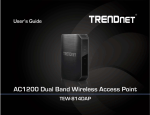
TRENDnet User’s Guide
Table of Contents
Table of Contents ............................................................................1
Product Overview ...........................................................................2
Package Contents .......................................................................................................... 2
Features ......................................................................................................................... 2
Product Hardware Features........................................................................................... 3
Basic Access Point Setup .................................................................4
TEW-820AP
Link Status.......................................................................................................... 29
Advanced Access Point Setup ........................................................ 30
MAC Address Filters .................................................................................................... 30
User Limit..................................................................................................................... 30
Change your access point login password ................................................................... 31
Change your device name ........................................................................................... 31
IPv6 Connection Settings ............................................................................................. 31
Change your access point IP address........................................................................... 32
Expanding a Home Network .......................................................................................... 4
Set your date and time ................................................................................................ 33
Basic Installation ............................................................................................................ 5
Create schedules ......................................................................................................... 34
Access your access point management page ....................................8
Choosing your device mode.............................................................9
Access Point Maintenance & Monitoring ....................................... 34
Reset your Access Point to factory defaults ................................................................ 34
Access Point (AP) Mode ................................................................................................. 9
Access Point Default Settings ...................................................................................... 35
Set the device to access point mode ................................................................... 9
Using access point mode ..................................................................................... 9
Wireless Networking and Security ..................................................................... 10
How to choose the type of security for your wireless network......................... 10
Secure your wireless network............................................................................ 11
Connect wireless devices to your access point .................................................. 13
Connect wireless devices using WPS ................................................................. 14
Steps to improve wireless connectivity ............................................................. 15
Multiple SSID...................................................................................................... 16
Advanced wireless settings ................................................................................ 16
Backup and restore your access point configuration settings ..................................... 35
Wireless Bridge ............................................................................................................ 17
Access Point Mode with Wireless Bridge (WDS) ......................................................... 19
Planning for Wireless Bridging (WDS) ................................................................ 21
Creating a Wireless Bridge (WDS) ...................................................................... 23
Bridging additional WDS supported devices ...................................................... 27
Client ............................................................................................................................ 28
Set the device to client bridge mode ................................................................. 29
Configure Client mode ....................................................................................... 29
Reboot your access point ............................................................................................ 35
Upgrade your access point firmware .......................................................................... 36
Ping test ....................................................................................................................... 36
View your access point log .......................................................................................... 37
Email logs ..................................................................................................................... 37
Wireless Client List ...................................................................................................... 38
Check the access point system information ................................................................ 38
View your access point statistics ................................................................................. 39
Access Point Management Page Structure..................................... 41
Technical Specifications ................................................................ 42
Troubleshooting ........................................................................... 43
Appendix ...................................................................................... 44
© Copyright 2014 TRENDnet. All Rights Reserved.
1