1
4
Connecting and Installing the WP-110xl
i
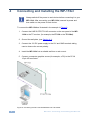
Always switch off the power to each device before connecting it to your
WP-110xl. After connecting your WP-110xl, connect its power and
then switch on the power to each device.
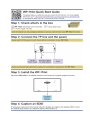
To connect the WP-110xl as illustrated in the example in Figure 2:
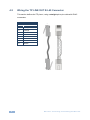
1. Connect the LINE OUTPUT RJ-45 connector on the rear panel of the WP110xl to the TP receiver, (for example, the PT-120 or the TP-126xl).
2. Ground the wall plate, (see Section 4.1).
3. Connect the 12V DC power supply to the 12V and GND terminals taking
care to observe the correct polarity.
4. Install the WP-110xl into a suitable wall box or rack mount.
5. Connect a computer graphics source (for example, a PC) to the PC IN
15-pin HD connector.
Figure 2: Connecting the WP-110xl UXGA/Data Line Transmitter
6
WP-110xl - Connecting and Installing the WP-110xl