1
48327 ammended_x 27/10/2011 13:56 Page 25
Bread Has Large Holes In Texture
Difficult to Remove From the Pan
Water was too hot and killed the yeast.
The bread is sticking to the Baking Pan.
Use liquids at temperatures between 21°C and 28°C
The surface of the Baking Pan needs to be oiled before
everyday use. Wash the Baking Pan in hot soapy water and
thoroughly dry. Liberally coat the inner surface of the pan with
oil, butter or margarine. Follow the guide on page 6, ‘Using your
breadmaker’. When the Baking Pan is removed from the
machine after the baking programme allow the bread to cool in
the Baking Pan for 15 minutes before turning out onto a rack.
Only slice the bread when fully cooled after 20-40 minutes.
Too much liquid.
Measure ingredients accurately.
Too much yeast.
Measure ingredients accurately.
High humidity and hot ambient temperatures increase
yeast activity.
Bake during the coolest part of the day. Try reducing the yeast
by 1⁄4 teaspoon or use liquids direct from the refrigerator.
Do not use the timer function.
Water was too hot and killed the yeast. Use liquids at
temperatures between 21°C and 28°C.
Bread Surface is Sticky
Bread was left in the machine too long and
condensation collected on the Baking Pan.
Whenever possible, remove bread from the Baking Pan
and cool on a wire rack before keep warm period ends.
The wet/dry balance of the ingredients may be
incorrect.
Measure ingredients accurately.
H:HH Message on Display
Temperature in breadmaker is too high.
Press the Stop button. Remove the Baking Pan, leave Lid open
and allow to cool. When cool, put the Baking Pan back in, set
programme and start the programme again.
E:EE Message on Display
Temperature sensor is disconnected.
Refer to Morphy Richards Helpline.
Condensation in the Fruit and
Nut Dispenser
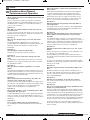
Please note that if your machine has a fruit & nut dispenser,
during the baking process, condensation will form on the inside
of the dispenser. This is totally normal and does not affect the
quality of the bread.
Contact Us
If you have any difficulty with your appliance, do not hesitate to
call us.
We are more likely to be able to help than the store from where
you bought it. Please have the following information ready to
enable our staff to deal with your query quickly.
• Name of the product.
• Model number as shown on the underside of the appliance.
• Serial number as shown on underside of the appliance.
UK Helpline
Replacement Parts
Ireland Helpline
0844 871 0960
0844 873 0726
1800 409 119
You may also contact us through our website, or visit the site to
browse and purchase appliances, spare parts and accessories
from the extensive Morphy Richards range.
For details of other Morphy Richards products, please see our website:
25