1
Troubleshooting
Troubleshooting
■ The power of the instrument does not
turn on.
· Make sure that the CC121 is properly connected
to the computer via a USB cable. The USB buspower is necessary to use the CC121. The AC
power adaptor is used as the auxiliary power supply for driving the motorized fader and cannot
supply enough power necessary for using the
CC121 as a controller for Cubase.
· Confirm whether or not a proper USB cable is
used. If the USB cable is broken or damaged,
have the USB cable replaced with a known working one. Use a USB cable no longer than 1.5
meters.
· Confirm whether not the USB hub with the buspowered type is used for connecting the CC121
and computer. If you must use USB hub, use the
self-powered type.
■ Cubase does not recognize the CC121.
· Make sure that the CC121 is properly connected
to the computer via a USB cable.
· Confirm whether or not a proper USB cable is
used. If the USB cable is broken or damaged,
have the USB cable replaced with a known working one. Use a USB cable no longer than 1.5
meters.
· Confirm whether or not the CC121 is turned on
before starting Cubase. If not, do so.
· Make sure that the USB-MIDI driver and Steinberg
CC121 Extension has been installed.
· (Windows XP only) Make sure the “Use Device
Name As Port Name” box is checked in the MIDI
patch window (called up by selecting [Start] ➝
[Control Panel] ➝ [Yamaha USB-MIDI Driver]).
· Make sure that CC121 is selected as the port setting on Cubase. The port is described in the
Device Setup window (called up via [Device
Setup...] under the [Devices] menu) when selecting “Steinberg CC121” under “Remote Devices” in
the Devices box.
· Confirm whether or not the Remote Control settings on Cubase are proper. Refer to the manual of
Cubase.
■ Cannot control Cubase even if you
operate the fader of the CC121
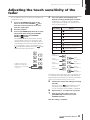
· Confirm whether or not the touch sensitivity of the
fader is proper. Adjust the touch sensitivity
(page 21).
■ The motorized fader does not work
· Confirm whether or not the AC power adaptor is
connected. The power supply via the AC power
adaptor is necessary for driving the motorized
fader as well as bus-power from the host computer.
· Confirm whether or not the touch sensitivity of the
fader is proper. Excessive settings of the touch
sensitivity may cause unexpected stopping of the
fader even if you do not touch it. Adjust the touch
sensitivity (page 21).
Specifications
Connectors
USB TO HOST terminal, FOOT SW jack, DC IN jack
Power Supply
USB bus-powered: 5V/500mA
Power adaptor (for driving the motorized fader): PA-3C, PA-130 or equivalent recommended by
Yamaha
Power Consumption
USB bus-powered: 1.5W
Power adaptor (for driving the motorized fader): 5W
Dimensions
284 x 72 x 185 mm (W x H x D)
Weight
1.5kg
Accessories
Power adaptor (PA-3C, PA-130 or equivalent), USB cable, CD-ROM (TOOLS for CC121), DVDROM (Cubase AI 4), Operation Manual (this book)
* Specifications and descriptions in this manual are for information purposes only. Steinberg/Yamaha Corp.
reserves the right to change or modify products or specifications at any time without prior notice. Since specifications, equipment or options may not be the same in every locale, please check with your Steinberg/Yamaha
dealer.
22
Operation Manual